Very Good Calendar Sync
For Mac users: Very Good Calendar Sync automatically syncs your work and personal calendars in the background with full privacy control and zero cloud storage.
Built by Christoph · Productivity · Paid
In category: #850 of 1380 · Productivity
Very Good Calendar Sync is a Instant Launch listing on Launch Llama with 5 total upvotes, founded by Christoph who joined in May 2026, compared against 6 alternatives.
Instant Launch listing
Listing status
5upvotes
Community score
Christoph (Joined May 2026)
Founder
Compared against 6 alternatives
Market comparison
Launched on Launch Llama May 25, 2026 · #37 of 54 that day
About
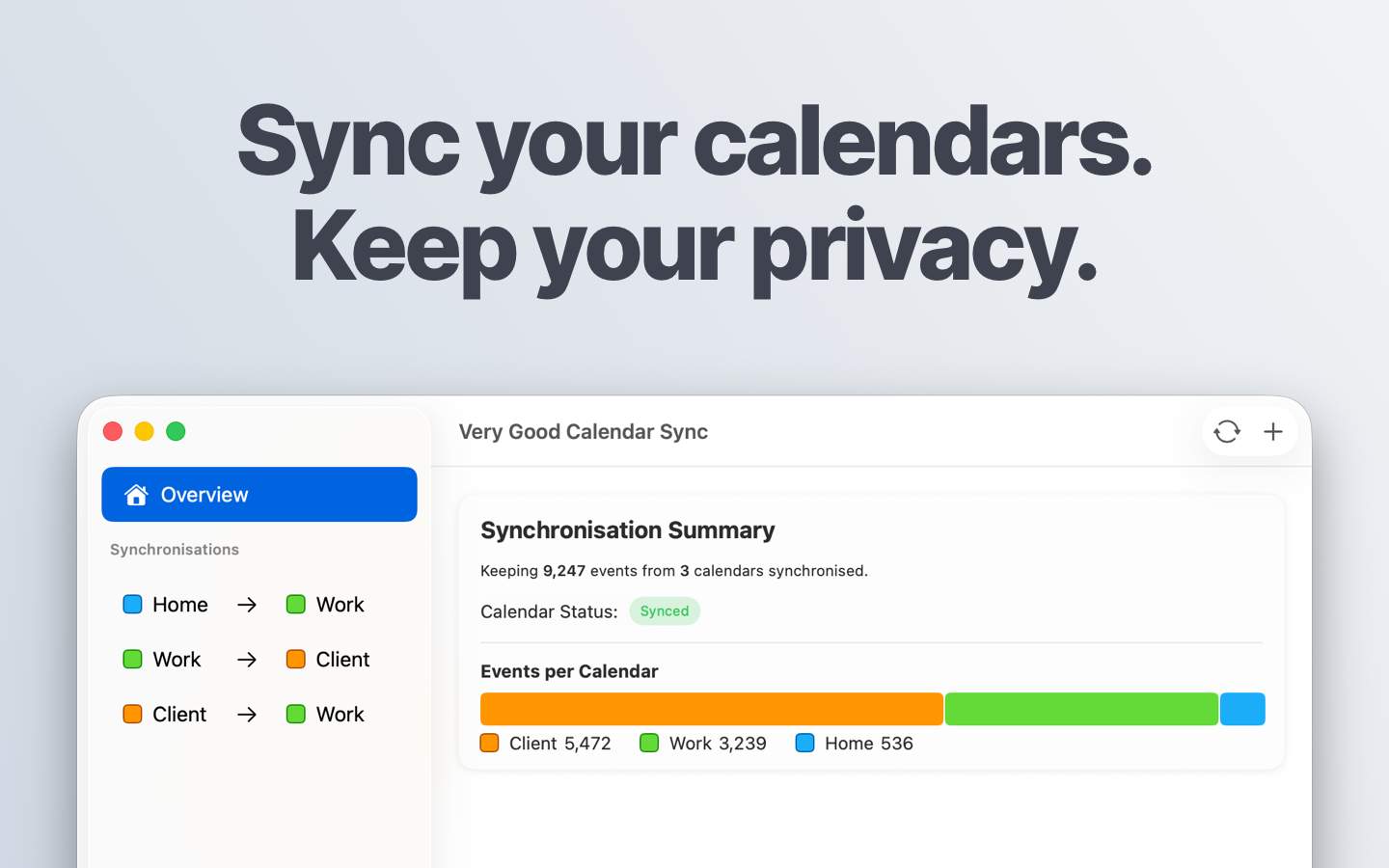
Keep your calendars perfectly synchronised. Automatically and privately.
Set up once and forget it. The app monitors your calendars and syncs changes in the background. New meeting on your work calendar? It appears on your personal calendar automatically.
Syncs any calendar available in macOS Calendar.app. You control exactly what gets synchronised:
Choose specific weekdays (skip weekends, sync only workdays), set daily hours (e.g. 9 AM to 6 PM only), set a start date for synchronisation, etc.
You also decide what to share: all event details or only the time you're busy?
Your calendar data never leaves your Mac. No credentials to share. No third-party access. No cloud storage. The app uses your Mac's native calendar access. Nothing is transmitted externally.
Perfect for consultants managing client calendars, employees balancing work and personal schedules, freelancers juggling multiple projects, or anyone tired of calendar chaos.
Use Cases
- Keeping work, personal and client calendars aligned on a Mac so availability is accurate without manual cross-checking
- Sharing availability with clients or colleagues by cloning or redacting events so only busy status is visible, not event details
- Syncing only weekdays or working hours between calendars so that rules differ per synchronisation
Who it is for
- Solo consultants and freelancers managing multiple client calendars
- Employees with separate work and personal calendars who want to avoid double-bookings
- Agencies and cross-functional teams balancing internal and client-facing calendars
Pricing
One synchronisation between two calendars is free. Paid plans are £1.99 per month, £19.99 per year, or a £39.99 one-time lifetime payment, each with unlimited synchronisations.
FAQ
Do you store any of my calendar data?
Everything is stored and synced locally only on your device. Very Good Calendar Sync never transmits or saves your calendar data externally.
Which calendar providers are supported?
Google Calendar, Microsoft 365, Apple iCloud, CalDAV and others. If it shows up in macOS' Calendar.app , it works with Very Good Calendar Sync.
Does it sync when my Mac is off or asleep?
Synchronisation happens locally on your Mac, so it only runs while your Mac is awake and the app is active in the menu bar. Enable “Start at Login” in Settings and it will start automatically whenever you log in, so you never have to think about it.
Is this app available for Windows?
Not yet. Very Good Calendar Sync is focused on a native macOS experience to start with. Windows support is on the roadmap, but no timing on that is available at this point.
Is this app available for iOS?
Unfortunately, no, because iOS doesn't support the necessary features to make it viable. Most notably, the lack of background processing based on calendar notifications. At the time of writing, there's no guaranteed way to make it work based on the rules of what apps are allowed to do when running in the background. This makes it too unreliable. Always having to open the app to manually trigger synchronisations goes against the core idea of not having to think about the synchronisations in the first place. Until there's better support in iOS, there is no way to make it work seamlessly.
Alternatives
 Side CalendarFor macOS users: Side Calendar slides out from your screen edge so you access all your calendars instantly without switching apps or tabs.
 HejourFor Mac users: Hejour links daily notes with todos and reminders so your thoughts persist across days without relying on cloud servers.
 Apical: Planner, Tasks & EmailFor busy professionals: Apical consolidates tasks, email, notes, and wellness into one dashboard so you start each day organized.
Ask AI about Very Good Calendar Sync
Supporters
1 founder
1 founder supported Very Good Calendar Sync on Launch Llama.