Updated 2026-11-03 · 5 of 5 Safety and Privacy platforms on Launch Llama compared
Quick answer: The best Safety and Privacy platforms in 2026, by Launch Llama community upvotes, are Tea App Green Flags — Tea App Checker, AnyCircumstances, DocRedactNow. If you want to start free, AnyCircumstances has a free plan. We compared 5 of the 5 Safety and Privacy platforms listed on Launch Llama on pricing, features and use cases.
Our picks at a glance
- Best overall: Tea App Green Flags — Tea App Checker — the most upvoted Safety and Privacy platform on Launch Llama
- Best free option: AnyCircumstances — free
- Most features listed: DocRedactNow — 5+ features on its listing
The 5 best Safety and Privacy platforms in 2026
1. Tea App Green Flags — Tea App Checker — best for checking whether your first name, age, city, or photo appears in Tea App posts, and seeing who posted it and when

Pricing: Free plan + paid tiers · Free plan: Yes · Upvotes: 17
In Tea App Green Flags — Tea App Checker's words
The free checker runs a face-match search against Tea App posts when a photo is uploaded, and results arrive in about 20 seconds with no account needed. For posts that appear, the page says the tool shows where and when they were made, who else the poster has written about, and the account behind it. The site also offers paid post removal and 24/7 monitoring, plus a 5-question risk quiz for estimating exposure.
Key features
- Search by first name, age, and city to check for Tea App posts
- Run face-match searches by uploading a photo to find posts under any name
- Show where and when a post was made and who else the poster has written about
- Reveal the account behind an anonymous post to pursue a defamation claim
- Assess personal exposure with a 5-question risk quiz
Use cases
- Checking whether your first name, age, city, or photo appears in Tea App posts, and seeing who posted it and when.
- Reviewing Tea App posts about yourself to decide whether to request removal through the company's takedown process.
Pricing details: The Tea App checker search is free and requires no account.
See Tea App Green Flags — Tea App Checker pricing, reviews and alternatives →
2. AnyCircumstances — best for storing important documents encrypted so chosen contacts can access them only if the user becomes unavailable

Pricing: Free · Free plan: Yes · Upvotes: 14 · Rating: 4/5 from 2 reviews
In AnyCircumstances's words
Files are encrypted on the user's device before upload, then stored as ciphertext on AWS infrastructure. Data stays encrypted and inaccessible to others until the user's chosen conditions are met. The service states it does not sell or monetize user data and limits internal access to automated processing, with any human access restricted and logged. Your digital privacy remains secure.
Key features
- Encrypts files on your device before they are uploaded
- Uses AES-256 for stored data and TLS for data in transit
- Lets you choose trusted recipients and exact release conditions
- Keeps all stored data encrypted until release conditions are met
- Removes deleted documents from active systems instead of retaining them
Use cases
- Storing important documents encrypted so chosen contacts can access them only if the user becomes unavailable.
- Setting check-in rules that determine when trusted recipients can release protected files.
- Creating a secure digital vault for emergency information that trusted contacts may need if the user cannot be reached.
3. DocRedactNow — best for removing personal data and credentials from documents before sharing them with outside parties
Pricing: Free plan; paid from $9.99/year · Free plan: Yes · Upvotes: 7 · Rating: 4/5 from 1 review
In DocRedactNow's words
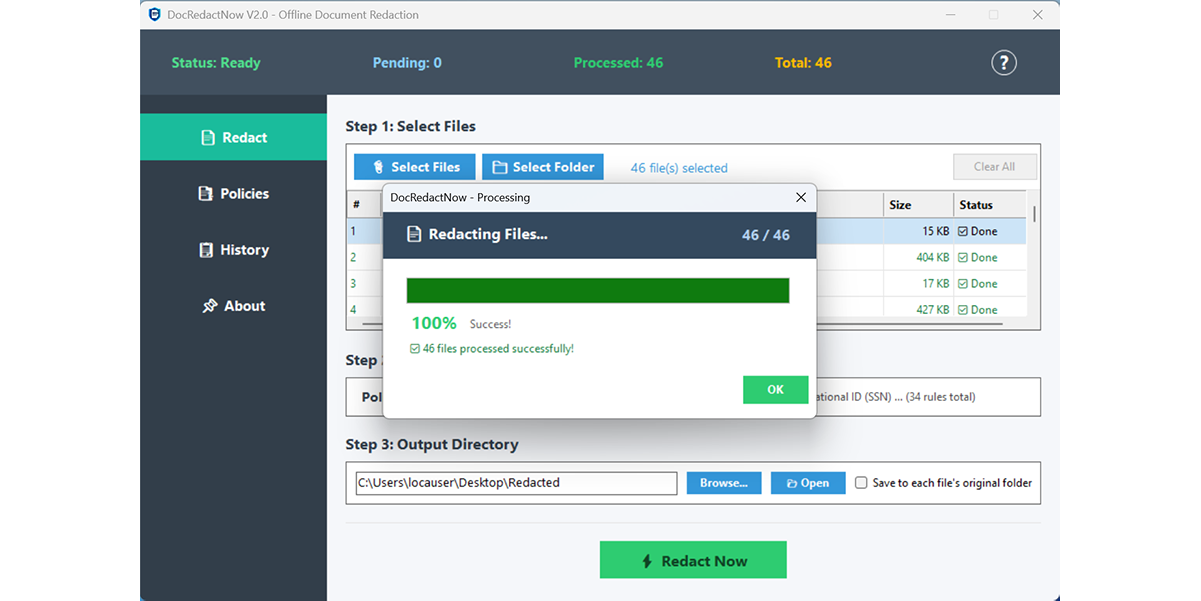
The tool ships with 34 built-in detection patterns and pre-configured policies such as GDPR Basic, Financial Privacy, and Credential Cleanup. Users can also write custom regex rules in the Policy Manager and save them for reuse. Every change is logged, and reports can be exported as CSV or TXT for compliance records.Built with native C# for lightweight performance, ensuring your sensitive files never leave your local machine.
Key features
- Detects 34 built-in patterns including emails, phone numbers, and credit cards
- Processes entire folders of TXT, CSV, DOCX, XLSX, PPTX, and text PDFs in one click
- Applies pre-built policies like GDPR Basic or custom regex rules via Policy Manager
- Logs every redaction and exports reports as CSV or TXT for compliance records
- Runs fully offline so files never leave the local machine
Use cases
- Removing personal data and credentials from documents before sharing them with outside parties.
- Creating GDPR-style redacted copies of contracts or resumes using consistent rules.
- Stripping API keys and tokens from logs or spreadsheets before they go to a vendor.
Pricing details: Free 14-day trial, then $9.99/year or $19.99 lifetime.
4. ScamMirror — best for checking whether a profile photo sent by someone online is a stolen or AI-generated image before trusting them

Pricing: Free · Free plan: Yes · Upvotes: 4
In ScamMirror's words
ScamMirror is a free AI scam-risk analyzer: upload suspicious photos, chat screenshots, or documents and get an explainable, probabilistic scam-risk assessment — deepfake detection, stolen-photo cross-checks, and a probability risk score. Built for ordinary people to check a match, seller, or message before they act. It supports JPEG, PNG and WEBP uploads (max 20MB, auto-compressed to under 5MB) so you can verify a suspicious match, seller, or message before sending money or personal details.
Key features
- Scans suspicious images for deepfake and photo-editing artifacts
- Cross-checks photos and screenshots against public fraud signals
- Returns a probability risk score for each uploaded image
- Accepts up to five evidence images, including profile and payment screenshots
- Analyzes conversation screenshots alongside visual clues for scam context
Use cases
- Checking whether a profile photo sent by someone online is a stolen or AI-generated image before trusting them.
- Analyzing a suspicious payment receipt or chat screenshot for signs of editing or fake scam evidence.
5. Sealbox — best for encrypting a sensitive message before sending it through WhatsApp, email, or a public post so only the intended reader can open it
Pricing: Free plan; paid from $19.99 · Free plan: Yes · Upvotes: 3
In Sealbox's words
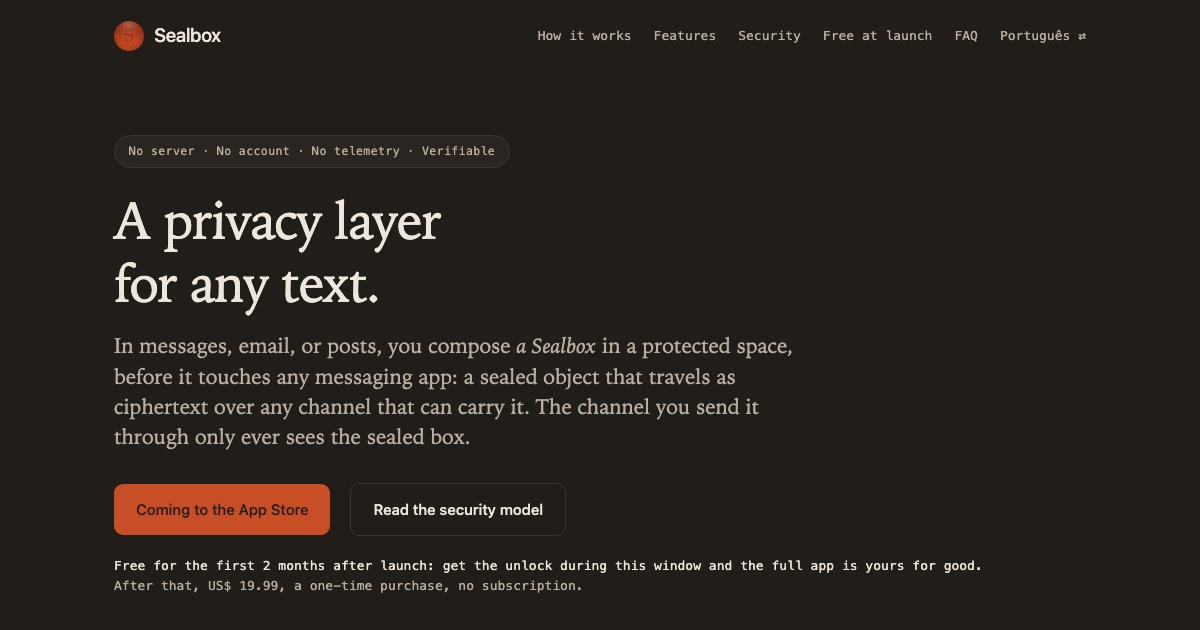
Encrypt any text — in WhatsApp, email, or any app — before it leaves your iPhone. You compose a Sealbox: a sealed object that travels as ciphertext over any channel that can carry it. The channel you send it through sees the sealed box, never your text. Sealbox seals the text itself, before any channel touches it, and keeps it sealed at rest behind your biometrics. End-to-end post-quantum in Quantum mode. No server, no account, no telemetry.
The full unlock is free for the first 2 months after launch; after that, US$ 19.99, a one-time purchase. Downloading the app is free; what guarantees the full app is getting the unlock, inside the app. Without it you can read and verify, but not write.
Key features
- 1:1 — talk to one person, privately
- In 1:1, by default, every message has its own key — and it dies on reading
- Sealed even at rest — biometric gate with no passcode fallback
- Drafts — the secure place to write and keep
- The sealed message itself, as a code — screen to camera, no network
Use cases
- Encrypting a sensitive message before sending it through WhatsApp, email, or a public post so only the intended reader can open it.
- Keeping passwords, codes, and private records sealed on the iPhone behind Face ID or Touch ID using a personal key.
- Sharing the same sealed content with a trusted group by handing out a shared key, without a managed group or server.
Pricing details: Free for the first 2 months after launch, with the full app unlocked for good during that window.
Comparison table
| # | Tool | Rating | Upvotes | Price |
|---|---|---|---|---|
| 1 | Tea App Green Flags — Tea App Checker Checking whether your first name, age, city, or photo appears in Tea App posts, and seeing who posted it and when |
No reviews yet | ▲ 17 | Free plan+ paid plans |
| 2 | AnyCircumstances Storing important documents encrypted so chosen contacts can access them only if the user becomes unavailable |
Rated 4 out of 5 from 2 reviews4(2) | ▲ 14 | Free plan |
| 3 | DocRedactNow Removing personal data and credentials from documents before sharing them with outside parties |
Rated 4 out of 5 from 1 review4(1) | ▲ 7 | Free planthen from $9.99/yr |
| 4 | ScamMirror Checking whether a profile photo sent by someone online is a stolen or AI-generated image before trusting them |
No reviews yet | ▲ 4 | Free plan |
| 5 | Sealbox Encrypting a sensitive message before sending it through WhatsApp, email, or a public post so only the intended reader can open it |
No reviews yet | ▲ 3 | Free planthen from $19.99 |
How we compared them
This is a comparison built from listing data, not a hands-on review: we have not tested these tools ourselves. Every product here is listed on Launch Llama, and the ranking uses what founders and their users have put on the record.
Tools are ordered by community upvotes. Duplicate listings are merged, and listings without a real description are left out. Pricing, features and use cases come from each product's listing and can change, so check the product's own site before you buy.
How to choose
- Choose Tea App Green Flags — Tea App Checker for checking whether your first name, age, city, or photo appears in Tea App posts, and seeing who posted it and when.
- Choose AnyCircumstances for storing important documents encrypted so chosen contacts can access them only if the user becomes unavailable.
- Choose DocRedactNow for removing personal data and credentials from documents before sharing them with outside parties.
- Choose ScamMirror for checking whether a profile photo sent by someone online is a stolen or AI-generated image before trusting them.
- Choose Sealbox for encrypting a sensitive message before sending it through WhatsApp, email, or a public post so only the intended reader can open it.
Still comparing? Browse every tool in Safety and Privacy platforms or see the best tools in other categories.
Frequently asked questions
What is the best Safety and Privacy platform in 2026?
Tea App Green Flags — Tea App Checker is the most upvoted Safety and Privacy platform on Launch Llama. Helps people check whether they've been posted on the Tea Ap AnyCircumstances and DocRedactNow round out the top three.
Is there a free Safety and Privacy platform?
Yes. 5 of the 5 tools in this comparison list a free plan, including Tea App Green Flags — Tea App Checker, AnyCircumstances, DocRedactNow.
How were these Safety and Privacy platforms ranked?
By community upvotes on Launch Llama, after merging duplicate listings and dropping listings without a real description. We have not tested these tools hands-on; pricing and features come from each product's listing.
How many Safety and Privacy platforms are listed on Launch Llama?
5 Safety and Privacy platforms with full listings at the time of writing. This page compares the top 5; the rest are on the Safety and Privacy platforms category page.