On Launch Llama

Nijia - Understand Mac storage before you clean
A macOS app for storage analysis, reviewed cleanup, developer workspace inspection, local file organization, and system monitoring.
Built by snake lil
Visit website → Upvotes · 0
In category: #1823 of 1866 · Productivity
Nijia is a Community listing on Launch Llama with 0 total upvotes, founded by snake lil who joined in Oct 2026, compared against 6 alternatives.
Community listing
Listing status
0upvotes
Community score
snake lil (Joined Oct 2026)
Founder
Compared against 6 alternatives
Market comparison
Real numbers
90d
-
1
Views
-
0
Visitors
-
0
Clicks
Public Launch Llama traffic for this listing.
Key Features
- Inspect authorized folders to understand Mac storage usage
- Review selected cleanup items before moving them to Trash
- Inspect Git worktrees, caches, and build artifacts in context
- Create and review local file-organization proposals
- Monitor Mac system activity in the same app
About
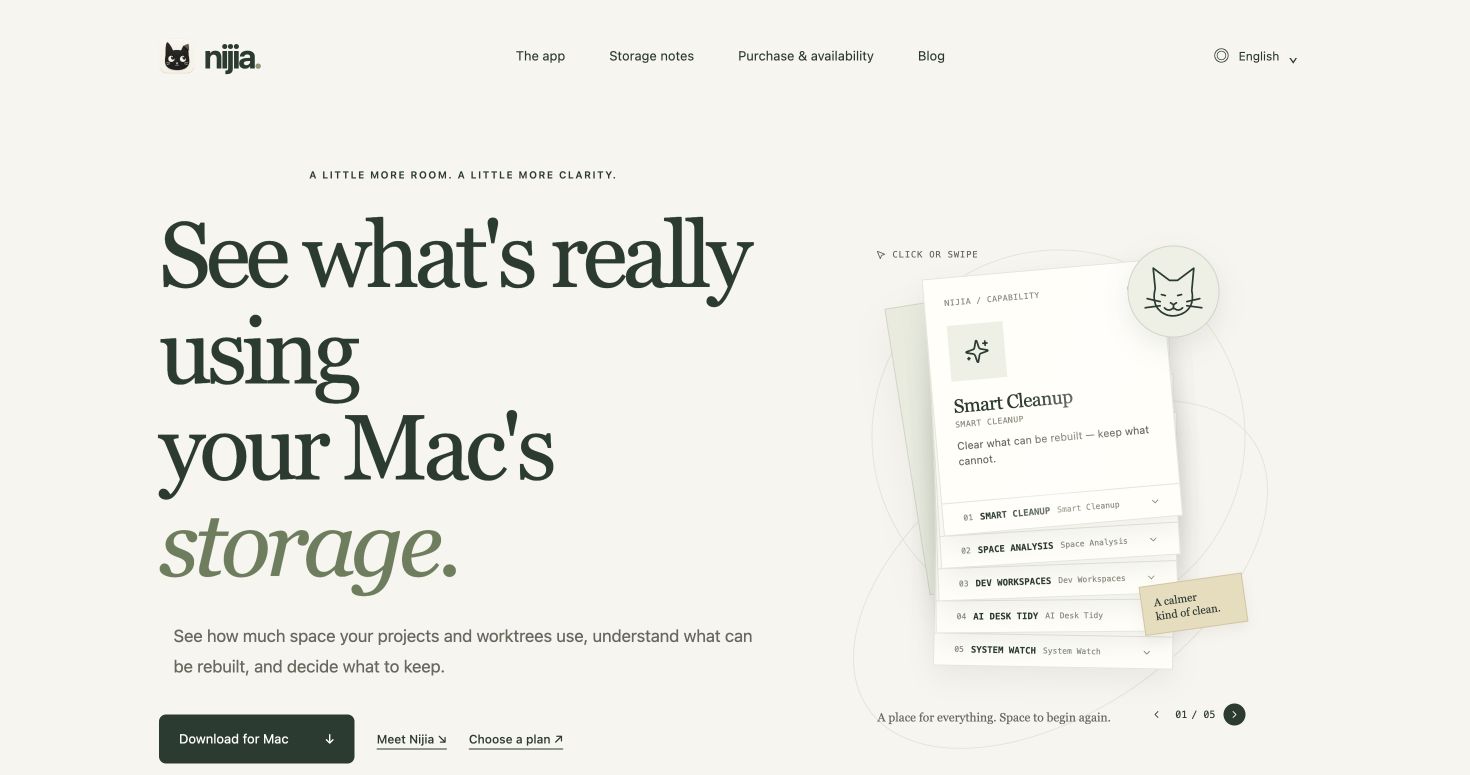
Nijia helps Mac users see what is taking up storage before deciding what to clean. Smart Cleanup and Space Analysis inspect authorized folders and show items for review. Dev Workspaces helps developers inspect Git worktrees, caches, and build artifacts in context. AI Desk Tidy creates local file-organization proposals, and System Watch brings system monitoring into the same app. Storage checks, workspace inspection, and organization proposals run locally on the Mac without an external AI account or API key. Cleanup requires review and confirmation before selected files move to Trash; emptying Trash is a separate confirmation. Nijia is for Mac users and developers who want clearer storage decisions and organized workspaces. Downloading the Mac app does not require payment or an account. App use requires a paid Nijia Pro licence, with monthly, yearly, and one-time purchase options. Each licence covers up to two Macs; a one-time purchase includes ongoing updates. Current pricing: https://nijia.app/pricing/.
Pricing
Nijia is a paid product. See the website for current pricing.
Verdict
In the competitive developer tools space, Nijia stands out as a solid option. It's gaining traction among founders who value simplicity and results. Nijia helps Mac users see what is taking up storage before deciding what to clean. If a macos app for storage analysis, reviewed cleanup, developer workspace inspection, local file organization, and system monitoring is a priority for your team, it's worth giving Nijia a closer look.
FAQ
What is Nijia?
Nijia helps Mac users see what is taking up storage before deciding what to clean. Smart Cleanup and Space Analysis inspect authorized folders and show items for review. Dev Workspaces helps developers inspect Git worktrees, caches, and build artifacts in context. AI Desk Tidy creates local file-organization proposals, and System Watch brings system monitoring into the same app. Storage checks, workspace inspection, and organization proposals run locally on the Mac without an external AI account or API key. Cleanup requires review and confirmation before selected files move to Trash; emptying Trash is a separate confirmation. Nijia is for Mac users and developers who want clearer storage decisions and organized workspaces. Downloading the Mac app does not require payment or an account. App use requires a paid Nijia Pro licence, with monthly, yearly, and one-time purchase options. Each licence covers up to two Macs; a one-time purchase includes ongoing updates. Current pricing: https://nijia.app/pricing/.
Who should use Nijia?
Nijia is a strong fit if you are one of: • developers, engineers, and technical founders • busy founders and teams looking to do more with less If that does not sound like you, skim the features and site before committing time.
What problem does Nijia solve?
Nijia is built around this outcome: A macOS app for storage analysis, reviewed cleanup, developer workspace inspection, local file organization, and system monitoring. Use the site demo or docs to confirm it matches the bottleneck you are trying to remove.
What are the main features of Nijia?
Nijia includes: • Inspect authorized folders to understand Mac storage usage • Review selected cleanup items before moving them to Trash • Inspect Git worktrees, caches, and build artifacts in context • Create and review local file-organization proposals • Monitor Mac system activity in the same app
How much does Nijia cost?
Nijia is a paid product. See the website for current pricing. Check the official site before you buy so you see current plans, trials, and limits.
How does Nijia use AI?
Nijia uses AI as part of its workflow. Before relying on it for customer-facing or confidential work, confirm what data is sent to models, whether outputs are editable, and how you can review results.
Is Nijia worth trying?
It promises: A macOS app for storage analysis, reviewed cleanup, developer workspace inspection, local file organization, and system monitoring. Worth trying if that problem is painful for you this week; skip it if you only need a one-off workaround you already have.
How do I try Nijia?
Open the official Nijia website from this page, run the smallest real task you care about (not a toy demo), and decide in one session whether it removes friction. Check pricing and data/privacy terms before you put production work into it.
Alternatives
- Bytesweep
For Mac developers: Bytesweep identifies storage hogs and safely deletes files with 7-day recovery so you reclaim space without losing work.
- MacMint
Storage Cleaner & Optimizer. Reclaim gigabytes. Visualize disk space. Optimize system health.
- Declutr
Tidy your Mac's desktop and downloads in one click
- Better Resource Monitor
For Mac developers: Better Resource Monitor displays CPU, memory, GPU, and network usage in your menu bar so you catch performance issues before they slow your work.
- Hejour
For Mac users: Hejour links daily notes with todos and reminders so your thoughts persist across days without relying on cloud servers.
- Drain
Drain helps Mac users see resource usage—battery, memory, storage, data, and AI coding limits—always visible in the notch, with one-click controls to stop power-hungry processes.
Ask AI
ChatGPT Claude Perplexity Grok
For agents
llms.txt · llms-full.txt · ai.txt · Live fact sheet · Full catalog (.md) · Endpoint index · API spec · REST access · Agent server · Server manifest · Server discovery