On Launch Llama

LazyBoard - Text Expander
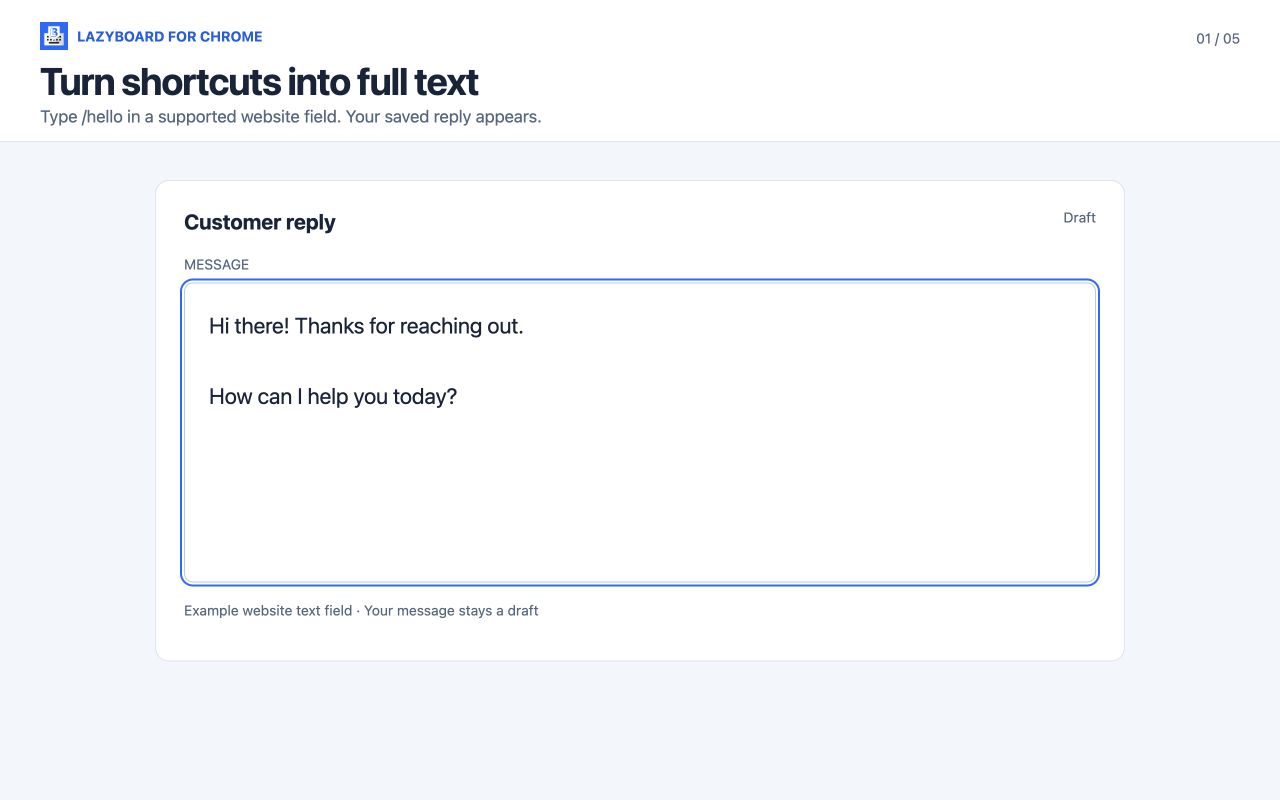
Turn shortcuts into reusable replies with LazyBoard, a text expander for Mac and Chrome. Start free, organize snippets, and personalize text with variables.
Built by Elsayed Hussein
Productivity SaaS Freemium
Visit website → Upvotes · 0
In category: #1844 of 1866 · Productivity
LazyBoard is a Community listing on Launch Llama with 0 total upvotes, founded by Elsayed Hussein who joined in Oct 2026, compared against 6 alternatives.
Community listing
Listing status
0upvotes
Community score
Elsayed Hussein (Joined Oct 2026)
Founder
Compared against 6 alternatives
Market comparison
Real numbers
90d
-
2
Views
-
0
Visitors
-
0
Clicks
Public Launch Llama traffic for this listing.
Key Features
- Turn shortcuts into reusable replies with LazyBoard, a text expander for Mac and Chrome
- Start free, organize snippets, and personalize text with variables
- Make them ready for next time
- No account needed for local use Download for Mac Apple silicon
About
Turn shortcuts into reusable replies with LazyBoard, a text expander for Mac and Chrome. Start free, organize snippets, and personalize text with variables.
Pricing
LazyBoard offers a free plan plus paid tiers. See the website for current pricing.
Verdict
In the competitive saas space, LazyBoard stands out as a solid option. It's gaining traction among founders who value simplicity and results. Turn shortcuts into reusable replies with LazyBoard, a text expander for Mac and Chrome. If turn shortcuts into reusable replies with lazyboard, a text expander for mac and chrome. start free, organize snippets, and personalize text with variables is a priority for your team, it's worth giving LazyBoard a closer look.
FAQ
What is LazyBoard?
Turn shortcuts into reusable replies with LazyBoard, a text expander for Mac and Chrome. Start free, organize snippets, and personalize text with variables.
Who should use LazyBoard?
LazyBoard is a strong fit if you are one of: • SaaS founders and subscription-based businesses • busy founders and teams looking to do more with less If that does not sound like you, skim the features and site before committing time.
What problem does LazyBoard solve?
LazyBoard is built around this outcome: Turn shortcuts into reusable replies with LazyBoard, a text expander for Mac and Chrome. Start free, organize snippets, and personalize text with variables. Use the site demo or docs to confirm it matches the bottleneck you are trying to remove.
What are the main features of LazyBoard?
LazyBoard includes: • Turn shortcuts into reusable replies with LazyBoard, a text expander for Mac and Chrome. • Start free, organize snippets, and personalize text with variables.. • Make them ready for next time. • No account needed for local use Download for Mac Apple silicon
Is LazyBoard free to start?
LazyBoard offers a free plan plus paid tiers. See the website for current pricing. Check the official site before you buy so you see current plans, trials, and limits. Most freemium tools let you validate the workflow before upgrading — check what the free tier unlocks for your use case.
How much does LazyBoard cost?
LazyBoard offers a free plan plus paid tiers. See the website for current pricing. Check the official site before you buy so you see current plans, trials, and limits.
Do I need an account to use LazyBoard?
LazyBoard highlights getting started without a heavy signup funnel. Confirm on the website whether advanced features still require an account.
Is LazyBoard worth trying?
It promises: Turn shortcuts into reusable replies with LazyBoard, a text expander for Mac and Chrome. Start free, organize snippets, and personalize text with variables. Worth trying if that problem is painful for you this week; skip it if you only need a one-off workaround you already have.
How do I try LazyBoard?
Open the official LazyBoard website from this page, run the smallest real task you care about (not a toy demo), and decide in one session whether it removes friction. Check pricing and data/privacy terms before you put production work into it.
Alternatives
- TypeFire
For developers: TypeFire expands text snippets, manages clipboard history, and syncs Obsidian notes so you write faster across any app.
- NexoPad: Text Expander & Tabs
For IT pros & developers: NexoPad combines text snippets, tab manager, and BYOK AI in one lightweight browser extension—eliminate repetitive tasks.
- Boardmarks
For browser power users: Boardmarks turns your Chrome New Tab into a visual workspace so you organize bookmarks, tasks, and notes in one place.
- QuickTextTools
For writers and marketers: QuickTextTools offers 76+ free browser tools for text formatting, SEO, and content creation so you work faster without subscriptions.
- Tidy
For Mac users: Tidy fixes grammar and removes AI slop on-device with one keystroke so your writing stays private Tidy keeps the workflow clear so you ship outcomes with less busywork.
- Goldfish
For Mac writers: Goldfish remembers your work context privately so you draft replies, summarize threads, and rewrite faster without re-explaining backstory.
Ask AI
ChatGPT Claude Perplexity Grok
For agents
llms.txt · llms-full.txt · ai.txt · Live fact sheet · Full catalog (.md) · Endpoint index · API spec · REST access · Agent server · Server manifest · Server discovery