Updated 2026-11-02 · 10 of 10 Photo editing tools on Launch Llama compared
Quick answer: The best Photo editing tools in 2026, by Launch Llama community upvotes, are Video Agent by Fotor, Particle Studio, ImageTo100. If you want to start free, Particle Studio has a free plan. We compared 10 of the 10 Photo editing tools listed on Launch Llama on pricing, features and use cases.
Our picks at a glance
- Best overall: Video Agent by Fotor — the most upvoted Photo editing tool on Launch Llama
- Best free option: Particle Studio — free
- Most features listed: NoBG.space — 5+ features on its listing
The 10 best Photo editing tools in 2026
1. Video Agent by Fotor — best for E-commerce sellers who want to generate product images and AI photoshoots from existing photos

Pricing: Free plan + paid tiers · Free plan: Yes · Upvotes: 379
In Video Agent by Fotor's words
Powerful, user-friendly and globally accessible, Fotor is an online photo editing suite, utilizing exclusive technology to bring an unprecedented level of editing control to anyone and everyone.
Key features
- Remove background from image instantly
- Create images from text with AI models
- Generate amazing videos with AI
Use cases
- E-commerce sellers who want to generate product images and AI photoshoots from existing photos.
- Marketers who need to create viral UGC ads and video content quickly.
Pricing details: Free plan available. Pro, Pro+, and Max subscription tiers offer fixed monthly credits with varying concurrent generations and AI Agent chat limits.
See Video Agent by Fotor pricing, reviews and alternatives →
2. Particle Studio — best for designers creating interactive visual experiences from static images

Pricing: Free · Free plan: Yes · Upvotes: 95
In Particle Studio's words
Particle Studio turns your images into interactive, customizable particle compositions. Upload an image, choose from circles, squares, triangles, or cubes, and fine-tune particle size, motion trails, and cursor interaction to create your own visual experience. When you're happy with the result, share it instantly with Copy Link or take it beyond the studio with Export HTML Bundle to create an offline, interactive version you can experiment with using your own images.
Key features
- Transform static images into dynamic particle experiences
- Choose from circles, squares, triangles, or cubes
- Fine-tune particle size, motion trails, and cursor interaction
- Export HTML Bundle for offline interactive versions
- Share results instantly with Copy Link
Use cases
- Designers creating interactive visual experiences from static images
- Developers building offline interactive applications with custom images
3. ImageTo100 — best for shrink a passport or visa application photo to a 100KB cap so the government form portal accepts the upload
Pricing: See website · Free plan: Yes · Upvotes: 4
In ImageTo100's words
ImageTo100 shrinks a photo or scan to an exact KB limit (100KB, 50KB, 20KB) entirely in your browser using the MozJPEG encoder in a local Web Worker. No upload, no account, no watermark. Results download as JPG, including batches up to 20 files.
Use cases
- Shrink a passport or visa application photo to a 100KB cap so the government form portal accepts the upload.
- Compress a scanned signature or document image to a set KB limit for exam registration or application forms.
- Batch-compress up to 20 photos to the same KB target for multiple form submissions in one go.
Pricing details: Free to use, with no account or watermark.
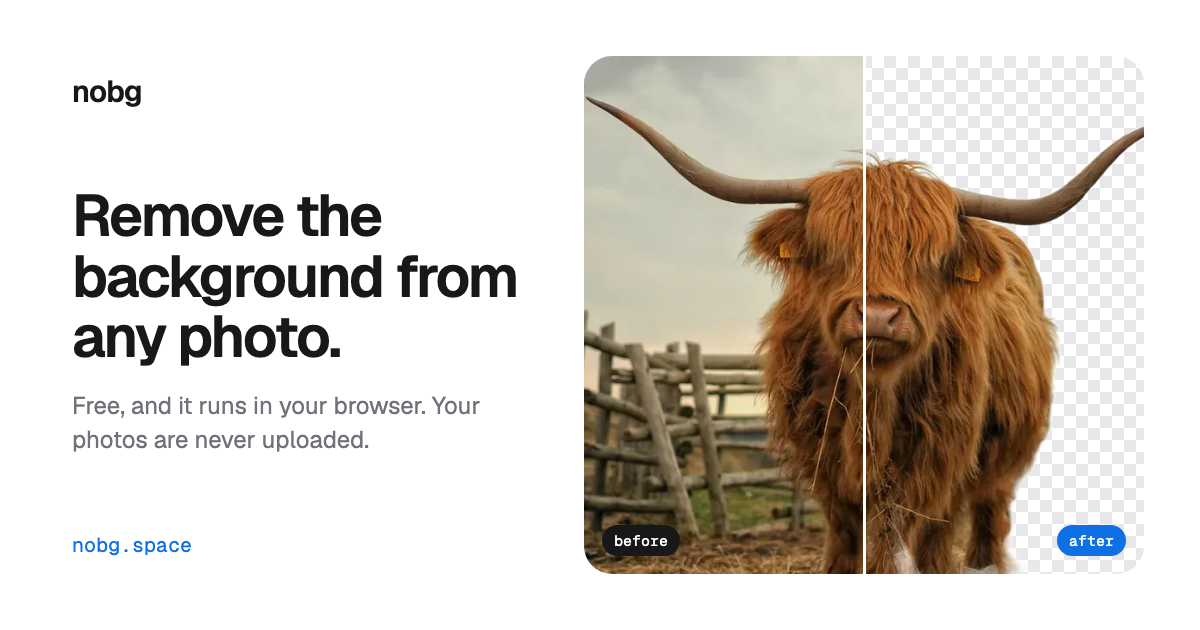
4. NoBG.space — best for removing backgrounds from product photos to place them on clean white or transparent backgrounds for an online store
Pricing: Free · Free plan: Yes · Upvotes: 2
In NoBG.space's words
The model runs inside your browser on your own device, so photos are never uploaded, and the only upload path is the paid API when a developer sends a file to it. It is built to handle hair, product edges and graphics, and includes erase and brush tools to fix any leftover edge before you download. Developers can call the API from their own apps and pay per image with credits instead of a subscription.
Key features
- Removes backgrounds entirely on-device in your browser with no image uploads
- Handles hair, product edges and graphics for clean cut-outs
- Accepts PNG, JPG, WEBP and HEIC files, plus paste with Ctrl+V
- Lets you zoom in and fix edges with erase and brush tools
- Downloads a transparent PNG with no watermark and no account
Use cases
- Removing backgrounds from product photos to place them on clean white or transparent backgrounds for an online store.
- Cutting subjects out of studio and portrait shots without manual masking.
- Creating transparent PNGs for ads, thumbnails and social posts, or batch-removing backgrounds across a whole folder with bulk removal.
5. NoUploadConverter — best for converting iPhone HEIC photos to JPG or PNG without sending personal photos to a cloud service
Pricing: Free · Free plan: Yes · Upvotes: 2
In NoUploadConverter's words
The site groups 67 tools into image, PDF, video, audio, GIF, and archive categories, including WebP to JPG, HEIC to PNG, PDF merge and split, and MP4 to MP3. It can be installed as a PWA on desktop or mobile and keeps working offline once loaded, because processing runs on the device's own hardware. The tools are free, with unlimited file size and no paid plans shown on the page.
Key features
- Converts WebP, HEIC, JFIF, and SVG images to JPG, PNG, or SVG formats
- Compresses PDFs up to 85% and images up to 80% with live preview
- Merges, splits, rotates, and reorders PDF pages directly in the browser
- Processes files in device memory so nothing is uploaded to a server
- Installs as a PWA with offline access to its full set of 67 tools
Use cases
- Converting iPhone HEIC photos to JPG or PNG without sending personal photos to a cloud service.
- Shrinking a heavy PDF or photo to meet an upload size limit for a form or email.
- Merging several PDFs into one document and removing unwanted pages before sharing.
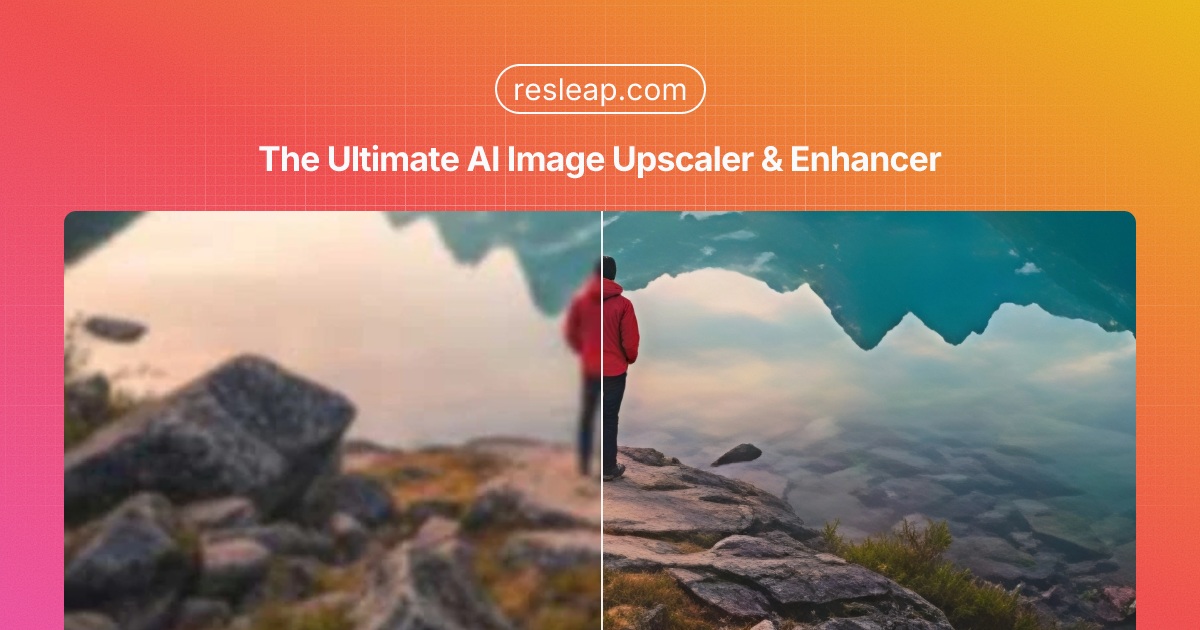
6. ResLeap — best for upscaling a photo to 8K while keeping textures and edges looking natural
Pricing: See website · Free plan: Yes · Upvotes: 0
In ResLeap's words
ResLeap enhances and upscales images online to 8K, keeping textures and edges looking natural. It works well on photos and AI art. Start with free credits, then Pro or Business if you need more, with no watermark and batch processing. ResLeap is an 8K AI image enhancer and upscaler online. Sharper images at 8K, with detail that still looks real. It enhances and upscales images to 8K with rich, natural detail. It works on photos and AI art, and free credits are available to try.
Key features
- Enhance and upscale images online to 8K
- Keep textures and edges looking natural
- Works on photos and on AI art
- Free credits to try the enhancer
- No watermark on Pro or Business plans
Use cases
- Upscaling a photo to 8K while keeping textures and edges looking natural.
- Enhancing AI art online so the detail still looks real.
- Trying the enhancer with free credits before Pro or Business.
Pricing details: Freemium. Free credits to try, then Pro or Business.
7. ThumbBlitz — best for turn a gameplay screenshot you already captured into a 1920×1080 Roblox YouTube thumbnail with a bold outlined headline and stickers
Pricing: Free · Free plan: Yes · Upvotes: 0
In ThumbBlitz's words
ThumbBlitz is a free browser-based thumbnail maker for Roblox and YouTube creators. Choose from eight headline styles, drop in your own screenshot, then add stickers and a backdrop and export in three sizes up to 1920x1080. Everything runs inside your browser tab — nothing is uploaded and nothing is saved between visits. No account, no watermark, and no AI generation: the text and layout come from template styles you control, so the result never looks machine-made. It takes about five steps and a couple of minutes.
Key features
- Eight headline styles made for YouTube and Roblox thumbnail clicks
- Stickers, backdrop and your own screenshot compositor, all in-browser
- Export in three sizes up to 1920x1080 with no account and no watermark
Use cases
- Turn a gameplay screenshot you already captured into a 1920×1080 Roblox YouTube thumbnail with a bold outlined headline and stickers.
- Retitle an existing Roblox thumbnail by loading it, changing the headline, and exporting a new version.
- Create square 512×512 Roblox game icons from a screenshot using the game icon maker.
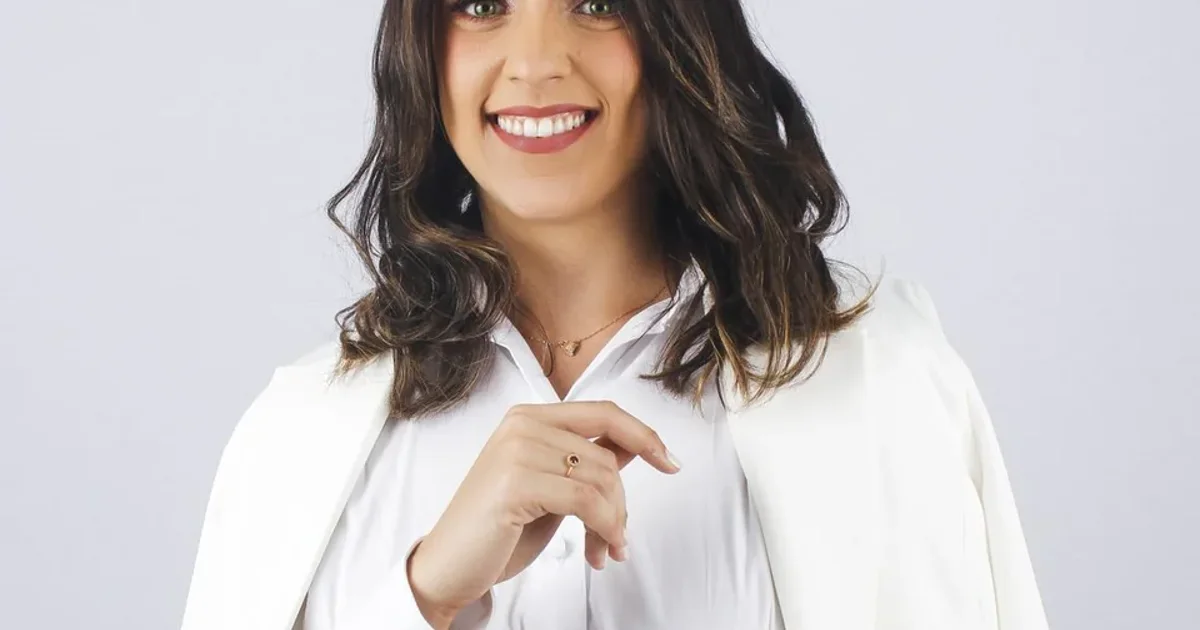
8. AI Clothes Changer — best for previewing a replacement jacket, top or pair of trousers on a portrait photo before committing to a change
Pricing: See website · Upvotes: 0
In AI Clothes Changer's words
You upload a photo of one person and a separate reference image of the garment, then write a focused brief that names the piece to change and the clothing to keep. The studio runs the edit with a documented image model and shows the result beside your original for review. Because the brief requests a change rather than locking pixels with a mask, faces, hands, fabric folds and backgrounds can shift, so the page recommends checking each result carefully.
Key features
- Replaces one garment (jacket, top or trousers) while keeping the rest of the outfit in the brief
- Accepts a person photo and a separate clothing reference, JPEG, PNG or WebP up to 10 MB each
- Generates a copyable edit brief from the chosen garment, with optional extra instructions on lapels
- Compares the AI result side by side with the original photo before you save it
- Shows a saved before-and-after example so you can judge garment detail before editing your own photo
Use cases
- Previewing a replacement jacket, top or pair of trousers on a portrait photo before committing to a change.
- Testing how one garment from a reference photo would look on a person in an outfit idea.
Pricing details: The page links to a pricing page with credit packs, and saved examples are shown with no credit used.
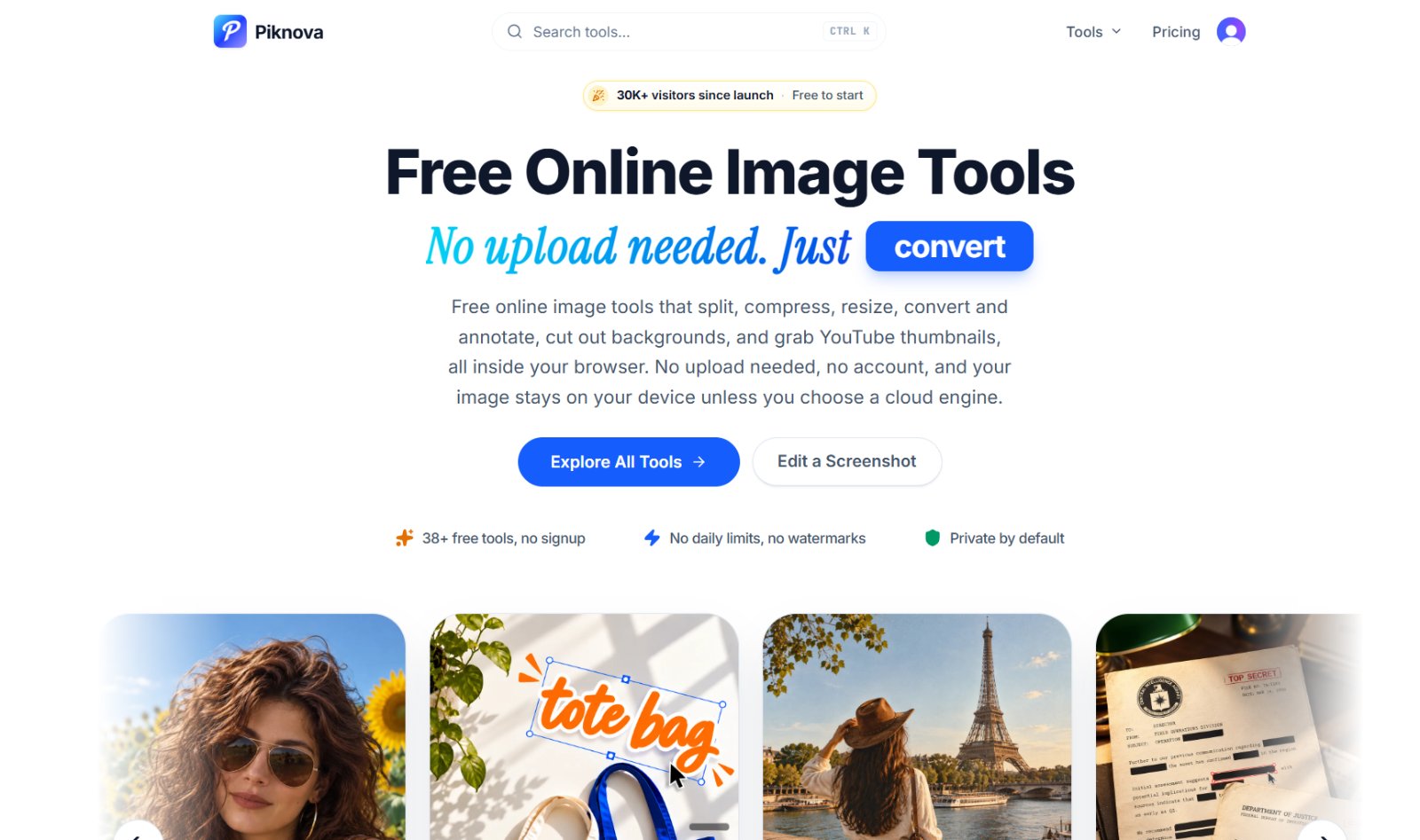
9. Piknova — best for cutting a large photo into tiles for an Instagram grid or LinkedIn carousel post
Pricing: Free · Free plan: Yes · Upvotes: 0
In Piknova's words
Each tool opens straight onto a file picker, and the AI background remover downloads its model to your browser so the cutout happens locally. Cloud processing is only used if you explicitly choose a cloud engine. The toolset also covers an Image Merger for collage layouts, a Redacted Text Generator that turns text into copyable black bars, a Screenshot Editor for annotations, and downloaders for YouTube thumbnails, banners, profile pictures and Shorts thumbnails.
Key features
- Split large images into tiles for Instagram grids, X posts and LinkedIn carousels
- Compress images to an exact target size in KB, such as 25 KB or 100 KB
- Remove image backgrounds and download transparent PNGs in the browser
- Resize images by pixels, cm, mm or inches with the aspect ratio locked
- Download YouTube thumbnails, banners, profile pictures and Shorts thumbnails at full size
Use cases
- Cutting a large photo into tiles for an Instagram grid or LinkedIn carousel post.
- Compressing an image to an exact file size like 100 KB before submitting it to a form.
- Blacking out sensitive text in a screenshot before sharing it.
10. AngleForge — best for turning a phone photo of a new product into a full Amazon listing with images, copy and A+ content
Pricing: Free plan; paid from $12, · Free plan: Yes · Upvotes: 0
In AngleForge's words
You upload a phone photo of the item on a plain surface, then choose angles, listing copy, a 7-image gallery, or A+ banners, or run the full listing in one pass. The generator keeps colour, logo, label and shape matching your original shot while the scene changes, and lighting and props adapt to the product category. Credits are charged when a job starts and returned automatically for any image that fails.
Key features
- Generates hero, 45°, lifestyle and macro angles from one uploaded photo
- Writes SEO titles, bullets, descriptions and backend keywords for listings
- Builds 7-image marketplace galleries with feature callouts
- Creates A+ Content modules and desktop and mobile banners
- Exports images sized for Amazon, Shopify, Etsy, TikTok Shop and more
Use cases
- Turning a phone photo of a new product into a full Amazon listing with images, copy and A+ content.
- Producing matching lifestyle and close-up shots of a product colourway for a Shopify store.
- Creating square and 2:3 images for Etsy, TikTok Shop and Pinterest from a single photo shoot.
Pricing details: Make 3 images free with no card needed. Credit packs start at $12, and the first pack includes 50% extra credits.
Comparison table
| # | Tool | Upvotes | Price |
|---|---|---|---|
| 1 | Video Agent by Fotor E-commerce sellers who want to generate product images and AI photoshoots from existing photos |
▲ 379 | Free plan+ paid plans |
| 2 | Particle Studio Designers creating interactive visual experiences from static images |
▲ 95 | Free plan |
| 3 | ImageTo100 Shrink a passport or visa application photo to a 100KB cap so the government form portal accepts the upload |
▲ 4 | Free plan |
| 4 | NoBG.space Removing backgrounds from product photos to place them on clean white or transparent backgrounds for an online store |
▲ 2 | Free plan |
| 5 | NoUploadConverter Converting iPhone HEIC photos to JPG or PNG without sending personal photos to a cloud service |
▲ 2 | Free plan |
| 6 | ResLeap Upscaling a photo to 8K while keeping textures and edges looking natural |
▲ 0 | Free plan |
| 7 | ThumbBlitz Turn a gameplay screenshot you already captured into a 1920×1080 Roblox YouTube thumbnail with a bold outlined headline and stickers |
▲ 0 | Free plan |
| 8 | AI Clothes Changer Previewing a replacement jacket, top or pair of trousers on a portrait photo before committing to a change |
▲ 0 | See site |
| 9 | Piknova Cutting a large photo into tiles for an Instagram grid or LinkedIn carousel post |
▲ 0 | Free plan |
| 10 | AngleForge Turning a phone photo of a new product into a full Amazon listing with images, copy and A+ content |
▲ 0 | Free planthen from $12, |
How we compared them
This is a comparison built from listing data, not a hands-on review: we have not tested these tools ourselves. Every product here is listed on Launch Llama, and the ranking uses what founders and their users have put on the record.
Tools are ordered by community upvotes. Duplicate listings are merged, and listings without a real description are left out. Pricing, features and use cases come from each product's listing and can change, so check the product's own site before you buy.
How to choose
- Choose Video Agent by Fotor for E-commerce sellers who want to generate product images and AI photoshoots from existing photos.
- Choose Particle Studio for designers creating interactive visual experiences from static images.
- Choose ImageTo100 for shrink a passport or visa application photo to a 100KB cap so the government form portal accepts the upload.
- Choose NoBG.space for removing backgrounds from product photos to place them on clean white or transparent backgrounds for an online store.
- Choose NoUploadConverter for converting iPhone HEIC photos to JPG or PNG without sending personal photos to a cloud service.
- Choose ResLeap for upscaling a photo to 8K while keeping textures and edges looking natural.
Still comparing? Browse every tool in Photo editing or see the best tools in other categories.
Frequently asked questions
What is the best Photo editing tool in 2026?
Video Agent by Fotor is the most upvoted Photo editing tool on Launch Llama. For creators: Video Agent by Fotor generates motion graphics and edits video via chat so you produce professional content 10x faster without design skills. Particle Studio and ImageTo100 round out the top three.
Is there a free Photo editing tool?
Yes. 9 of the 10 tools in this comparison list a free plan, including Video Agent by Fotor, Particle Studio, ImageTo100.
How were these Photo editing tools ranked?
By community upvotes on Launch Llama, after merging duplicate listings and dropping listings without a real description. We have not tested these tools hands-on; pricing and features come from each product's listing.
How many Photo editing tools are listed on Launch Llama?
10 Photo editing tools with full listings at the time of writing. This page compares the top 10; the rest are on the Photo editing category page.