Screend
For content creators: Screend is a Chrome extension that records your screen with webcam overlay and drawing tools for tutorials and demos.
Built by Cresstudio · Productivity · SaaS · Education · Free
In category: #631 of 1442 · Productivity
Screend is a Community listing on Launch Llama with 18 total upvotes, founded by Cresstudio who joined in May 2026, compared against 2 alternatives.
Community listing
Listing status
18upvotes
Community score
Cresstudio (Joined May 2026)
Founder
Compared against 2 alternatives
Market comparison
Launched on Launch Llama May 22, 2026 · #9 of 26 that day
About
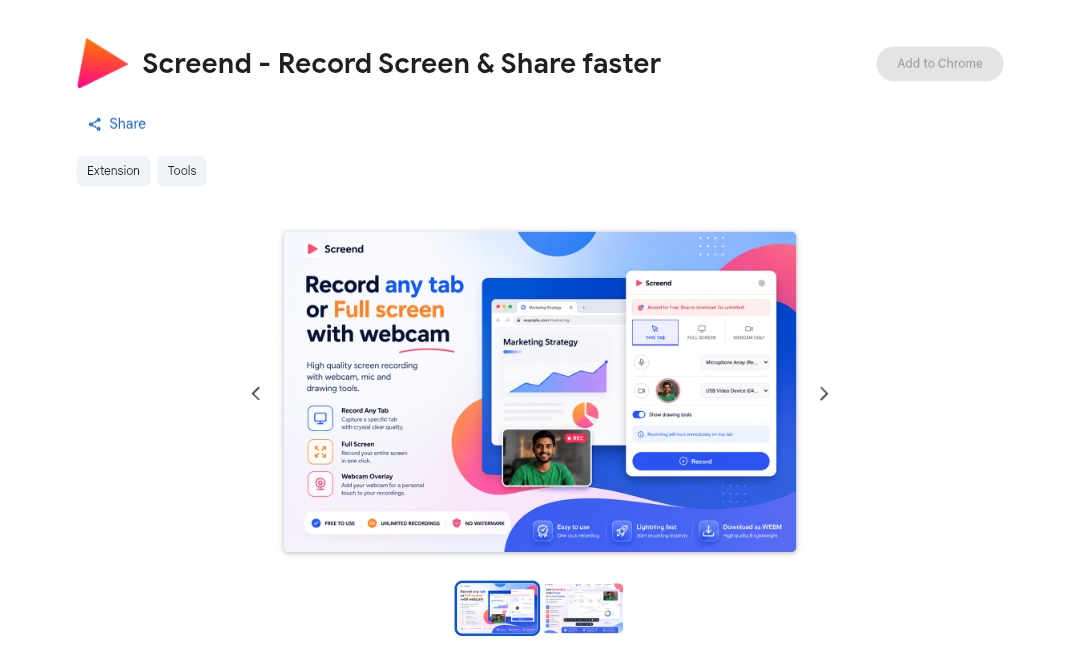
Screend is a Chrome extension for recording your screen with a webcam overlay and drawing tools. It is aimed at creators, developers, teachers, teams, students, and professionals. Users can annotate the screen in real time with a pen, highlighter, shapes, arrows, and a laser pointer while recording. Recordings are saved as WEBM files that can be downloaded right away. According to the listing, recordings stay local on the user's device.
Key Features
- Record current browser tab, full desktop, or webcam only
- Resizable, movable webcam overlay during recording
- Live annotation with pen, highlighter, shapes, and arrows
- Adjustable recording resolutions and custom frame rates
- Countdown timer before recording starts
Use Cases
- Recording a tutorial or product demo with your webcam overlaid on the screen capture
- Annotating the screen with drawing tools while recording to highlight steps for viewers
Who it is for
- Content creators producing tutorials and demos.
Pricing
Screend is free to use. See the website for details.
FAQ
What is Screend?
For content creators: Screend is a Chrome extension that records your screen with webcam overlay and drawing tools for tutorials and demos.
How does Screend work?
Screend is a Chrome extension for recording your screen with a webcam overlay and drawing tools. It is aimed at creators, developers, teachers, teams, students, and professionals. Users can annotate the screen in real time with a pen, highlighter, shapes, arrows, and a laser pointer while recording. Recordings are saved as WEBM files that can be downloaded right away.
Who is Screend for?
Screend is designed for a range of users, including: • Content creators producing tutorials and demos.
What can you do with Screend?
With Screend you can: • Recording a tutorial or product demo with your webcam overlaid on the screen capture. • Annotating the screen with drawing tools while recording to highlight steps for viewers.
Is Screend free?
Yes. Screend is free to use. See the website for details.
Alternatives
 Full Page Screenshot Extension for ChromeCapture full webpages and scrolling screenshots, then export images or PDF locally in Chrome.
More in Productivity
New on Launch Llama
Launched this week · This month's launches · All products A–Z
Ask AI about Screend
Supporters
1 founder
1 founder supported Screend on Launch Llama.
For bots & AI agents
Machine-readable versions of Screend and Launch Llama. Fetch these instead of parsing this page.
This listing (.md) llms.txt llms-full.txt ai.txt Full catalog (.md) Endpoint index API docs MCP server MCP manifest Developer docs