Chirpy
For Mac users: Chirpy assigns unique notification sounds to Slack, Teams, and apps so you know what matters without checking your screen.
Built by Danilо and danilo · Productivity · Developer Tools · Paid
In category: #338 of 1418 · Productivity
Chirpy is a Community listing on Launch Llama with 36 total upvotes, founded by Danilо and danilo who joined in Aug 2026, compared against 4 alternatives.
Community listing
Listing status
36upvotes
Community score
Danilо and danilo (Joined Aug 2026)
Founder
Compared against 4 alternatives
Market comparison
Launched on Launch Llama Aug 3, 2026 · #35 of 101 that day
About
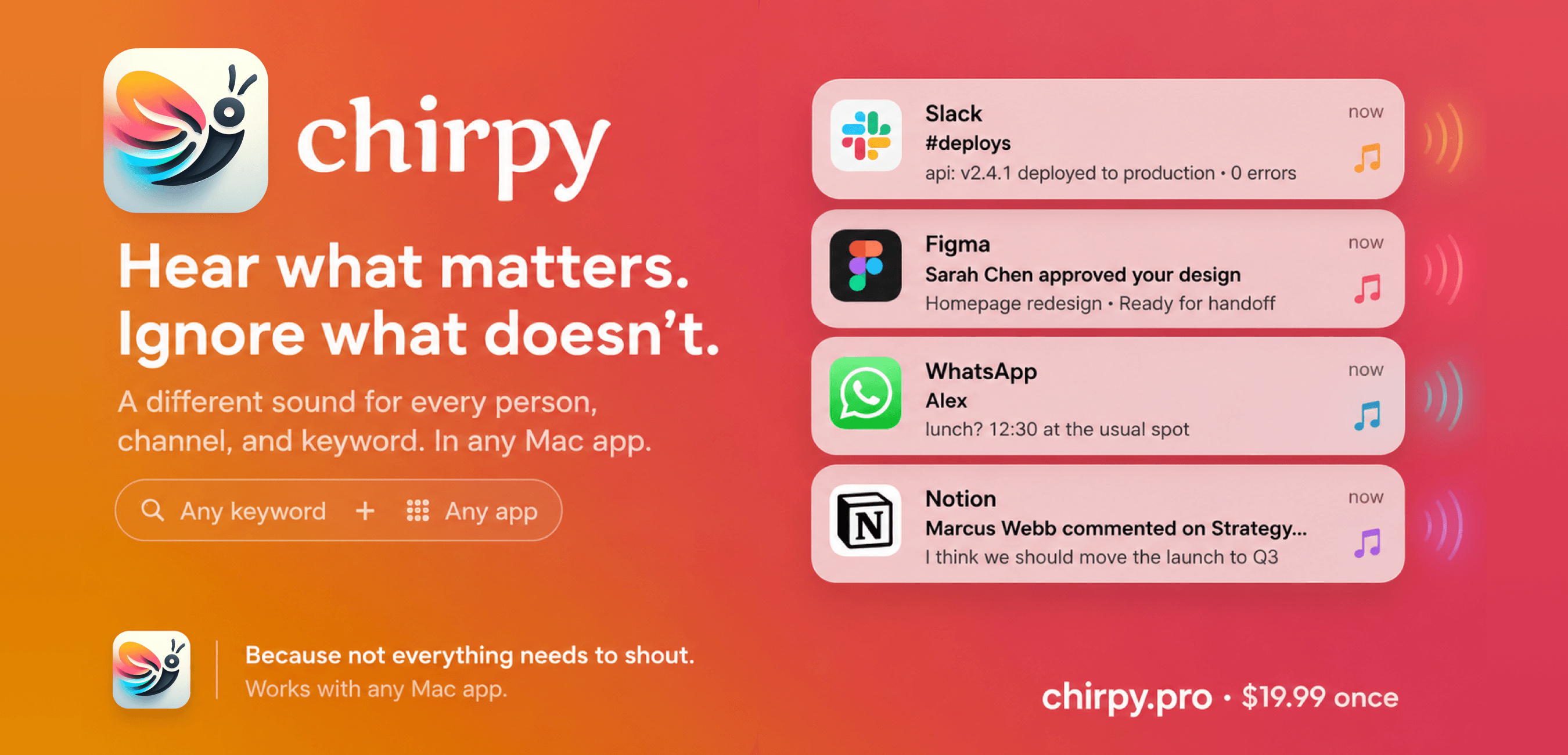
Chirpy assigns unique notification sounds to your Mac notifications based on channels, people, keywords, or apps. Instead of generic pings for every message, you hear what matters without checking your screen. It's a lightweight, privacy-focused menu bar app that runs locally on macOS 13+.
Follow Chirpy: X (Twitter)
Use Cases
- Telling urgent production alerts apart from casual Slack chatter by hearing a distinct notification sound without checking the screen
- Assigning unique sounds to specific Slack channels, DMs, or keywords so a manager's message or support ticket stands out from #random
- Staying focused during deep work by only breaking attention when a rule-assigned sound signals a message that matters
Who it is for
- Mac users who rely on Slack, Microsoft Teams, or other messaging apps throughout the workday
- Engineering or incident-response team members who need to hear production and alert notifications immediately
- Knowledge workers trying to reduce context-switching from low-priority pings
Pricing
A free 3-day trial with no credit card is available. Lifetime access costs $19.99 and covers 3 devices.
FAQ
What does Chirpy do exactly?
Chirpy assigns custom notification sounds to your Mac notifications. Instead of the same generic ping for every message, you create rules that match a channel, person, keyword, or app to any sound you want. When a notification arrives, Chirpy plays the sound you chose, so you hear what matters without checking your screen.
Which apps does Chirpy support?
As of version 3.0, any app that sends notifications to macOS Notification Center: Slack, Teams, Discord, your browser, Calendar, Mail, Gmail, GitHub, Linear, and hundreds more. If you can see the notification on your Mac, you can give it a custom sound.
Can Chirpy run a Shortcut instead of playing a sound?
Yes, as of version 3.3. Turn it on in Preferences → Advanced, then edit any rule and choose Run a Shortcut instead of Play a sound. Shortcuts on Mac has no trigger of its own for an incoming notification, so this gives it one: Chirpy matches the notification, and your Shortcut runs.
What are the system requirements?
Chirpy runs on macOS 13 (Ventura) or later, on both Apple Silicon and Intel Macs. It requires accessibility permissions to detect notifications, but it never reads your messages or accesses personal data. It's a lightweight 5.8 MB native app that runs quietly in your menu bar.
How do I install and set up Chirpy?
Drag the app into your Applications folder. When you open it, grant accessibility access so Chirpy can read your notifications. That happens locally; nothing leaves your Mac. Then create a rule: pick an app, add a keyword or condition, choose a sound, and you're set. Setup takes about two minutes.
Does Chirpy read my messages?
No. Chirpy matches against notification text as it appears on your Mac, entirely locally. Nothing is sent to a server. Your message content stays completely private.
Will it slow down my Mac?
Not at all. Chirpy is a native macOS app of 5.8 MB, designed to run quietly in your menu bar using minimal CPU and memory.
Can I set different notification sounds for different Slack channels?
Slack lets you choose notification sounds by type (messages, huddles, DMs), but it doesn't offer per-channel sounds natively. Chirpy adds per-channel, per-person, and per-keyword sound rules on macOS, so #prod-alert can sound different from #random.
Can I change Microsoft Teams notification sounds on Mac?
Teams offers some sound controls, but custom sounds are currently only available on Teams for Windows and web, so Mac options are more limited. Chirpy fills this gap by letting you assign distinct sounds to Teams notifications based on channel, person, or keyword.
Can I match more than just channel names?
Yes. You can create rules based on any text in a notification: channel names, people's names, app names, or specific keywords. Rules combine with AND/OR and support wildcards, so #prod-* matches every production channel at once.
Alternatives
New on Launch Llama
Launched this week · This month's launches · All products A–Z
Ask AI about Chirpy
Supporters
1 founder
1 founder supported Chirpy on Launch Llama.
For bots & AI agents
Machine-readable versions of Chirpy and Launch Llama. Fetch these instead of parsing this page.
This listing (.md) llms.txt llms-full.txt ai.txt Full catalog (.md) Endpoint index API docs MCP server MCP manifest Developer docs