Updated 2026-10-22 · 15 of 19 Video tools on Launch Llama compared
Quick answer: The best Video tools in 2026, by Launch Llama community upvotes, are Vozo AI — Video localization, Velo, TravelAnimator. If you want to start free, Velo has a free plan. We compared 15 of the 19 Video tools listed on Launch Llama on pricing, features and use cases.
Our picks at a glance
- Best overall: Vozo AI — Video localization — the most upvoted Video tool on Launch Llama
- Best free option: Velo — free plan; paid from $49/month
- Most features listed: TravelAnimator — 5+ features on its listing
How we compared them
This is a comparison built from listing data, not a hands-on review: we have not tested these tools ourselves. Every product here is listed on Launch Llama, and the ranking uses what founders and their users have put on the record.
Tools are ordered by community upvotes. Duplicate listings are merged, and listings without a real description are left out. Pricing, features and use cases come from each product's listing and can change, so check the product's own site before you buy.
Comparison table
| Rank | Tool | Best for | Pricing | Free plan | Upvotes |
|---|---|---|---|---|---|
| 1 | Vozo AI — Video localization | E-commerce sellers adapting product videos for different regions with local accents and translated offers | Paid | No | 690 |
| 2 | Velo | Sales teams creating product demo videos from changelogs and documentation | Free plan; paid from $49/month | Yes | 678 |
| 3 | TravelAnimator | Travel bloggers creating route videos for YouTube and travel blogs | Free plan; paid from $5.99/month | Yes | 519 |
| 4 | Cardboard | Upload raw footage to Cardboard and let it automatically generate a polished first cut, then refine based on your feedback to match your creative vision | From $10/month | No | 509 |
| 5 | Jupitrr AI | Coaches who want to turn raw talking videos into polished content for social media | Free plan; paid from $18/month | Yes | 382 |
| 6 | EditWithAva | Short-form content creators who need to produce multiple videos quickly | Free plan + paid tiers | Yes | 375 |
| 7 | X-Pilot | Convert PDF curriculum into structured videos without manual scripting, preserving formula accuracy for technical subjects | Free plan; paid from $19/month | Yes | 362 |
| 8 | Loova Agents | Marketers creating product ads and UGC content | See website | Not listed | 345 |
| 9 | Screen Charm | Developers creating professional product demos for landing pages and launch posts | From $79 | No | 322 |
| 10 | Higgsfield | Visual effects creators generating big-budget effects like explosions and surreal transformations | Free plan + paid tiers | Yes | 319 |
| 11 | Ava Studio | Generate 50+ short-form video variants from your product description, then pick top performers to ship across TikTok, Reels, and Meta simultaneously | Paid | No | 278 |
| 12 | Knowlify | Convert product documentation or technical guides into polished explainer videos for faster onboarding without hiring a video production team | Paid | No | 267 |
| 13 | iArt.ai | Explainer video creators who need to animate complex processes or concepts quickly | Free plan; paid from $2 | Yes | 230 |
| 14 | TwelveLabs | Media organizations converting video archives into searchable strategic assets | Free plan + paid tiers | Yes | 208 |
| 15 | D-ID | Marketing teams creating personalized video content at scale in multiple languages | Free plan + paid tiers | Yes | 192 |
The 15 best Video tools in 2026
1. Vozo AI — Video localization — best for E-commerce sellers adapting product videos for different regions with local accents and translated offers
Pricing: Paid · Free plan: No · Upvotes: 690
In Vozo AI — Video localization's words
Fully translated videos — finally. Visual Translate adds the final layer — translating text inside videos — on top of voice dubbing, lip-sync, and subtitles. It detects and translates on-screen text, from slides and diagrams to callouts and labels, while preserving the original layout, style, and animation. Turn slide videos and explainers into multilingual versions and reach a global audience — without recreating visuals from scratch.
Key features
- Dub videos with natural pronunciation and native accents in target languages
- Match speaker lip movements to translated speech automatically
- Generate translated subtitle files or embed subtitles directly into videos
- Detect, erase and translate on-screen text while preserving layout and style
- Support translation in 160+ languages with multimodal AI
Use cases
- E-commerce sellers adapting product videos for different regions with local accents and translated offers
- Educators localizing courses and training videos while preserving instructor voice and terminology
- Content creators making multilingual videos for social platforms without reshooting
See Vozo AI — Video localization pricing, reviews and alternatives →
2. Velo — best for sales teams creating product demo videos from changelogs and documentation

Pricing: Free plan; paid from $49/month · Free plan: Yes · Upvotes: 678
In Velo's words
Velo 3.0 is here, our third and biggest launch yet. Start with a screen recording or a prompt. Describe the video you need, and Velo writes the script, narrates it in your own voice, and builds the finished cut. It stays grounded in your company knowledge, from your docs and tools you connect through connectors and MCP. Edit by typing changes. Localize the finished video into 25+ languages in one click. Recording or prompt, Velo turns either into a polished video you can ship anywhere.
Key features
- Generate videos from company documents, knowledge bases, and product context
- Automatically update existing videos when products or policies change
- Create and edit videos collaboratively within shared team workspaces
Use cases
- Sales teams creating product demo videos from changelogs and documentation
- Support teams turning help center articles into customer support videos
- Learning teams generating training and onboarding videos from internal knowledge
Pricing details: Velo offers a free plan with 1,500 credits per month.
3. TravelAnimator — best for travel bloggers creating route videos for YouTube and travel blogs
Pricing: Free plan; paid from $5.99/month · Free plan: Yes · Upvotes: 519
In TravelAnimator's words
TravelAnimator turns Google Maps URLs into travel map videos in seconds. It stands out with 250+ 3D vehicle models, 30+ map styles, 4K and HD exports, the ability to add photos to routes, and a completely ad-free experience. Built for travelers, creators, and storytellers who want their journeys to look as good as they felt, without spending hours editing.
Key features
- Plot routes from Google Maps or manually add waypoints
- Animate routes with one of 300+ 3D vehicle models
- Export animated videos in HD or 4K quality
- Add travel photos to points along your route
- Import GPX files from fitness trackers and GPS devices
Use cases
- Travel bloggers creating route videos for YouTube and travel blogs
- Social media creators sharing vertical or horizontal videos on Reels and TikTok
- Hikers and cyclists animating GPS tracks from Strava or Garmin
Pricing details: Free plan with unlimited HD exports. Pro costs $5.99/month or $24.99/year and adds 300+ 3D models, 30+ map styles, 4K video, and no watermark.
4. Cardboard — best for upload raw footage to Cardboard and let it automatically generate a polished first cut, then refine based on your feedback to match your creative vision
Pricing: From $10/month · Free plan: No · Upvotes: 509
In Cardboard's words
Cardboard is an agentic video editor that gets you from raw footage to final cut in minutes. Think of it like an intelligent collaborator, one that understands what's in your clips, has the taste to know what a good edit looks like, and executes your vision.
Key features
- Cut video based on text descriptions
- Add captions automatically to videos
- Reframe videos into multiple aspect ratios
- Process videos directly in web browser
Use cases
- Upload raw footage to Cardboard and let it automatically generate a polished first cut, then refine based on your feedback to match your creative vision.
- Transform lengthy camera recordings into shareable video clips in minutes using intelligent editing.
- Feed multiple takes or angles of the same scene into Cardboard to quickly produce different edited versions and compare which one works best.
Pricing details: Lite plan starts at $10/month, Starter at $29/month, Creator at $59/month, and Pro at $175/month.
5. Jupitrr AI — best for coaches who want to turn raw talking videos into polished content for social media

Pricing: Free plan; paid from $18/month · Free plan: Yes · Upvotes: 382
In Jupitrr AI's words
VideoOS is the all-in-one video marketing platform for businesses. Find trending topics in your niche, write scripts with AI, record with our Auto Jump Cut teleprompter, auto-edit with subtitles and B-roll, and publish directly to your socials. One app instead of five. Go from idea to posted video faster.
Key features
- Write scripts in your tone with personalized AI scriptwriter
- Automatically add B-roll, subtitles, and music to talking videos
- Publish edited videos to YouTube, Instagram, TikTok, and LinkedIn
- Record scripts with teleprompter app and auto jump-cut
- Search for trending video topics in your niche
Use cases
- Coaches who want to turn raw talking videos into polished content for social media
- Business owners producing videos consistently without video editing experience
- Consultants who want to publish videos to multiple platforms from one place
Pricing details: Freemium with paid plans. Starter costs $18/month billed annually. Pro costs $39/month. Team costs $89/month. Free sample video available before subscribing.
6. EditWithAva — best for short-form content creators who need to produce multiple videos quickly
Pricing: Free plan + paid tiers · Free plan: Yes · Upvotes: 375
In EditWithAva's words
Ava is the world’s first AI assistant video editor that works with your own footage to turn ideas into publish-ready videos. This works by semantically understanding your footage to auto-select scenes, cut retakes, and assemble edits exactly to your creative intent incl. b-roll, captions, voiceovers, and much more.
Key features
- Analyze footage and advise on creative direction
- Assemble video cuts from raw footage based on prompts
- Add b-roll, captions, voiceovers and sound effects
- Revise edits based on feedback and iterate quickly
- Generate variations with different hooks and aspect ratios
Use cases
- Short-form content creators who need to produce multiple videos quickly
- Teams managing video production workflows with multiple revisions
- Video producers creating social media content faster
Pricing details: Free trial available.
7. X-Pilot — best for convert PDF curriculum into structured videos without manual scripting, preserving formula accuracy for technical subjects

Pricing: Free plan; paid from $19/month · Free plan: Yes · Upvotes: 362
In X-Pilot's words
X-Pilot is an AI video production tool that creates editable course and training videos from source material like PDFs, presentations, and documents. It helps course creators, trainers, and educators produce videos with accurate visualizations and the ability to review and edit before export.
Key features
- Edit videos using natural language commands on selected elements
- Render formulas, diagrams, charts and code as knowledge visualizations
- Create videos longer than 20 minutes in single projects
- Add a digital instructor avatar to guide learners through content
Use cases
- Convert PDF curriculum into structured videos without manual scripting, preserving formula accuracy for technical subjects.
- Transform presentation decks into editable videos maintaining visual fidelity; review before sharing with students.
- Batch-upload documents to generate videos with deterministic visuals, preventing mathematical or technical errors.
Pricing details: Freemium model with paid plans. Creator costs $19/month, Professional $49/month, Ultra $129/month, and Business team plans from $159/month. A free plan is available for educational use.
8. Loova Agents — best for marketers creating product ads and UGC content

Pricing: See website · Upvotes: 345
In Loova Agents's words
Tell Loova your idea in everyday words, and Loova agents act as your personal director to plan, direct, and generate your film. Make scroll-stopping ads, short films, and product videos fast. With an infinite canvas for boundless imagination, Loova Agents make professional video storytelling simple.
Key features
- Generate videos from text, images, or video input
- Edit videos with natural language prompts and references
- Access multiple AI video and image generation models
- Plan and organize scenes on an infinite creative canvas
- Create talking photos and swap characters in videos
Use cases
- Marketers creating product ads and UGC content
- Filmmakers producing short films and cinematic videos
- Content creators making social media and music videos
9. Screen Charm — best for developers creating professional product demos for landing pages and launch posts
Pricing: From $79 · Free plan: No · Upvotes: 322
In Screen Charm's words
Record your screen and instantly turn raw footage into polished, presentation-ready videos with smart zoom effects, smooth motion blur, webcam overlay, background music, and a built-in editor. No complex editing tools. No subscriptions. Just clean, high-quality demos in minutes. Export in up to 4K and share videos that actually feel professional whether you're showcasing a product, onboarding users, or recording tutorials. One-time purchase. No subscription. Just ScreenCharm.
Key features
- Apply automatic zoom effects to every click
- Generate captions from your narration automatically
- Export vertical videos for social media platforms
- Record screen, webcam, microphone, and system audio together
- Remove dead air and mistakes with a clip editor
Use cases
- Developers creating professional product demos for landing pages and launch posts
- Course creators making lessons with auto-zoom and vertical format for social
- Founders recording product demos that convert with captions for muted autoplay
Pricing details: One-time purchase of $79 with unlimited 4K exports, free lifetime updates, and all features included.
10. Higgsfield — best for visual effects creators generating big-budget effects like explosions and surreal transformations
Pricing: Free plan + paid tiers · Free plan: Yes · Upvotes: 319
In Higgsfield's words
Higgsfield is an AI-native creative suite that generates images, videos, and voice content from text prompts or references. It helps creators edit and upscale media, automate creative workflows with an AI agent, and generate content across web and mobile platforms.
Key features
- Generate images and videos from text prompts
- Transfer motion into new scenes or swap details
- Create cinematic scenes with Cinema Studio
- Automate creative workflows with AI agent powered by GPT-6 Astra
- Access advanced video model for high-quality output
Use cases
- Visual effects creators generating big-budget effects like explosions and surreal transformations.
- Filmmakers creating cinematic scenes with advanced AI-powered camera control.
11. Ava Studio — best for generate 50+ short-form video variants from your product description, then pick top performers to ship across TikTok, Reels, and Meta simultaneously

Pricing: Paid · Free plan: No · Upvotes: 278
In Ava Studio's words
Ava Studio researches your product, develops hooks and creative angles, then generates 50+ editable short-form ad variants ready for TikTok, Reels, Meta, and any platform you want to ship on.
Key features
- Generate 50+ editable short-form ad variants
- Research products and develop creative hooks and angles
- Produce videos optimized for multiple platforms
Use cases
- Generate 50+ short-form video variants from your product description, then pick top performers to ship across TikTok, Reels, and Meta simultaneously
- Use Ava's creative hooks and angles to test multiple messaging approaches on your target audience without manually scripting each variation
- Feed your product details into Ava Studio and get editable video templates ready to deploy—reduce campaign production time from weeks to hours
12. Knowlify — best for convert product documentation or technical guides into polished explainer videos for faster onboarding without hiring a video production team
Pricing: Paid · Free plan: No · Upvotes: 267
In Knowlify's words
Knowlify is an AI video studio that turns docs into premium explainer videos. Built for teams that need consistent, high-impact explainers - faster than traditional production, more engaging than standard AI video tools.
Key features
- Generate animated explainer videos from text input
- Transform documents into professional video content
- Produce videos at scale for enterprise teams
Use cases
- Convert product documentation or technical guides into polished explainer videos for faster onboarding without hiring a video production team.
- Transform internal process documents into training videos for new team members, reducing time spent on manual explanations.
- Turn feature release notes or changelog documents into shareable video content for customer communication and product updates.
13. iArt.ai — best for explainer video creators who need to animate complex processes or concepts quickly
Pricing: Free plan; paid from $2 · Free plan: Yes · Upvotes: 230
In iArt.ai's words
iArt.ai is AI motion graphics software that creates animations and explainer videos from text prompts in minutes. It helps people without After Effects or animation skills turn ideas into broadcast-ready motion graphics. The software generates vector animations with intentional typography, layout, and timing rather than cinematic footage.
Key features
- Generate motion graphics from text descriptions, images, PDFs, or audio files.
- Clone your voice or select from a library for audio narration.
- Edit animations by describing changes instead of manual keyframing.
- Export videos up to 4K resolution in multiple aspect ratios.
- Generate consistent visual language across multiple assets automatically.
Use cases
- Explainer video creators who need to animate complex processes or concepts quickly.
- Content creators making social media clips from podcasts or lectures.
- Brand teams animating existing designs while maintaining consistent visual style.
Pricing details: Free plan with $2 signup credit and no credit card required.
14. TwelveLabs — best for media organizations converting video archives into searchable strategic assets
Pricing: Free plan + paid tiers · Free plan: Yes · Upvotes: 208
In TwelveLabs's words
Jockey is the first AI that understands your entire media library just like you do, searching by person, moment, or context across every photo and video you've captured. Powered by TwelveLabs' advanced model stack, Jockey improves automatically with every update. Whether you need to connect via MCP for Claude/ChatGPT or build custom applications using our API, Jockey makes your media library instantly searchable and accessible.
Key features
- Search video libraries using natural language queries
- Automatically identify scene changes and pacing shifts
- Identify compliance risks and sensitive content at scale
- Generate highlight reels from long-form video content
- Ingest and index video at approximately 60x real-time speed
Use cases
- Media organizations converting video archives into searchable strategic assets
- Public sector teams conducting evidence management and incident reporting
- Advertisers placing ads in brand-safe video scenes without manual review
15. D-ID — best for marketing teams creating personalized video content at scale in multiple languages
Pricing: Free plan + paid tiers · Free plan: Yes · Upvotes: 192
In D-ID's words
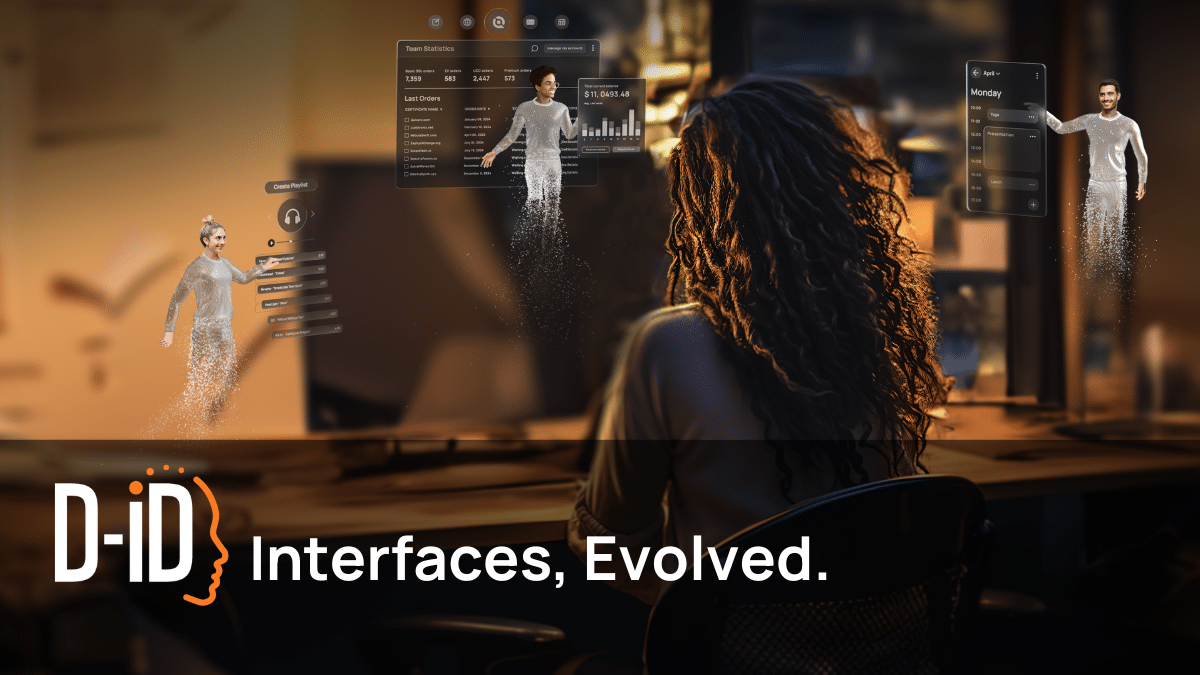
Turn any video into an interactive AI experience. With Agentic Videos, viewers don't just watch - they pause, ask questions, get real-time answers, and interact with the presenter inside the video itself. Viewers experience content in a fully personalized way. Creators gain a new world of insight into knowledge gaps and intent: a viewer who asks three questions tells you more than a thousand passive completions ever could. Now on the D-ID platform, built with industry-leading expressive avatars.
Key features
- Generate polished avatar videos from scripts and documents
- Deploy real-time conversational avatars that engage users
- Create videos in 120+ languages at scale
- Integrate AI avatars into apps via API
- Turn videos into interactive experiences with viewer questions
Use cases
- Marketing teams creating personalized video content at scale in multiple languages
- Sales teams creating product demos and guiding prospects through sales journeys
- Learning and development teams creating video lessons for global learners
How to choose
- Choose Vozo AI — Video localization for E-commerce sellers adapting product videos for different regions with local accents and translated offers.
- Choose Velo for sales teams creating product demo videos from changelogs and documentation.
- Choose TravelAnimator for travel bloggers creating route videos for YouTube and travel blogs.
- Choose Cardboard for upload raw footage to Cardboard and let it automatically generate a polished first cut, then refine based on your feedback to match your creative vision.
- Choose Jupitrr AI for coaches who want to turn raw talking videos into polished content for social media.
- Choose EditWithAva for short-form content creators who need to produce multiple videos quickly.
Still comparing? Browse every tool in Video or see the best tools in other categories.
Frequently asked questions
What is the best Video tool in 2026?
Vozo AI — Video localization is the most upvoted Video tool on Launch Llama. For video creators: Vozo AI translates on-screen text in videos while preserving layout and animation, completing multilingual localization without recreating visuals. Velo and TravelAnimator round out the top three.
Is there a free Video tool?
Yes. 9 of the 15 tools in this comparison list a free plan, including Velo, TravelAnimator, Jupitrr AI.
How were these Video tools ranked?
By community upvotes on Launch Llama, after merging duplicate listings and dropping listings without a real description. We have not tested these tools hands-on; pricing and features come from each product's listing.
How many Video tools are listed on Launch Llama?
19 Video tools with full listings at the time of writing. This page compares the top 15; the rest are on the Video category page.