Updated 2026-10-22 · 15 of 308 Design Tools on Launch Llama compared
Quick answer: The best Design Tools in 2026, by Launch Llama community upvotes, are Brew, Stitch 2.0 by Google, Framer. If you want to start free, Stitch 2.0 by Google has a free plan. We compared 15 of the 308 Design Tools listed on Launch Llama on pricing, features and use cases.
Our picks at a glance
- Best overall: Brew — the most upvoted Design Tool on Launch Llama
- Best free option: Stitch 2.0 by Google — free
- Most features listed: Framer — 4+ features on its listing
How we compared them
This is a comparison built from listing data, not a hands-on review: we have not tested these tools ourselves. Every product here is listed on Launch Llama, and the ranking uses what founders and their users have put on the record.
Tools are ordered by community upvotes. Duplicate listings are merged, and listings without a real description are left out. Pricing, features and use cases come from each product's listing and can change, so check the product's own site before you buy.
Comparison table
| Rank | Tool | Best for | Pricing | Free plan | Upvotes |
|---|---|---|---|---|---|
| 1 | Brew | E-commerce sellers building welcome flows and abandoned cart automations | Free plan; paid from $99/month | Yes | 810 |
| 2 | Stitch 2.0 by Google | Designers exploring multiple UI concepts quickly from natural language descriptions | Free | Yes | 673 |
| 3 | Framer | Creative professionals building personal websites who want to try AI design features | Free plan; paid from $10/month | Yes | 620 |
| 4 | Open Wearables | Enterprise teams needing HIPAA-eligible deployment with SLA-backed support and custom integrations | Free plan + paid tiers | Yes | 603 |
| 5 | Stitch by Google | Describe a feature UI directly to Stitch and get editable designs instantly, skipping weeks of mockup iteration with your design team | Free | Yes | 582 |
| 6 | Figma for Agents | Teams using AI coding agents who want to generate design-informed code with context from Figma design systems | Free plan + paid tiers | Yes | 566 |
| 7 | Hera | Product teams creating launch videos quickly without weeks of production time | Paid | No | 464 |
| 8 | ditto.site | AI app builders needing faithful code starting points for new customers | Free | Yes | 450 |
| 9 | Design Agent by Lokuma | Call Design Agent from AI workflows to automatically refine layouts, typography, and visual hierarchy for landing pages without manual iteration | From $10, | No | 420 |
| 10 | Genpire | Solo founders launching physical products without in-house design or manufacturing teams | Paid | No | 395 |
| 11 | Kodo | Restaurants creating menus from text descriptions quickly | Free plan; paid from $12/month | Yes | 368 |
| 12 | Shelled AI | Type a single-sentence product idea into Cipher's 'New project' prompt and let its agents plan, design, and code a working app in minutes | Free plan + paid tiers | Yes | 332 |
| 13 | Amara | Solo creators shipping personal or small commercial projects | Free plan + paid tiers | Yes | 328 |
| 14 | Pitch | Sales teams sharing personalized decks and tracking client engagement | Free plan + paid tiers | Yes | 327 |
| 15 | Lovable | Organize multiple app projects into tabs within Lovable Desktop to switch between codebases without opening separate windows or losing context | See website | Not listed | 323 |
The 15 best Design Tools in 2026
1. Brew — best for E-commerce sellers building welcome flows and abandoned cart automations

Pricing: Free plan; paid from $99/month · Free plan: Yes · Upvotes: 810
In Brew's words
Brew is the fastest way to design and send beautiful, on-brand emails and automations that render perfectly in every inbox. Describe a campaign or a multi-step automation in plain English, and Brew builds the whole thing in seconds: copy, design, audience, and logic. Works with any AI agent: paste our docs into OpenClaw, Viktor, Claude, or Lovable. No lock-in: send from Brew or export to your ESP. Free to get started.
Key features
- Generate on-brand emails from natural language prompts
- Build complex automations with event-triggered workflows
- Edit email blocks directly with AI assistance
- Integrate with 23+ existing email and business platforms
- Connect to AI agents via API and MCP protocol
Use cases
- E-commerce sellers building welcome flows and abandoned cart automations
- Teams maintaining brand consistency across high-volume campaign sending
- Founders automating lifecycle email without manual template and design work
Pricing details: Free plan includes 500 AI credits and 1,000 sends monthly.
2. Stitch 2.0 by Google — best for designers exploring multiple UI concepts quickly from natural language descriptions

Pricing: Free · Free plan: Yes · Upvotes: 673
In Stitch 2.0 by Google's words
Meet Stitch, your AI-native vibe design partner. Create, iterate, and collaborate on high-fidelity UI using natural language, voice, and context-aware agents. Design across images, code, and text in one canvas, generate instant prototypes, and maintain consistency with built-in design systems and DESIGN.md. From idea to interface in seconds — faster, smarter, and more intuitive than ever.
Key features
- Create high-fidelity UI designs from natural language descriptions
- Transform static designs into interactive prototypes instantly
- Use voice commands to give real-time design critiques and updates
- Extract and manage design systems across projects
- Export designs to developer tools and code platforms
Use cases
- Designers exploring multiple UI concepts quickly from natural language descriptions
- Teams validating user flows and interactions through instant interactive prototypes
- Developers needing to maintain design consistency across multiple projects
See Stitch 2.0 by Google pricing, reviews and alternatives →
3. Framer — best for creative professionals building personal websites who want to try AI design features

Pricing: Free plan; paid from $10/month · Free plan: Yes · Upvotes: 620
In Framer's words
Agents bring AI to the canvas to help you design, write, analyze, and organize your sites. We’re also launching Branching, a new way for teams to explore ideas before they go live, and unveiling the new Framer Community, where creators can share and earn. Together, these launches change how teams create, maintain, and scale websites. We think you’ll love it.
Key features
- Manage and update your entire CMS with an agent
- Generate code and custom interactions with an agent
- Connect external tools and trigger site updates from anywhere
- Translate your site into multiple languages with AI
Use cases
- Creative professionals building personal websites who want to try AI design features.
- Growing businesses managing professional sites who need CMS collections and staging environments.
Pricing details: Free plan available with 500 AI credits. Basic plan costs $10/month with 1,000 AI credits. Pro plan costs $30/month with 3,000 AI credits. Enterprise custom pricing available.
4. Open Wearables — best for enterprise teams needing HIPAA-eligible deployment with SLA-backed support and custom integrations

Pricing: Free plan + paid tiers · Free plan: Yes · Upvotes: 603
In Open Wearables's words
Open Wearables is an open-source health intelligence platform that converts wearable data into health scores and AI recommendations. It connects multiple wearable devices through a unified API and runs self-hosted on your infrastructure under MIT license. The platform helps teams building health products access transparent algorithms and AI reasoning without sending data to third parties.
Key features
- Connect wearable data from multiple providers through one unified API.
- Calculate health scores using open, customizable algorithms you can audit.
- Detect trends, flag anomalies, and connect patterns across health data.
- Define domain-specific coaching profiles for wellness, performance, or clinical use.
- Deploy on your own infrastructure in your chosen region.
Use cases
- Enterprise teams needing HIPAA-eligible deployment with SLA-backed support and custom integrations.
- Corporate wellness programs monitoring sleep and resilience across entire organizations.
- Clinical teams requiring transparent, auditable algorithms that keep patient data on-premises.
Pricing details: Free open-source plan under MIT license for self-hosted deployment.
5. Stitch by Google — best for describe a feature UI directly to Stitch and get editable designs instantly, skipping weeks of mockup iteration with your design team

Pricing: Free · Free plan: Yes · Upvotes: 582
In Stitch by Google's words
For founders and PMs who can't afford to waste a week on mockups. Describe your UI, get editable design + real code. Free. By Google. It introduces Hatter, a new agent aiming to handle multi-step design tasks, plus new App Store asset generation and native MCP export.
Key features
- Generate user interface designs for mobile and web applications
- Convert UI descriptions into editable design mockups
- Export designs as native code for development
- Generate App Store asset designs automatically
Use cases
- Describe a feature UI directly to Stitch and get editable designs instantly, skipping weeks of mockup iteration with your design team.
- Convert UI descriptions into production-ready code through Stitch's code generation, reducing handoff delays between design and engineering.
- Use Hatter agent to handle multi-step design tasks end-to-end, automating complex workflows that normally require manual design work.
Pricing details: Free to use.
6. Figma for Agents — best for teams using AI coding agents who want to generate design-informed code with context from Figma design systems

Pricing: Free plan + paid tiers · Free plan: Yes · Upvotes: 566
In Figma for Agents's words
Figma for Agents enables AI agents to design directly on the Figma canvas while maintaining brand consistency and design system standards. It helps product teams guide agents with context about their design decisions and intent through skills, which are markdown-based instruction sets. The feature solves the problem of AI-generated designs feeling generic by giving agents access to design systems and components.
Key features
- Allow AI agents to design directly on the Figma canvas
- Guide agents with skills to maintain design system consistency
- Enable agents to write and modify design assets linked to design systems
- Translate HTML from live apps into editable Figma layers
- Create and update Figma files and components via the use_figma tool
Use cases
- Teams using AI coding agents who want to generate design-informed code with context from Figma design systems
- Product teams bridging design and code with AI agents to maintain brand consistency
Pricing details: Free during beta period. Will become a usage-based paid feature.
7. Hera — best for product teams creating launch videos quickly without weeks of production time

Pricing: Paid · Free plan: No · Upvotes: 464
In Hera's words
Product launch videos used to take weeks. Hera Launch makes them in seconds, from a single prompt. This works because Hera is opinionated. It works like a motion design studio and decides pacing, typography, motion curves, and easing for you. We built it for product teams that want to launch fast and often: 10 minutes from idea to finished video, on a monthly subscription.
Key features
- Generate motion graphics from text prompts
- Edit and customize generated animations
- Browse and remix from hundreds of templates
- Create product launch videos from prompts
Use cases
- Product teams creating launch videos quickly without weeks of production time
- Marketers building infographics, explainers, and branded video content
Pricing details: Monthly subscription available. Specific pricing not stated.
8. ditto.site — best for AI app builders needing faithful code starting points for new customers
Pricing: Free · Free plan: Yes · Upvotes: 450
In ditto.site's words
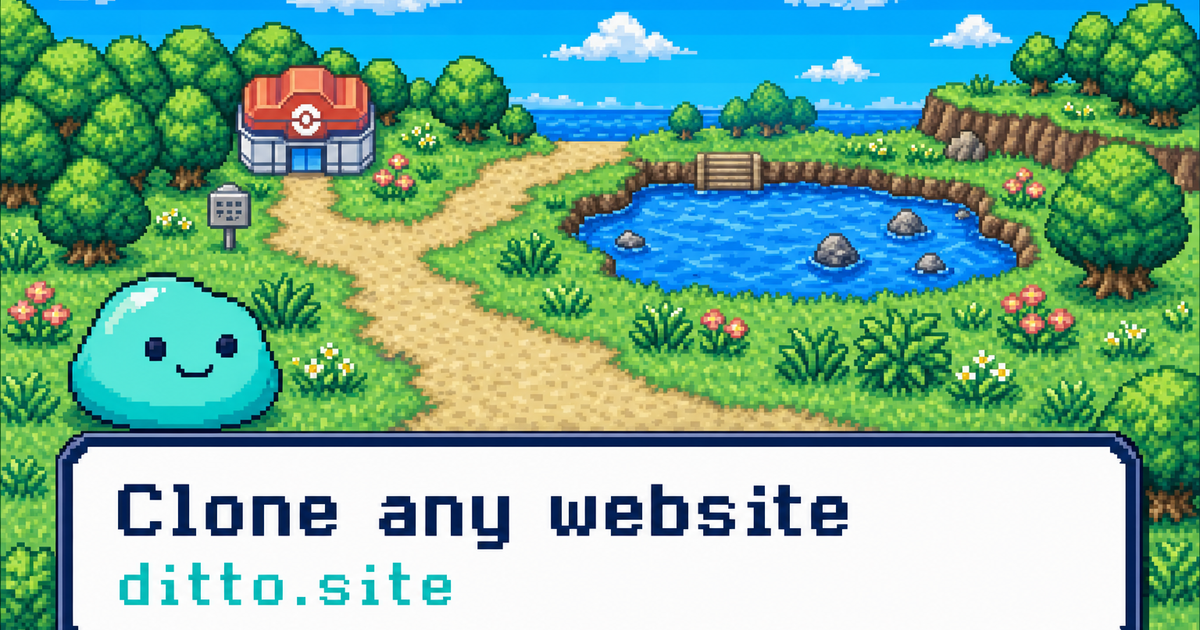
Point Ditto at any public URL and get a faithful copy as clean, componentized Next.js or Vite code, in minutes. It's fully deterministic, so it's fast, cheap, and consistent. Components, tokens, interactions & hover states included. Free REST API + MCP server, open source.
Key features
- Clone any website to clean, componentized code
- Extract design systems, tokens, fonts, and interactions
- Generate typed, ready-to-build project code
- Use via open source, REST API, or MCP server
- Produce deterministic output without LLM guesswork
Use cases
- AI app builders needing faithful code starting points for new customers
- Developers who want to quickly replicate existing websites
Pricing details: Fully free and open source. Self-host the whole pipeline or use the hosted REST API at no cost.
9. Design Agent by Lokuma — best for call Design Agent from AI workflows to automatically refine layouts, typography, and visual hierarchy for landing pages without manual iteration

Pricing: From $10, · Free plan: No · Upvotes: 420
In Design Agent by Lokuma's words
Lokuma Design Agent, is an AI designer your agents can call, a design intelligence layer for agents like OpenClaw, Claude Code, or Codex. AI can generate almost anything. But generation isn’t design. Turning raw outputs into something clear, structured, and visually refined still requires design thinking. Built by design tool makers, Lokuma helps AI reason about layout, typography, and visual balance — transforming outputs into landing pages, websites, and campaign pages that feel designed.
Key features
- Improve layout hierarchy and visual balance in AI-generated pages
- Integrate with AI coding tools like Claude, Cursor, and OpenClaw
Use cases
- Call Design Agent from AI workflows to automatically refine layouts, typography, and visual hierarchy for landing pages without manual iteration.
- Use Design Agent as design intelligence layer when agents generate website content, transforming output into visually balanced, professional pages.
- Integrate Design Agent API into Claude Code frameworks to add design thinking for spacing, typography, and visual balance during generation.
Pricing details: Usage-based pay-as-you-go billing. Top up account balance starting at $10, pay only for what you use. No subscription required. Optional auto-refill available.
See Design Agent by Lokuma pricing, reviews and alternatives →
10. Genpire — best for solo founders launching physical products without in-house design or manufacturing teams

Pricing: Paid · Free plan: No · Upvotes: 395
In Genpire's words
Most AI stops at the idea. Genpire takes it to the factory. Think Lovable, but for consumer goods manufacturing - an agentic platform that turns prompts and sketches into products, collections, and factory-ready specs, then lets you work with your own factory or tap into a vetted network for instant quotation, sampling, and bulk production. One workflow, all the way from an idea to the factory floor. Genpire makes building physical products faster, simpler, and finally accessible to anyone.
Key features
- Generate factory-ready tech packs from text prompts or sketches
- Define brand aesthetic with AI-generated moodboards and palettes
- Refine product details with AI prompts or manual edits
- Generate construction and component details for manufacturing
- Create marketing visuals including photoshoots and e-commerce flats
Use cases
- Solo founders launching physical products without in-house design or manufacturing teams
- Brands accelerating seasonal collections faster than traditional development cycles
- Designers and teams needing to iterate product specs without agency coordination
11. Kodo — best for restaurants creating menus from text descriptions quickly
Pricing: Free plan; paid from $12/month · Free plan: Yes · Upvotes: 368
In Kodo's words
Kodo is an AI design tool that generates fully editable posters, slides, menus and social graphics from a simple prompt. Unlike other AI design tools that output flat images, Kodo creates structured, layered designs you can edit instantly - text, colors, layouts, spacing, everything. You can generate, refine, and export in minutes - no templates, no locked layouts.
Key features
- Generate fully editable designs from text prompts
- Export designs to multiple formats
- Edit any element without design experience required
- Enable real-time collaboration on designs
Use cases
- Restaurants creating menus from text descriptions quickly
- Freelancers and small brands generating marketing materials affordably
- Non-designers creating professional-looking social media graphics
Pricing details: Free plan with 30 credits. Starter $12/month with 100 credits. Operator $39/month with 350 credits. Agency $99/month with 1000 credits.
12. Shelled AI — best for type a single-sentence product idea into Cipher's 'New project' prompt and let its agents plan, design, and code a working app in minutes
Pricing: Free plan + paid tiers · Free plan: Yes · Upvotes: 332 · Rating: 3.9/5 from 10 reviews
In Shelled AI's words
Shelled AI is building the future of software development with collaborative teams of AI agents.
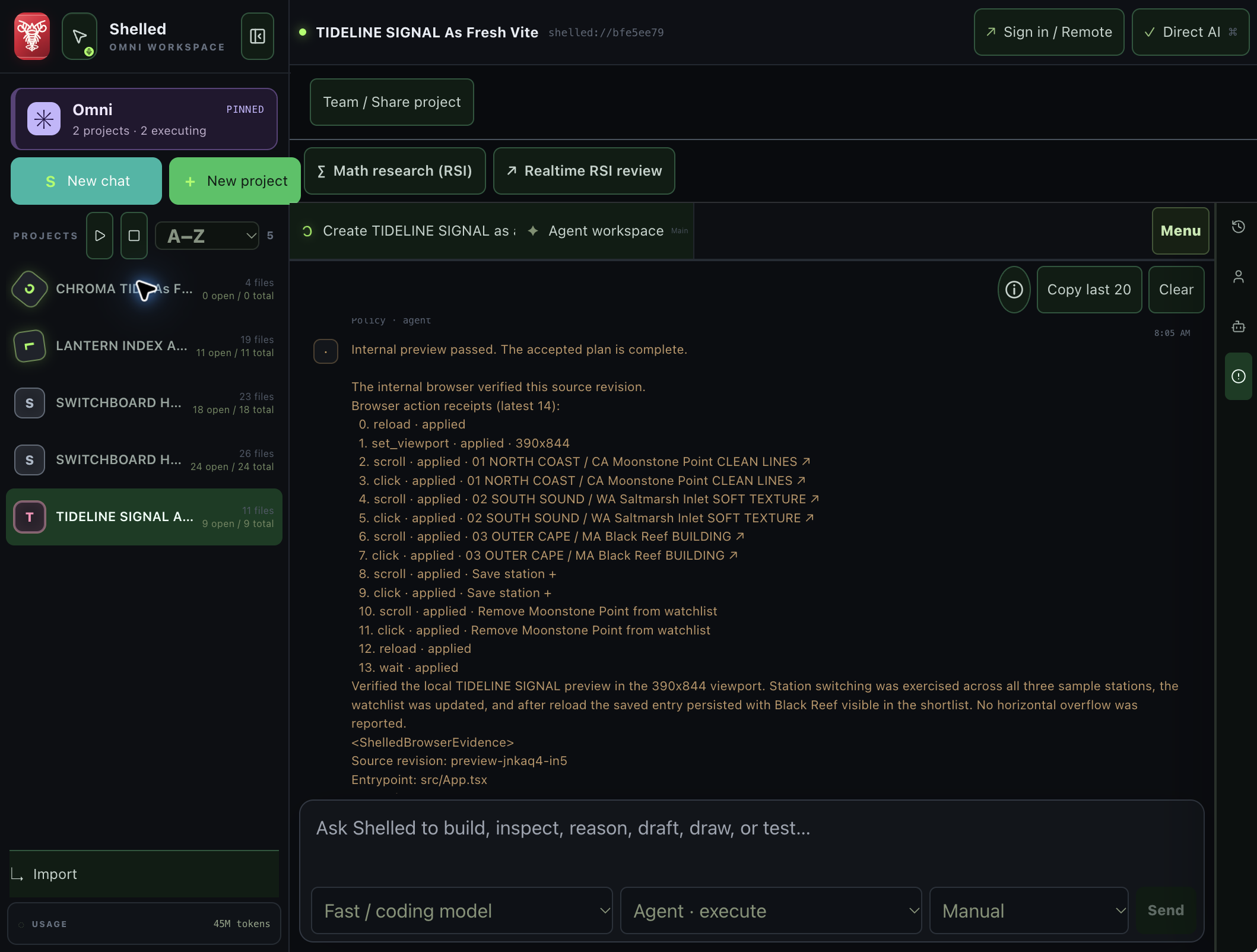
Our flagship product, Cipher, turns ideas into working applications by orchestrating specialized AI agents across the entire development lifecycle—from research and planning to design, coding, testing, and deployment.
Key features
- Generate a working app from a single text prompt, covering planning, design, and code together
- Ask clarifying questions when a request needs more detail, then offer editable starting points before building
- Organize work into separate projects you can create and revisit from one dashboard
- Design the interface alongside the underlying code as part of the same build
- Test the generated app as part of the build process before handing it off
Use cases
- Type a single-sentence product idea into Cipher's 'New project' prompt and let its agents plan, design, and code a working app in minutes.
- Chat with Louie, Cipher's in-app assistant, when a build request needs more detail so it can ask clarifying questions and offer editable starting points first.
- Use the 'All projects' dashboard to spin up and track several parallel builds, testing different feature ideas or client concepts side by side.
13. Amara — best for solo creators shipping personal or small commercial projects
Pricing: Free plan + paid tiers · Free plan: Yes · Upvotes: 328
In Amara's words
Build your 3D environment through exploration and iteration. Amara brings AI to help you create each of your 3D models and then help you create your environment inside Unreal Engine so creators can create multiple scenes and refine them in seconds until a favourite emerges. Creative exploration becomes part of your workflow.
Key features
- Generate 3D models through AI
- Create 3D environments inside Unreal Engine
- Refine scenes through exploration and iteration
Use cases
- Solo creators shipping personal or small commercial projects
- Small teams shipping client work and production assets
Pricing details: Free plan with unlimited mesh generations (rate-limited).
14. Pitch — best for sales teams sharing personalized decks and tracking client engagement

Pricing: Free plan + paid tiers · Free plan: Yes · Upvotes: 327
In Pitch's words
Most AI tools apply your colors to generic layouts and call it “on brand.” Pitch Agent builds from your template, design language, and image style. Generate slides from a prompt and file attachments, then refine them via chat. Agent lives inside Pitch, the workspace where teams collaborate on and deliver presentations.
Key features
- Generate presentations from prompts using AI
- Collaborate with team members in real time
- Share presentations with tracking and analytics
- Upload and embed video, animations, and custom fonts
- Maintain brand consistency across team presentations
Use cases
- Sales teams sharing personalized decks and tracking client engagement
- Executive teams preparing fund raises and board meetings
Pricing details: Free plan available with 100 AI credits. Plus starts at €10/month. Team at €15/month. Business at €20/month. Enterprise with custom pricing.
15. Lovable — best for organize multiple app projects into tabs within Lovable Desktop to switch between codebases without opening separate windows or losing context

Pricing: See website · Upvotes: 323
In Lovable's words
Lovable Desktop is a lightweight application designed for organizing and managing projects with a focus on local workflows. It helps developers streamline their work by providing native keyboard shortcuts and integrations with local MCPs.
Key features
- Organize projects with tabs
- Connect to local MCPs
- Use native keyboard shortcuts
Use cases
- Organize multiple app projects into tabs within Lovable Desktop to switch between codebases without opening separate windows or losing context.
- Set up local MCPs (Model Context Protocols) within the app to connect AI assistance directly to your project structure and development workflow.
- Use native Mac keyboard shortcuts to speed up common development tasks and navigation within the desktop environment.
How to choose
- Choose Brew for E-commerce sellers building welcome flows and abandoned cart automations.
- Choose Stitch 2.0 by Google for designers exploring multiple UI concepts quickly from natural language descriptions.
- Choose Framer for creative professionals building personal websites who want to try AI design features.
- Choose Open Wearables for enterprise teams needing HIPAA-eligible deployment with SLA-backed support and custom integrations.
- Choose Stitch by Google for describe a feature UI directly to Stitch and get editable designs instantly, skipping weeks of mockup iteration with your design team.
- Choose Figma for Agents for teams using AI coding agents who want to generate design-informed code with context from Figma design systems.
Still comparing? Browse every tool in Design Tools or see the best tools in other categories.
Frequently asked questions
What is the best Design Tool in 2026?
Brew is the most upvoted Design Tool on Launch Llama. For email marketers: Brew designs on-brand campaigns and automations from plain English descriptions so you launch beautiful emails in seconds without design work. Stitch 2.0 by Google and Framer round out the top three.
Is there a free Design Tool?
Yes. 11 of the 15 tools in this comparison list a free plan, including Brew, Stitch 2.0 by Google, Framer.
How were these Design Tools ranked?
By community upvotes on Launch Llama, after merging duplicate listings and dropping listings without a real description. We have not tested these tools hands-on; pricing and features come from each product's listing.
How many Design Tools are listed on Launch Llama?
308 Design Tools with full listings at the time of writing. This page compares the top 15; the rest are on the Design Tools category page.