
SubcueAI
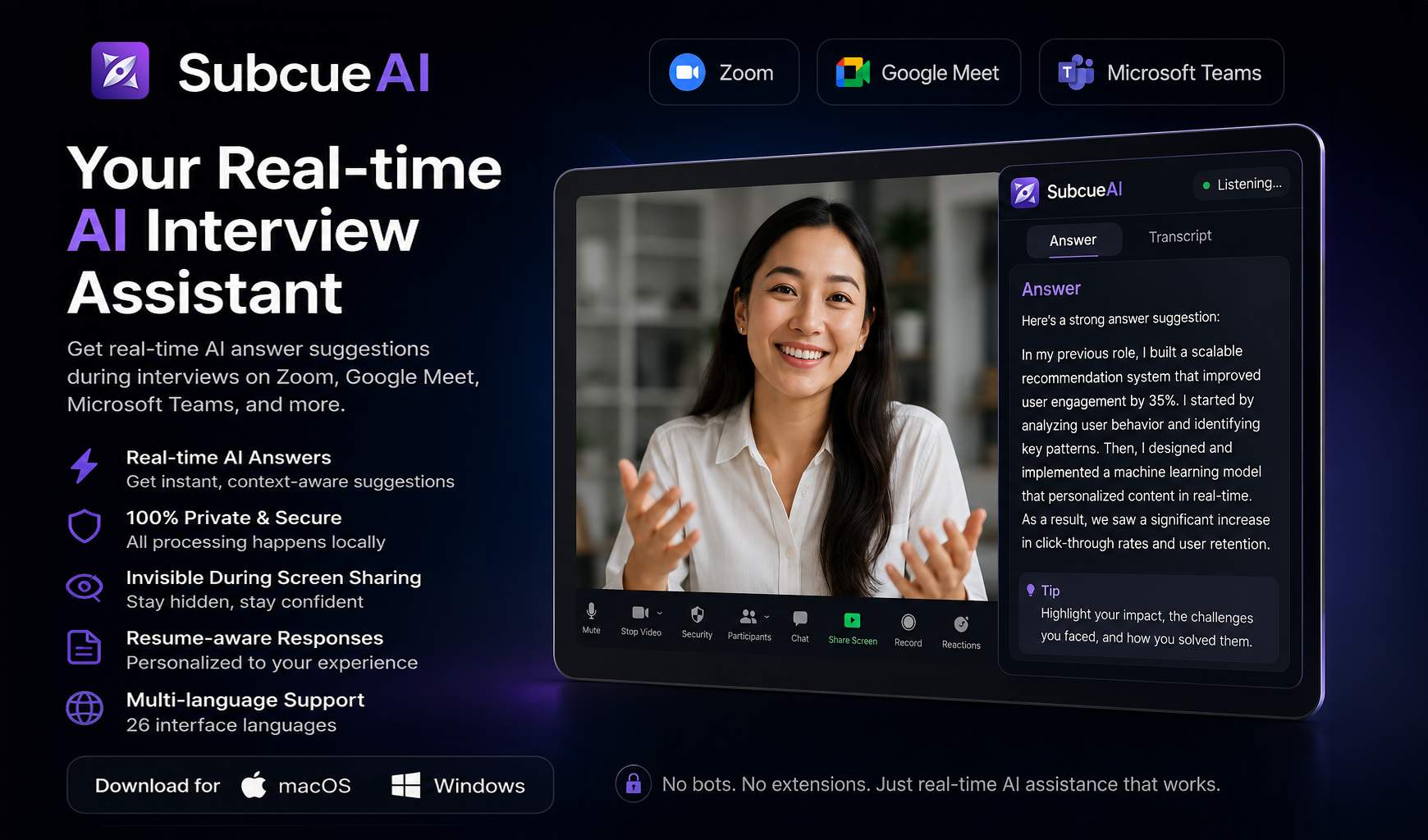
For job candidates: SubcueAI transcribes interview questions and suggests answers in real-time so you respond confidently across all interview types.
Built by Aaron · Artificial Intelligence · Paid
In category: #1072 of 2007 · Artificial Intelligence
SubcueAI is an Instant Launch listing on Launch Llama with 11 total upvotes, founded by Aaron who joined in Jun 2026, compared against 4 alternatives.
Instant Launch listing
Listing status
11upvotes
Community score
Aaron (Joined Jun 2026)
Founder
Compared against 4 alternatives
Market comparison
Launched on Launch Llama Jun 2, 2026 · #5 of 18 that day
About
SubcueAI is an AI interview assistant designed for macOS and Windows users aiming to improve job interview performance. This real-time answer suggestion tool captures audio from Zoom, Google Meet, Microsoft Teams, and other video calls to transcribe questions and generate context-aware responses powered by GPT-4o. It supports various interview formats, including technical coding, behavioral, and case interviews.
Use Cases
- Getting real-time answer suggestions on screen during a live Zoom, Google Meet, or Teams job interview
- Practicing for technical, behavioral, and case interviews with AI mock interviews scored against your resume and job description
- Building an ATS-friendly resume with the free in-browser resume builder before applying
Who it is for
- Job candidates preparing for or attending technical, behavioral, or case job interviews.
- Software engineers preparing for technical interviews covering distributed systems and architecture decisions.
- Job seekers who want to practice interviews and track performance across multiple interviews.
Pricing
SubcueAI is a paid product. See the website for current pricing.
FAQ
What is an AI interview assistant and how does SubcueAI work?
An AI interview assistant is an app that listens to your job interview in real time and suggests answers. SubcueAI runs as a desktop app on macOS and Windows, as an iPhone, iPad and Android app, and as a Chrome/Edge browser extension. It captures audio from Zoom, Google Meet, Teams, or any video call, transcribes the interviewer's questions using speech-to-text, and generates context-aware answer suggestions with large language models — shown in a discreet floating overlay on the desktop apps.
Does SubcueAI work with Zoom, Google Meet, and Microsoft Teams?
Yes. SubcueAI uses dual audio capture to record system audio from any application, so it works with all video conferencing platforms including Zoom, Google Meet, Microsoft Teams, WebEx, and even phone calls routed through your computer.
Does SubcueAI appear when I share my screen?
No — on the Mac and Windows apps, the floating answer overlay is invisible in screen sharing, and SubcueAI never joins your meeting as a bot or changes your video feed. On Windows 10 (version 2004) and later, the overlay is excluded from every screen capture, including screen shares and recordings, and the app stays out of the taskbar and Alt-Tab. On macOS, Google Meet and other browser-based meeting apps don't capture the overlay and the app has no Dock icon, but some apps, such as Tencent Meeting, and QuickTime screen recordings can still capture it, and the menu-bar icon stays visible. It does not hide the app from proctoring or assessment software that checks running processes. This applies only to the Mac and Windows apps.
Can SubcueAI help with technical and behavioral interviews?
Absolutely. SubcueAI generates real-time AI answers for all interview types — technical coding questions, behavioral STAR-method questions, case interviews, and general HR screening calls. It uses your uploaded resume for personalized, context-aware answer suggestions.
What are the system requirements?
The desktop app requires macOS 14.0 (Sonoma) or later, or Windows 10 (version 19041) or later; the iPhone and iPad app requires iOS or iPadOS 16.1 or later, and the Android app requires Android 10 or later. An internet connection is needed for real-time speech-to-text and AI answer generation.
How does SubcueAI protect my privacy?
Interview audio is streamed over an encrypted connection to our cloud speech-to-text provider for real-time transcription — the audio itself is never stored on our servers. Transcripts are saved to your account so you can review past sessions, and you can delete them, or your entire account, at any time. Resume data is encrypted at rest. We share data only with the service providers that power the product (speech-to-text, AI answers, hosting, payments) — never for advertising, and we never sell your data.
What languages does the AI interview assistant support?
SubcueAI transcribes interviews and writes answers in 27 languages. It can detect the interviewer's language automatically, and it can answer in a different language from the one the question was asked in. The app interface is available in 27 languages.
Does SubcueAI have a browser extension?
Yes. The SubcueAI - AI Interview Assistant extension for Chrome and Edge gives you live AI answer suggestions during in-browser interviews on Google Meet, Zoom, and Microsoft Teams using tab audio, plus AI mock-interview practice built from your resume. A Firefox add-on is also available for AI mock-interview practice only — Firefox doesn't support the tab-audio capture that live answer suggestions require. The desktop app remains the most capable option, with system-wide audio capture. Its overlay window is marked as protected content at the operating-system level, a display-privacy setting with limits: Windows 10 (version 2004) and later leaves the window out of screen sharing and recordings, while on macOS Google Meet leaves it out but some apps, such as Tencent Meeting, and QuickTime recordings can still capture it. It does not hide the app from assessment platforms that check running processes, and it is no substitute for following an interview's rules.
Can I practice with an AI mock interviewer?
Yes. SubcueAI's AI mock interviews ask questions drawn from your resume and target job description, adapt follow-up questions to your spoken answers, and score your performance afterwards — available on the web dashboard, in the desktop app, in the iPhone, iPad and Android apps, and in the browser extension.
Is the resume builder free?
Yes. The in-browser resume builder is completely free — ATS-friendly templates, live preview with true page breaks, and A4/Letter PDF export, with no download or subscription required. The optional AI Optimize feature, which tailors your bullet points to a job description, uses plan credits.
Alternatives
 InterviewManFor job seekers: InterviewMan detects interview questions in real time and delivers contextual answer guidance so you land offers with confident responses.
 VoqraFor job seekers: Voqra coaches you in real-time during remote interviews so you answer confidently and land the offer.
 Interview VIPFor job candidates: Interview VIP transcribes live technical interviews and streams real-time answer guidance so you respond confidently without freezing.
New on Launch Llama
Launched this week · This month's launches · All products A–Z
Ask AI about SubcueAI
Supporters
1 founder
1 founder supported SubcueAI on Launch Llama.
For bots & AI agents
Machine-readable versions of SubcueAI and Launch Llama. Fetch these instead of parsing this page.
This listing (.md) llms.txt llms-full.txt ai.txt Full catalog (.md) Endpoint index API docs MCP server MCP manifest Developer docs