
imgpilot
For iPhone users: imgpilot converts HEIC photos to JPG in your browser instantly—no upload, no signup, quality preserved.
Built by moni · Artificial Intelligence · SaaS · Free
In category: #1056 of 1956 · Artificial Intelligence
imgpilot is a Instant Launch listing on Launch Llama with 11 total upvotes, founded by moni who joined in May 2026, compared against 6 alternatives.
Instant Launch listing
Listing status
11upvotes
Community score
moni (Joined May 2026)
Founder
Compared against 6 alternatives
Market comparison
Launched on Launch Llama May 23, 2026 · #9 of 25 that day
About
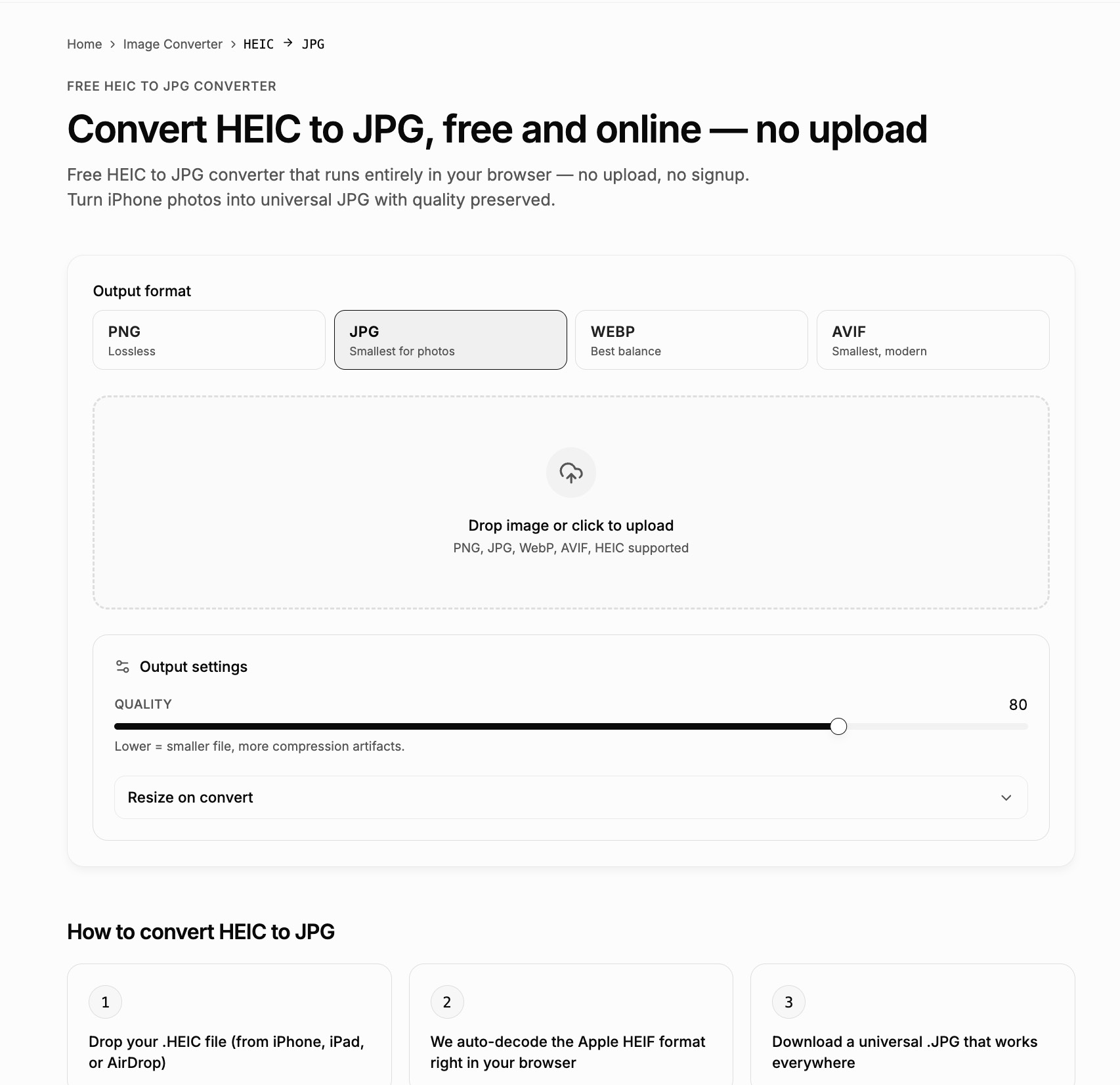
Free HEIC to JPG converter that runs entirely in your browser — no upload, no signup. Turn iPhone photos into universal JPG with quality preserved.
Use Cases
- Converting iPhone HEIC photos to JPG so they open on Windows or Android devices
- Uploading HEIC photos to platforms like CMS dashboards, Twitter/X, Slack, or email that reject HEIC files
- Preparing iPhone photos as JPG for online or walk-in print services that require JPG
Who it is for
- iPhone users sharing photos with Windows or Android friends and family
- Content editors and marketers uploading images to CMS dashboards or social platforms that reject HEIC
- People sending photos to online or kiosk print labs that only accept JPG
Pricing
imgpilot is free to use. See the website for details.
FAQ
Why does my iPhone save photos as HEIC?
Apple introduced HEIC in iOS 11 to halve photo file sizes without visible quality loss. You can switch to JPG capture in Settings → Camera → Formats → Most Compatible.
Will I lose detail when converting HEIC to JPG?
At quality 85 the difference is invisible at normal zoom. Quality 95 produces a near-archival JPG; below 70 you'll start to see banding on smooth gradients.
Can I convert a folder of HEIC files at once?
Yes. Drop a whole folder of HEIC files; we'll convert each one and you can download them all together as a ZIP.
Does HEIC to JPG work on Windows or Android?
Yes. Our HEIC decoder runs entirely in your browser — no Apple codec or extra software required. Any modern Chrome, Firefox, Edge, or Safari can handle it.
Why not just use the Photos app on my Mac to export?
Photos can export to JPG one image at a time, but for batches the workflow is awkward. This page handles drag-and-drop batches in seconds.
What happens to the motion clip in a Live Photo?
We convert the still frame only. The short video clip embedded in the Live Photo container is dropped, since JPG cannot store it.
Alternatives
 HEIC to JPG. Free, and nothing is uploaded.Convert HEIC to JPG in your browser, straight from your iPhone photos. Nothing is uploaded, the original capture date is kept, and there is no account or file limit.
 ConvertimFor privacy-conscious users: Convertim converts images locally on Windows without uploading so your files stay private and processing stays fast.
Ask AI about imgpilot
Supporters
1 founder
1 founder supported imgpilot on Launch Llama.