
CommentShark
For YouTube creators: CommentShark automates comment replies, spam moderation, and flagging so you spend zero hours managing your channel daily.
Built by commentshark and Joe Simunic · SaaS · Social Media · Freemium
In category: #374 of 1118 · SaaS
CommentShark is a Instant Launch listing on Launch Llama with 25 total upvotes, founded by commentshark and Joe Simunic who joined in May 2026, compared against 6 alternatives.
Instant Launch listing
Listing status
25upvotes
Community score
commentshark and Joe Simunic (Joined May 2026)
Founder
Compared against 6 alternatives
Market comparison
Launched on Launch Llama May 25, 2026 · #12 of 54 that day
About
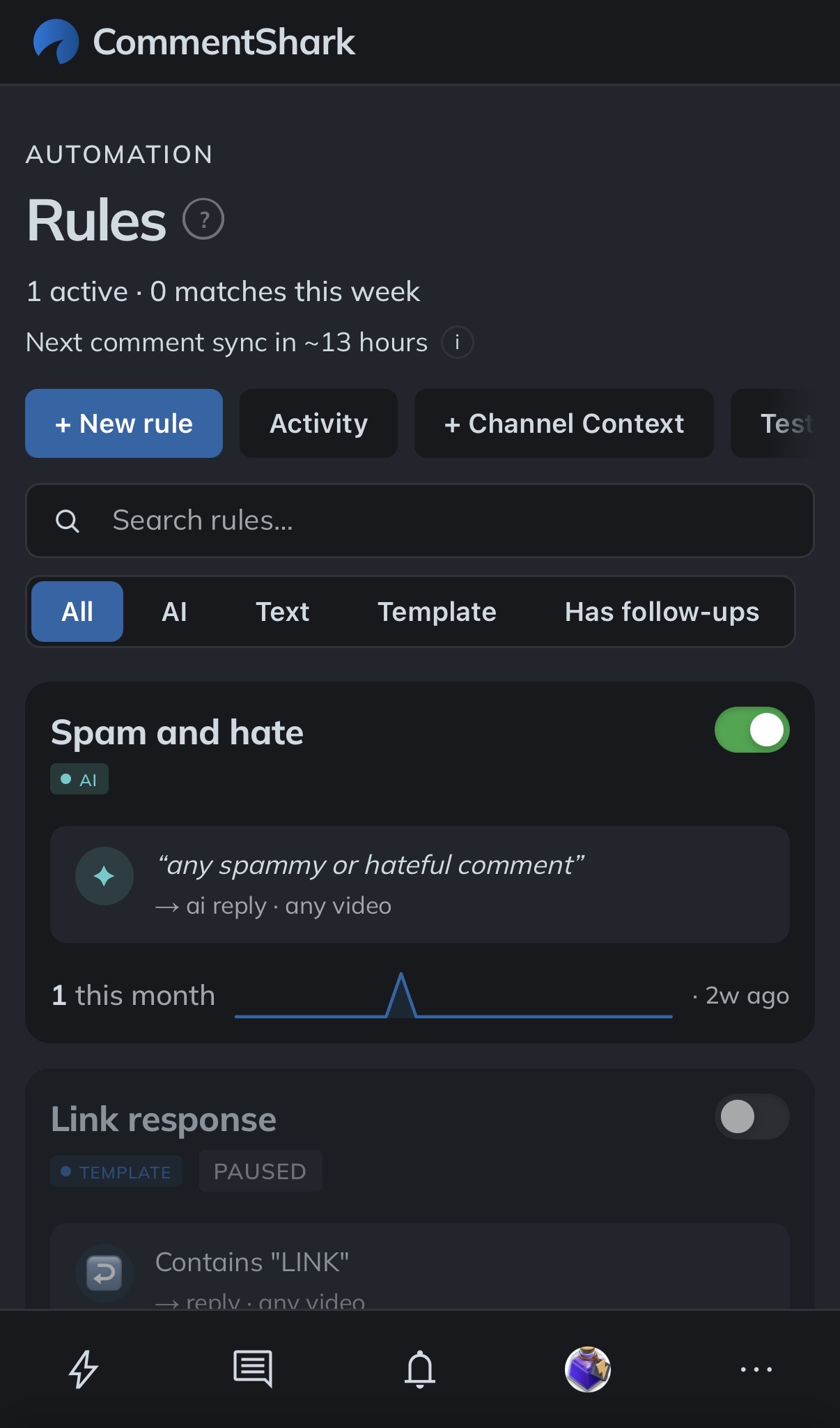
CommentShark is an AI assistant for your YouTube comment section that runs 24/7. Write one rule, like “if a comment asks about pricing, reply with my link” or “if it’s obvious spam, delete it” , in any language, and CommentShark handles every matching comment from then on, across every video.
It pairs the three things creators do by hand every day: auto-replying to fans and product questions, moderating spam and hate, and surfacing the comments that actually need a human. Replies go out in your voice, noise gets cleaned up, and anything ambiguous lands in your inbox so you stay in control
Use Cases
- Auto-replying to repeat questions on YouTube videos, such as where to buy items shown in a video
- Removing spam and scam comments from a YouTube channel automatically before they spread
- Drafting replies to fan comments in the creator's own voice, with an option to approve each reply first
Who it is for
- YouTube creators who can't keep up with comments on their channel
- Agencies managing YouTube channels for clients
- Brands running YouTube channels that need comment moderation at scale
Pricing
Free plan includes 20 actions per month with AI included and no credit card required.
FAQ
Is there a free tier?
Yes — every account starts on the Free plan with no card required. It includes AI-generated replies, keyword and regex matching, and AI comment classification, with 3 rules and 20 comment actions per month so you can try the workflow on real comments before paying. Free channels are checked for new comments every 2 hours. If 14 days pass with no sign-in and nothing done by your rules, checks pause until you next sign in or edit or test a rule. When you need more capacity, upgrade from the Billing page.
Is it safe?
Absolutely. We use official YouTube APIs and OAuth 2.0 for secure authentication. We only request the permissions necessary to manage your comments. We don't store your password, and you can revoke access at any time via your Google Account settings. See more at our Terms of Service.
Can I review replies before they are sent?
Yes! You can choose between Autonomous mode (replies are posted immediately) or Approval Required mode. In Approval Required mode, all AI-generated replies go to a queue where you can edit, approve, or reject them before they go live. Choose Review waiting actions on the Rules page when a draft is ready, or open pending approvals under the notification bell.
How does the AI reply generation work?
We use advanced AI models to analyze the sentiment and context of each comment. You can set custom instructions (e.g., "Be polite and grateful" or "Answer as a pirate") or use our smart templates. The AI generates a unique, personalized response that sounds like you. It learns from your previous replies to provide more natural responses, and you can provide more context to the AI to help it generate more accurate responses. AI suggestions and automated replies also use available synced messages from the same comment thread to understand the conversation. Longer threads keep the opening comment and recent exchanges. This conversation context is separate from the past replies used to learn your voice.
What happens if I hit my monthly limit?
If you reach your monthly limit for comment actions, CommentShark pauses running your rules until your next billing cycle. You'll be notified, so you never find out by accident. From there you have two ways to start again immediately: move up a plan, or buy a one-time action pack that tops up this account without changing your plan.
Can I mark comments as read?
Yes. In Comments, use the read/unread icon beside a comment to toggle its state. Existing synced comments start as read when your channel first opens the inbox; comments synced afterward start unread. The Read status filter shows All, Unread, or Read conversations. Successful replies posted through CommentShark mark their target read, and new viewer replies can bring a conversation back into Unread. Read state is shared with your channel's editors, is available on every plan, and uses no automation credits. It only changes CommentShark state; it does not change the comment on YouTube or approve a queued reply.
What is CommentShark?
CommentShark is a web app that helps you scale engagement with your YouTube audience. It's the ultimate YouTube comment management tool. CommentShark allows you to quickly respond to comments, reply to multiple comments at once, use the help of AI to generate replies, template repetitive responses, search and filter your comments, find your top commenters, see your history with them, and much more!
How does it work?
CommentShark connects to your YouTube channel via the official API. You set up "Rules" that match specific text, use AI classification, or text matching patterns. When a new comment matches a rule, CommentShark can automatically reply, moderate (hold for review or reject), or delete the comment—running 24/7 in the background. You choose whether actions happen automatically or require your approval.
How is CommentShark different from YouTube Studio's built-in tools?
YouTube Studio lets you moderate comments manually — one at a time. CommentShark adds automation on top: keyword rules, AI classification, auto-replies, and scheduled moderation across all your videos. Think of it as YouTube Studio's comment tools on autopilot.
How do I get started?
To get started, simply sign up with your Google account and link your YouTube channel. From there, you can start exploring the different features and configure your settings. Just login at /dashboard to get started.
Alternatives
 GossipStackGive your users a way to engage in conversation and let notifications bring them back. Drop the SDK in your app and get feeds, comments, reactions, mentions, hashtags, +19 Languages, Ai+ moderation...
 Gelee AIManyChat for LinkedIn
Ask AI about CommentShark
Supporters
2 founders
2 founders supported CommentShark on Launch Llama.
