Updated 2026-10-22 · 15 of 19 Software Engineering tools on Launch Llama compared
Quick answer: The best Software Engineering tools in 2026, by Launch Llama community upvotes, are Claude Code Desktop App Redesigned, FlutterFlow, Replay. If you want to start free, FlutterFlow has a free plan. We compared 15 of the 19 Software Engineering tools listed on Launch Llama on pricing, features and use cases.
Our picks at a glance
- Best overall: Claude Code Desktop App Redesigned — the most upvoted Software Engineering tool on Launch Llama
- Best free option: FlutterFlow — free plan; paid from $39/month
- Most features listed: Replay — 5+ features on its listing
How we compared them
This is a comparison built from listing data, not a hands-on review: we have not tested these tools ourselves. Every product here is listed on Launch Llama, and the ranking uses what founders and their users have put on the record.
Tools are ordered by community upvotes. Duplicate listings are merged, and listings without a real description are left out. Pricing, features and use cases come from each product's listing and can change, so check the product's own site before you buy.
Comparison table
| Rank | Tool | Best for | Pricing | Free plan | Upvotes |
|---|---|---|---|---|---|
| 1 | Claude Code Desktop App Redesigned | Developers managing multiple code projects simultaneously across different repositories | From $17 | No | 547 |
| 2 | FlutterFlow | Teams building responsive apps that work across multiple device sizes and platforms | Free plan; paid from $39/month | Yes | 457 |
| 3 | Replay | Engineering teams shipping frequently who need a continuous quality gate | Free plan; paid from $17/month | Yes | 448 |
| 4 | Imagine | Developers building AI agent workflows who need to query databases and ship campaigns | Free plan; paid from $10/month | Yes | 404 |
| 5 | Struct | Teams investigating multiple alerts who want to eliminate manual triage work | Free plan + paid tiers | Yes | 321 |
| 6 | InfrOS | Teams launching new cloud projects who need validated, production-ready infrastructure on first deployment | Free plan + paid tiers | Yes | 313 |
| 7 | Code Arena | Developers comparing AI coding model outputs before choosing which to use | Free | Yes | 295 |
| 8 | XHawk 0.99 | Analytics teams asking data questions in plain English | Free plan; paid from $100/month | Yes | 293 |
| 9 | Revolte | Teams delivering greenfield applications faster into staging and production | Free plan; paid from $20/month | Yes | 279 |
| 10 | Daemons by Charlie Labs | Engineering teams managing pull request quality and review readiness | Free plan; paid from $50/month | Yes | 261 |
| 11 | Shaped | E-commerce retailers who want to power personalized product recommendations and search | Free plan; paid from $100 | Yes | 217 |
| 12 | Ask Ellie | Engineering leaders who need to identify risky PRs before they merge to production | Free plan + paid tiers | Yes | 202 |
| 13 | Edgee | Organizations needing visibility into which teams and projects consume the most tokens and cost | Free plan + paid tiers | Yes | 196 |
| 14 | Progress AI Observability | Teams debugging complex multi-step agent workflows to find where behavior breaks down | Paid | No | 172 |
| 15 | GitHits beta 0.9 | Coding agents needing to understand dependency behavior for version-specific implementations | See website | Not listed | 163 |
The 15 best Software Engineering tools in 2026
1. Claude Code Desktop App Redesigned — best for developers managing multiple code projects simultaneously across different repositories

Pricing: From $17 · Free plan: No · Upvotes: 547
In Claude Code Desktop App Redesigned's words
Claude Code desktop app redesign helps developers run multiple coding tasks simultaneously across different repositories. The app includes tools for managing sessions, editing files, reviewing code changes, and running tests without switching between applications. Available for developers using Claude Code on Pro, Max, Team, and Enterprise plans.
Key features
- Run multiple Claude Code sessions in parallel across different repositories
- Manage sessions with sidebar filtering and grouping by project or status
- Review code changes with integrated diff viewer and file editor
- Open side chats to branch conversations without affecting main tasks
- Arrange workspace panes with drag-and-drop layout for terminal, preview, and chat
Use cases
- Developers managing multiple code projects simultaneously across different repositories
- Developers reviewing and shipping code changes without switching to external editors
- Teams using centrally managed Claude Code plugins across their organization
Pricing details: Claude Code is available on Pro, Max, Team, and Enterprise plans.
See Claude Code Desktop App Redesigned pricing, reviews and alternatives →
2. FlutterFlow — best for teams building responsive apps that work across multiple device sizes and platforms
Pricing: Free plan; paid from $39/month · Free plan: Yes · Upvotes: 457
In FlutterFlow's words
Campus gives builders a shared space to build with teammates and AI agents. Keep your repo, terminal, project knowledge, conversations, and agent work together in one persistent workspace, instead of scattering context across Slack threads, docs, tickets, canvases, and one-off AI chats. Campus is organized around the thing you are building, so humans and agents can pick up where the work left off.
Key features
- Build user interfaces visually using pre-designed UI elements
- Add application logic through a visual Action Flow Editor
- Connect apps to databases like Firebase and Supabase
- Collaborate with team members using branching and comments
- Deploy to App Store, Play Store, and web platforms
Use cases
- Teams building responsive apps that work across multiple device sizes and platforms.
- Developers who want to integrate third-party APIs and RESTful backends into their apps.
Pricing details: Free plan available with up to 2 projects and 10 Lite credits.
3. Replay — best for engineering teams shipping frequently who need a continuous quality gate
Pricing: Free plan; paid from $17/month · Free plan: Yes · Upvotes: 448
In Replay's words
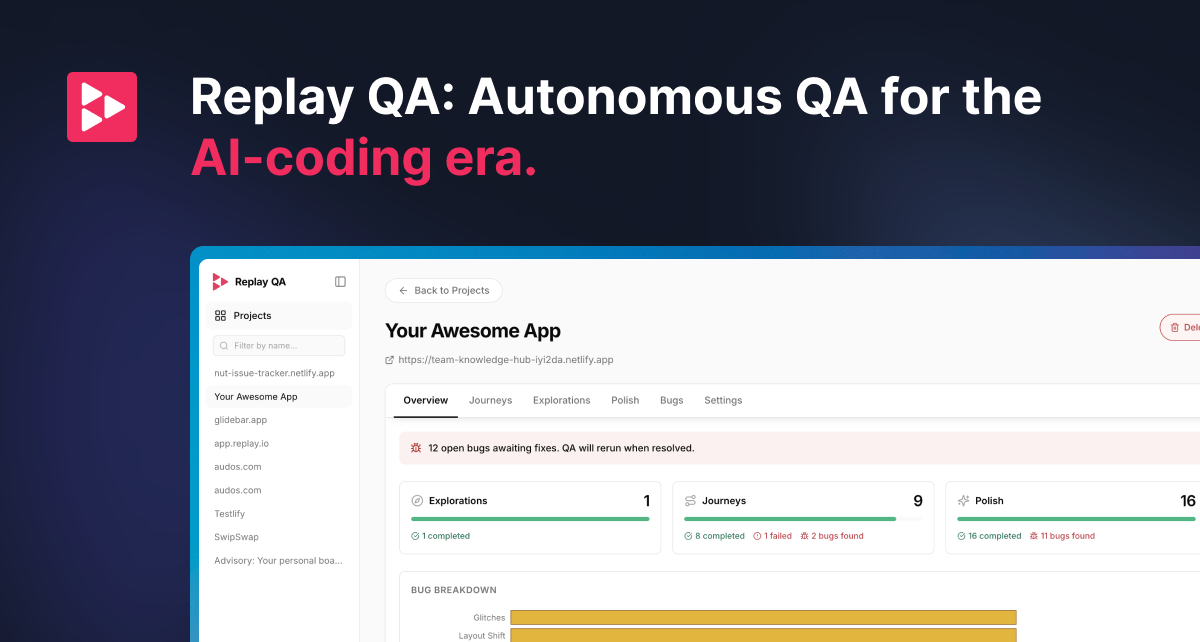
Add your GitHub repo for continuous testing, or drop in a URL for a one-time check. Replay QA explores your app, records every session, finds real bugs, and gives your coding agent the root cause and fix. Try for free: qa.replay.io
Key features
- Record every session and test run automatically
- Discover user journeys and write tests automatically
- File detailed bug reports with root cause and suggested fix
- Connect GitHub repos for continuous testing on every PR
- Test any web app by dropping in a URL with zero setup
Use cases
- Engineering teams shipping frequently who need a continuous quality gate
- Solo builders and agencies testing apps without writing test suites
- Teams using Playwright or Cypress who need to analyze test failures
Pricing details: Free plan with 25 credits per month, no credit card required.
4. Imagine — best for developers building AI agent workflows who need to query databases and ship campaigns
Pricing: Free plan; paid from $10/month · Free plan: Yes · Upvotes: 404
In Imagine's words
The most complete AI builder ever made. With Imagine, you turn your ideas into functional products by chatting with AI. No matter your prompt, your applications will always have: - Built-in cloud: Auth, Databases, Storage, Notifications, Hosting - Fullest compliance: GDPR, HIPAA, SOC 2, CCPA - SSR and server functions, enabling fast load times and strong SEO - Highest security: DDoS, Abuse protection, Encryption, Data migrations - Scalability: Completely managed cloud infrastructure
Key features
- Authenticate users with email, SMS, OAuth, and magic URLs
- Store files with compression, encryption, and image transformations
- Deploy serverless functions with secure isolated runtimes
- Send email, SMS, and push notifications through unified service
- Subscribe and react to events across your project as they happen
Use cases
- Developers building AI agent workflows who need to query databases and ship campaigns
- Teams handling sensitive health data requiring HIPAA-compliant infrastructure
Pricing details: Free plan available with serverless option.
5. Struct — best for teams investigating multiple alerts who want to eliminate manual triage work
Pricing: Free plan + paid tiers · Free plan: Yes · Upvotes: 321
In Struct's words
Struct is an AI agent that monitors production changes and automatically detects when they break. It helps engineering teams by automatically triaging alerts and fixing issues without manual intervention. The system reads pull request intent to create monitors and verifies changes work in production.
Key features
- Create monitors automatically for every pull request
- Triage alerts and escalate only real issues
- Automatically create pull requests to fix production issues
- Track all production issues from open to resolution
- Provide root cause analysis with suggested fixes for escalations
Use cases
- Teams investigating multiple alerts who want to eliminate manual triage work.
- Engineering teams deploying frequently who need to detect regressions immediately.
- DevOps teams with coding agents who want autonomous production fixes.
6. InfrOS — best for teams launching new cloud projects who need validated, production-ready infrastructure on first deployment

Pricing: Free plan + paid tiers · Free plan: Yes · Upvotes: 313
In InfrOS's words
InfrOS is a cloud infrastructure platform that designs and validates optimized architectures across AWS, Azure, and GCP. It helps enterprise teams automate cloud architecture design from initial setup through ongoing optimization and compliance.
Key features
- Scan existing infrastructure and ingest design documents through multi-modal requirement gathering.
- Generate and compare multiple cloud architectures across performance, security, cost, and reliability.
- Validate architectures through benchmarking, simulation, and emulation before deployment.
- Output production-ready infrastructure-as-code with compliance and cost optimization guardrails.
- Continuously detect infrastructure drift and keep systems aligned as requirements evolve.
Use cases
- Teams launching new cloud projects who need validated, production-ready infrastructure on first deployment.
- Organizations moving workloads across cloud providers without experiencing drift or rework.
- Enterprises continuously optimizing cloud costs and performance as traffic patterns change.
Pricing details: Free trial with 700 credits, no credit card required.
7. Code Arena — best for developers comparing AI coding model outputs before choosing which to use
Pricing: Free · Free plan: Yes · Upvotes: 295
In Code Arena's words
Prompt once and compare outputs from top AI coding models. Arena generates multi-file apps or websites side-by-side. Export ready-to-run code to GitHub or your IDE. Built for developers. Free to use.
Key features
- Chat with multiple AI models side-by-side
- Compare top coding and language models together
- Access crowdsourced benchmarks and leaderboards
- Build web apps and websites in real time
- Export ready-to-run code to GitHub or IDE
Use cases
- Developers comparing AI coding model outputs before choosing which to use
- Teams building web applications and evaluating model accuracy
Pricing details: Free to use.
8. XHawk 0.99 — best for analytics teams asking data questions in plain English

Pricing: Free plan; paid from $100/month · Free plan: Yes · Upvotes: 293
In XHawk 0.99's words
Turn your session history into a knowledge base. XHawk CLI automatically captures AI sessions during every git push, mapping the agent's reasoning directly to your commits. Don't just ship code. Capture the intent, audit the logic, and build a searchable, collaborative record of how your software actually gets built with coding agents. Our AI decodes your entire codebase, generating dynamic learning paths and docs for agents and humans.
Key features
- Execute tasks automatically across your business 24/7
- Route tasks to the best model for each job
- Queue work and run tasks asynchronously overnight
- Build shared company knowledge from your data
- Track every action and decision for auditing
Use cases
- Analytics teams asking data questions in plain English
- Engineering teams automating code reviews and CI/CD workflows
- Product teams capturing customer complaints and adding them to backlog
Pricing details: Free plan with 500 credits, no credit card required.
9. Revolte — best for teams delivering greenfield applications faster into staging and production

Pricing: Free plan; paid from $20/month · Free plan: Yes · Upvotes: 279
In Revolte's words
Revolte is for engineering teams to turn intent into production-ready software faster, safer, and with more control. Its agents plan changes, generate code, run quality and security checks, create PRs, support deployment, monitor runtime behavior, and surface risks early. Engineers approve the important decisions. Revolte handles the delivery heavy lifting. Built for higher delivery throughput across SDLC, stronger governance, and more value shipped per engineer.
Key features
- Automate code generation from specifications
- Execute testing, deployment, and production operations
- Scale test automation coverage with code changes
- Detect and resolve production incidents automatically
- Keep engineers in control with approval workflows
Use cases
- Teams delivering greenfield applications faster into staging and production
- Teams with bottlenecked QA cycles slowing down software releases
- Teams modernizing legacy systems incrementally with AI assistance
Pricing details: Free plan for solo builders with hard-capped credits.
10. Daemons by Charlie Labs — best for engineering teams managing pull request quality and review readiness
Pricing: Free plan; paid from $50/month · Free plan: Yes · Upvotes: 261
In Daemons by Charlie Labs's words
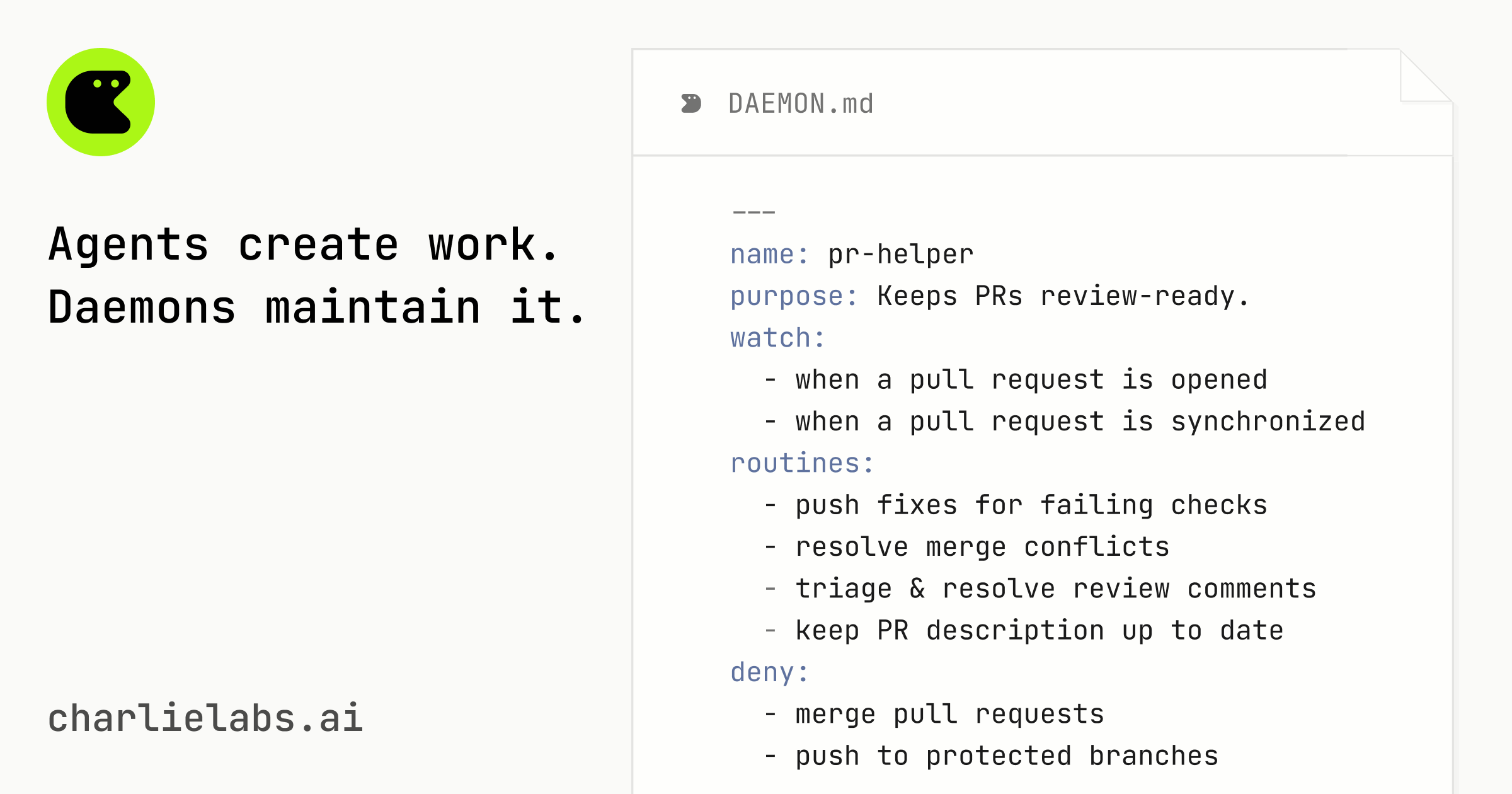
Charlie Labs gives engineering teams always-on AI daemons that keep work moving after coding agents create it. Define recurring roles in your repo, then let Daemons monitor PRs, issues, CI, docs, and Sentry errors over time. Instead of waiting for another human prompt, Daemons leave reviewable updates where your team already works: GitHub, Linear, Slack, and Sentry.
Key features
- Monitor and act on pull requests, issues, and code changes automatically
- Define daemon behavior once in markdown files for ongoing use
- Work continuously without prompts or explicit instructions required
- Maintain code quality, dependencies, documentation and operational standards
- Build institutional knowledge that improves with each daemon activation
Use cases
- Engineering teams managing pull request quality and review readiness
- Teams maintaining issue organization and triage across their tracker
- Development teams preventing dependency and patch drift in codebases
Pricing details: Free plan available with daily and weekly usage limits.
See Daemons by Charlie Labs pricing, reviews and alternatives →
11. Shaped — best for E-commerce retailers who want to power personalized product recommendations and search
Pricing: Free plan; paid from $100 · Free plan: Yes · Upvotes: 217
In Shaped's words
Stop gluing Pinecone, Redis, and Python scripts together. ShapedQL is the SQL engine for relevance - powering "For You" feeds, Search, and RAG memory in minutes. It compiles simple SQL into real-time ranking pipelines that retrieve, filter, score, and reorder results based on live user behavior. Replace thousands of lines of infra with 30 lines of SQL. With native multi-modal embeddings and automated MLOps, ShapedQL helps you build real-time decisions, not just document retrieval.
Key features
- Retrieve relevant results across hybrid search indexes in milliseconds
- Personalize search results based on individual user behavior and interactions
- Combine semantic and keyword search with machine learning reranking
- Integrate data from 30+ native connectors without custom ETL
- Apply business rules and hard constraints to filter and reorder results
Use cases
- E-commerce retailers who want to power personalized product recommendations and search
- Social media platforms building personalized feeds that adapt in real-time to user behavior
- AI agents requiring contextual memory and retrieval for conversational responses
Pricing details: $100 free credits available with no credit card required.
12. Ask Ellie — best for engineering leaders who need to identify risky PRs before they merge to production
Pricing: Free plan + paid tiers · Free plan: Yes · Upvotes: 202
In Ask Ellie's words
Ask Ellie is the AI chat agent that brings all your engineering context into Slack. Ask about code changes, PR status, sprint velocity, production issues, or analytics and get instant answers pulled from your actual tools. Create tickets, debug incidents, check what shipped, or find out who's blocking what, all without leaving chat. Connect GitHub, Jira, Linear, Sentry, PostHog, and more. No more dashboard hopping Just answers.
Key features
- Answer engineering questions from connected code, releases, incidents, and product signals
- Inspect connected systems and return source-backed facts with evidence
- Create or update tickets and assign owners with reasoning attached
- Send scheduled updates to Slack channels or direct messages
- Link product signals back to engineering changes and code decisions
Use cases
- Engineering leaders who need to identify risky PRs before they merge to production
- Teams triaging incidents and needing to understand related code changes and patterns
- Engineering managers tracking AI contribution and delivery metrics without switching tools
13. Edgee — best for organizations needing visibility into which teams and projects consume the most tokens and cost
Pricing: Free plan + paid tiers · Free plan: Yes · Upvotes: 196
In Edgee's words
It helps engineering teams control token spending by setting budgets per developer or squad and automatically rerouting to cost-effective models mid-task. Edgee works with coding agents like Claude Code, Cursor, and Copilot without requiring code changes.
Key features
- Route requests across multiple LLM providers based on budget policies.
- Compress input and output tokens without changing application code.
- Track cost and usage per developer, repository, and pull request.
- Automatically failover to alternative models when providers fail or hit rate limits.
- Deploy on-premise within your own infrastructure for data isolation.
Use cases
- Organizations needing visibility into which teams and projects consume the most tokens and cost.
- Companies with strict data residency or compliance requirements that cannot send prompts to third-party providers.
Pricing details: Free plan for solo developers. Team plan at €30 per developer per month. Enterprise plan with custom pricing for scale and security requirements.
14. Progress AI Observability — best for teams debugging complex multi-step agent workflows to find where behavior breaks down
Pricing: Paid · Free plan: No · Upvotes: 172
In Progress AI Observability's words
Debug and monitor AI agent failures in minutes. Trace every run, catch hallucinations and ungrounded answers that traditional monitoring misses, and see exactly what went wrong. Reduce token waste, improve agent quality, and ship faster with support forNET, Python, and JavaScript.
Key features
- Trace execution paths across prompts, models, and tools
- Debug agent failures by diagnosing skipped tools and retrieval issues
- Track and reduce AI spend across models and workflows
- Run LLM-as-a-Judge evaluations to measure output quality
- Support .NET, Python, and JavaScript applications
Use cases
- Teams debugging complex multi-step agent workflows to find where behavior breaks down
- Engineering leaders who need to track LLM spend across agents and workflows
- Teams evaluating AI output quality to ensure responses are grounded and safe
See Progress AI Observability pricing, reviews and alternatives →
15. GitHits beta 0.9 — best for coding agents needing to understand dependency behavior for version-specific implementations
Pricing: See website · Upvotes: 163
In GitHits beta 0.9's words
GitHits gives coding agents access to the open-source code your app depends on. Get real implementation examples, dependency source navigation, package inspection and documentation. Agents can grep and read your codebase. They can't grep and read the open-source code your app depends on. That's where they start guessing, retrying, and looping. GitHits builds a version-aware index on demand. Agents can search, navigate, and inspect the code behind their dependencies. CLI: npx githits@latest init
Key features
- Search code and symbols in packages by keywords or API names
- Read source files at exact versions with line ranges
- Inspect package dependencies with resolved versions
- Check security advisories for pinned package versions
- Compare package versions before upgrading
Use cases
- Coding agents needing to understand dependency behavior for version-specific implementations
- Teams verifying package changes before upgrading to new versions
- Developers checking security vulnerabilities in specific package versions
How to choose
- Choose Claude Code Desktop App Redesigned for developers managing multiple code projects simultaneously across different repositories.
- Choose FlutterFlow for teams building responsive apps that work across multiple device sizes and platforms.
- Choose Replay for engineering teams shipping frequently who need a continuous quality gate.
- Choose Imagine for developers building AI agent workflows who need to query databases and ship campaigns.
- Choose Struct for teams investigating multiple alerts who want to eliminate manual triage work.
- Choose InfrOS for teams launching new cloud projects who need validated, production-ready infrastructure on first deployment.
Still comparing? Browse every tool in Software Engineering or see the best tools in other categories.
Frequently asked questions
What is the best Software Engineering tool in 2026?
Claude Code Desktop App Redesigned is the most upvoted Software Engineering tool on Launch Llama. For developers: Claude Code desktop runs parallel coding agents across repos, reviews diffs, and ships code—all in one workspace. FlutterFlow and Replay round out the top three.
Is there a free Software Engineering tool?
Yes. 12 of the 15 tools in this comparison list a free plan, including FlutterFlow, Replay, Imagine.
How were these Software Engineering tools ranked?
By community upvotes on Launch Llama, after merging duplicate listings and dropping listings without a real description. We have not tested these tools hands-on; pricing and features come from each product's listing.
How many Software Engineering tools are listed on Launch Llama?
19 Software Engineering tools with full listings at the time of writing. This page compares the top 15; the rest are on the Software Engineering category page.