
CADCraft
Browser-based CAD for 2D designs with DXF and DWG files
CADCraft Free online CAD.
Built by partner:aidirectories and King · Developer Tools · Design Tools · Free
In category: #712 of 987 · Developer Tools
CADCraft is a Community listing on Launch Llama with 2 upvotes from 2 founders, founded by partner:aidirectories and King who joined in Oct 2026, compared against 6 alternatives.
Community listing
Listing status
2upvotes
Community score
partner:aidirectories and King (Joined Oct 2026)
Founder
Compared against 6 alternatives
Market comparison
Launched on Launch Llama Oct 29, 2026 · #2 of 7 that day
About
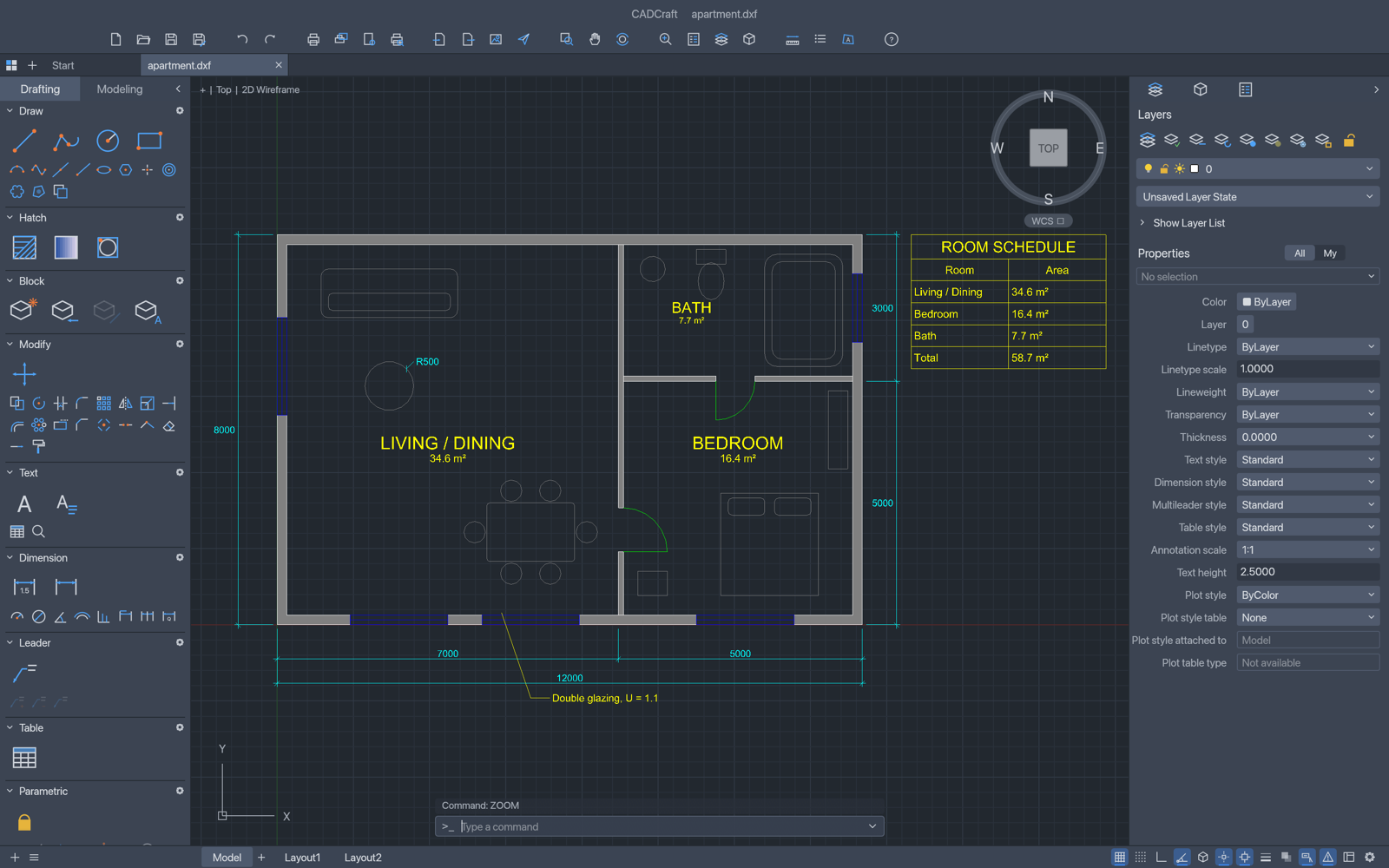
CADCraft is a free, browser-based CAD tool that allows you to create precise 2D designs without downloads or account registration. Easily edit DXF and DWG files and save your work locally using this powerful, no-installation online design platform.
Use Cases
- Drafting a 2D apartment floor plan directly in the browser without installing software
- Creating and editing DXF or DWG drawings with lines, circles, polylines, arcs, layers and dimensions
- Sketching quick technical drawings using familiar CAD commands and object snaps from any current desktop browser
Who it is for
- Students or hobbyists learning 2D technical drafting who want a free, no-install CAD tool.
- Designers and builders who need to open, edit and export DXF or DWG drawings from a browser.
- Open-source enthusiasts who want an MIT or Apache-2.0 licensed CAD editor they can use locally.
Pricing
CADCraft is free to use. See the website for details.
FAQ
Is CADCraft really free?+
Yes. CADCraft is open-source software under MIT or Apache-2.0. This independent hosted editor has no subscription, sign-in or payment requirement.
Does it work with DWG and DXF?+
The official project supports DXF and DWG drawing workflows. Compatibility varies by file version and content. Keep the original file and check important drawings after import; CADCraft is still in early development.
Where are my drawings saved?+
Save and Export download files to your computer. Signed-in users can also choose private cloud save: 10 MB per drawing and 100 MB per account. Cloud save is optional. Keep your own local backup.
What browser should I use?+
Use a current Chrome, Edge, Firefox or Safari with WebGPU or WebGL2 support. If the drawing area has rendering problems, try WebGL mode. The compatibility option uses the CPU drawing path but still needs WebGPU or WebGL2 for the interface.
Is this the official CADCraft website?+
No. cadcraft.io is independently operated and hosts a customized CADCraft web build. It is not the original software’s official website.
What is CADCraft?
CADCraft Free online CAD.
Alternatives
 ToolcraftBuild custom design apps with AI. Open-source. 100% Free.
More in Developer Tools
New on Launch Llama
- Ampli — social media scheduler
- TODO for AI
- Keepp
- NativeLingo
- Pageform
- Ora
- GIS Toolbox
- Starbucks Calorie Calculator
Launched this week · This month's launches · All products A–Z
Ask AI about CADCraft
Supporters
2 founders
2 founders contributed 2 upvotes to CADCraft on Launch Llama.
For bots & AI agents
Machine-readable versions of CADCraft and Launch Llama. Fetch these instead of parsing this page.
This listing (.md) llms.txt llms-full.txt ai.txt Full catalog (.md) Endpoint index API docs MCP server MCP manifest Developer docs