AutoMEP
AI drafter for MEP engineers and designers.
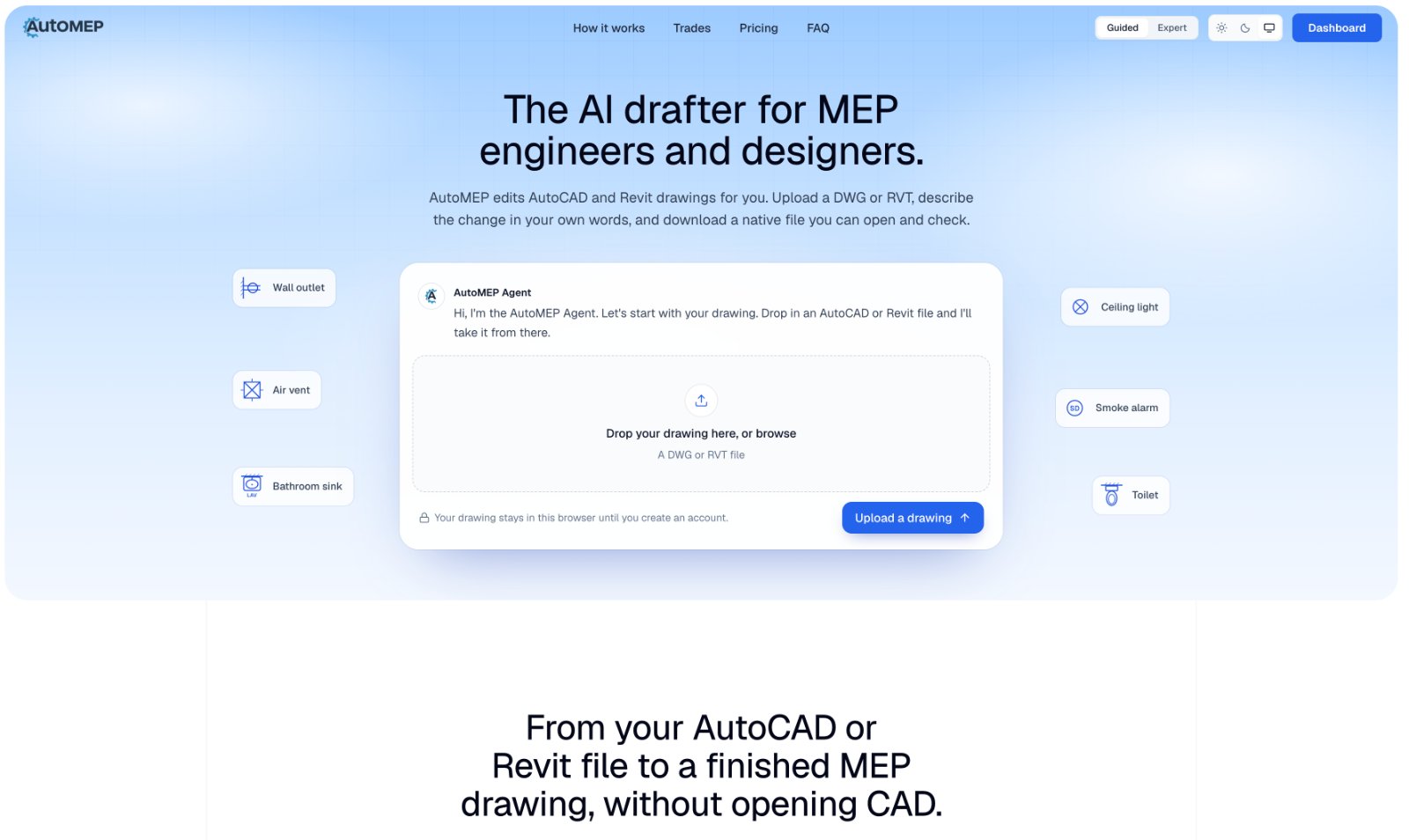
Built for MEP engineers and designers: uploads a DWG or RVT, applies HVAC, electrical and plumbing edits from a text request, and returns a file to review.
Built by Envy Apps · AI Agent · SaaS · Design Tools · Paid
In category: #42 of 48 · AI Agent
AutoMEP is a Community listing on Launch Llama with 0 total upvotes, founded by Envy Apps who joined in Oct 2026, compared against 6 alternatives.
Community listing
Listing status
0upvotes
Community score
Envy Apps (Joined Oct 2026)
Founder
Compared against 6 alternatives
Market comparison
Launched on Launch Llama Oct 26, 2026 · #93 of 111 that day
About
You upload a DWG or RVT, answer a few questions about the project's name and address, and describe the change the way you would to a drafter. The agent plans the edit, draws it with the standard MEP symbols a drafter would use, and places new work on standard layer names or your office's own CAD standard. A separate review pass then compares the result with your request, and you can inspect the drawing in the browser viewer before downloading it. Results are advisory, so a licensed professional should check them before anything is built.
Follow AutoMEP: LinkedIn
Key Features
- Edits existing AutoCAD DWG and Revit RVT drawings from a plain-language request
- Delivers draws MEP symbols such as outlets, air vents, smoke alarms and breaker panels
- Routes HVAC ducts and plumbing pipes, and wires electrical circuits back to panels
- Delivers adds dampers, valves and devices to existing ducts and pipes in Revit models
- Delivers returns an edited DWG or RVT plus a PDF, after a separate review pass checks it
- Delivers previews the edited drawing in the browser viewer before you download it
Use Cases
- Revising an existing AutoCAD or Revit MEP drawing by describing a change, such as adding outlets along a wall or lights in every office, and downloading the edi
- Adding HVAC ductwork, air vents, fans and return grilles to a floor plan, with runs labelled by size and airflow
- Responding to client changes on a drawing, such as a moved wall or a new tenant needing more outlets, without reworking the drafting by hand
Who it is for
- MEP engineers and designers who need native AutoCAD or Revit drawing edits
- Drafters and small design teams handling HVAC, electrical and plumbing changes on existing drawings
Pricing
$39/month
FAQ
What is AutoMEP?
AutoMEP is a web app that edits AutoCAD and Revit MEP drawings with AI agents. You upload a DWG or RVT and describe the change in your own words, in English or another language. An agent reads your drawing, plans the edit and applies it, and you download the updated file.
Do I need to install anything?
No. AutoMEP runs in your browser. Upload a DWG or RVT, describe the change, and download the updated file when it's done. You don't need plugins or macros on your machine to submit a job.
Which file types does AutoMEP work with?
AutoCAD drawings (DWG) and Revit models (RVT). You get the same file type back with your change made, and you can download a PDF of the result. Revit jobs also include a DWG export.
Which disciplines does it handle?
Mechanical, electrical and plumbing. That covers HVAC duct routing and equipment, receptacles, lighting, panels and homeruns, pipe routing and fixture labels, plus the annotation, layers and sheets around them.
Does it work with Revit?
Yes. Upload an RVT and AutoMEP can tag elements, place devices, cut dampers and valves into existing runs and load a family the model doesn't have yet. You get a native RVT back.
Does it follow CAD layer standards?
Yes. New work goes on AIA/NCS National CAD Standard layer names such as M-DUCT-SUPP. If your project uses your office's own CAD standard, AutoMEP uses its layers instead, and layers already in the drawing keep their settings.
Does AutoMEP use AI agents?
Yes. When you describe a change, an agent reads your actual drawing first (entities, layers, blocks and room labels), writes a plan for that file and applies it. A separate review pass then checks the result against what you asked for.
How long does a job take?
It depends on the drawing and on how much you ask for, so we don't quote a fixed time. The job page shows progress while it runs, and we email you when the file is ready.
What happens after the free trial?
The trial lasts 7 days. After that you're on the plan you picked, from $39/mo, and you can cancel anytime.
Alternatives
 SupWriterFor students and marketers: SupWriter rewrites AI drafts to sound human-written so your work passes AI detectors and reads naturally.
 ai flowchartFor product and ops teams: AI Flowchart converts plain text or sketches into editable diagrams, exportable as PNG, SVG, or PDF.
Ask AI about AutoMEP