Updated 2026-11-16 · 15 of 24 Games tools on Launch Llama compared
Quick answer: The best Games tools in 2026, by Launch Llama community upvotes, are Show Me a Leaderboard, myPip, Fabraix. If you want to start free, myPip has a free plan. We compared 15 of the 24 Games tools listed on Launch Llama on pricing, features and use cases.
Our picks at a glance
- Best overall: Show Me a Leaderboard — the most upvoted Games tool on Launch Llama
- Best free option: myPip — free
- Best to see in action: Dola AI — has a demo video you can watch below
- Most features listed: Termi Protocol — 4+ features on its listing
The 15 best Games tools in 2026
1. Show Me a Leaderboard — best for sales teams tracking monthly revenue, new customers, or deals closed to keep the team motivated

Pricing: Free plan; paid from $5/year · Free plan: Yes · Upvotes: 379
In Show Me a Leaderboard's words
Show Me a Leaderboard is a tool for creating custom leaderboards and friendly competitions for groups. It helps users track progress, engage their community, and motivate participants through live competition. Companies, nonprofits and friend groups use it to launch competitions with badges, forums, and notifications.
Key features
- Create and customize competitions in under two minutes
- Share competitions with groups via a single link
- Display live leaderboard updates with real-time rankings
- Enable comments and discussion threads between participants
- Award badges and send notifications to participants
Use cases
- Sales teams tracking monthly revenue, new customers, or deals closed to keep the team motivated.
- Friend groups running fitness challenges by logging workouts, steps, or healthy meals.
- Book clubs or creative communities tracking books read, recipes tried, or photos shared.
Pricing details: Free plan for up to 5 participants per competition.
See Show Me a Leaderboard pricing, reviews and alternatives →
2. myPip — best for aspiring game creators who want to turn a written description into a playable game in minutes
Pricing: Free · Free plan: Yes · Upvotes: 273
In myPip's words
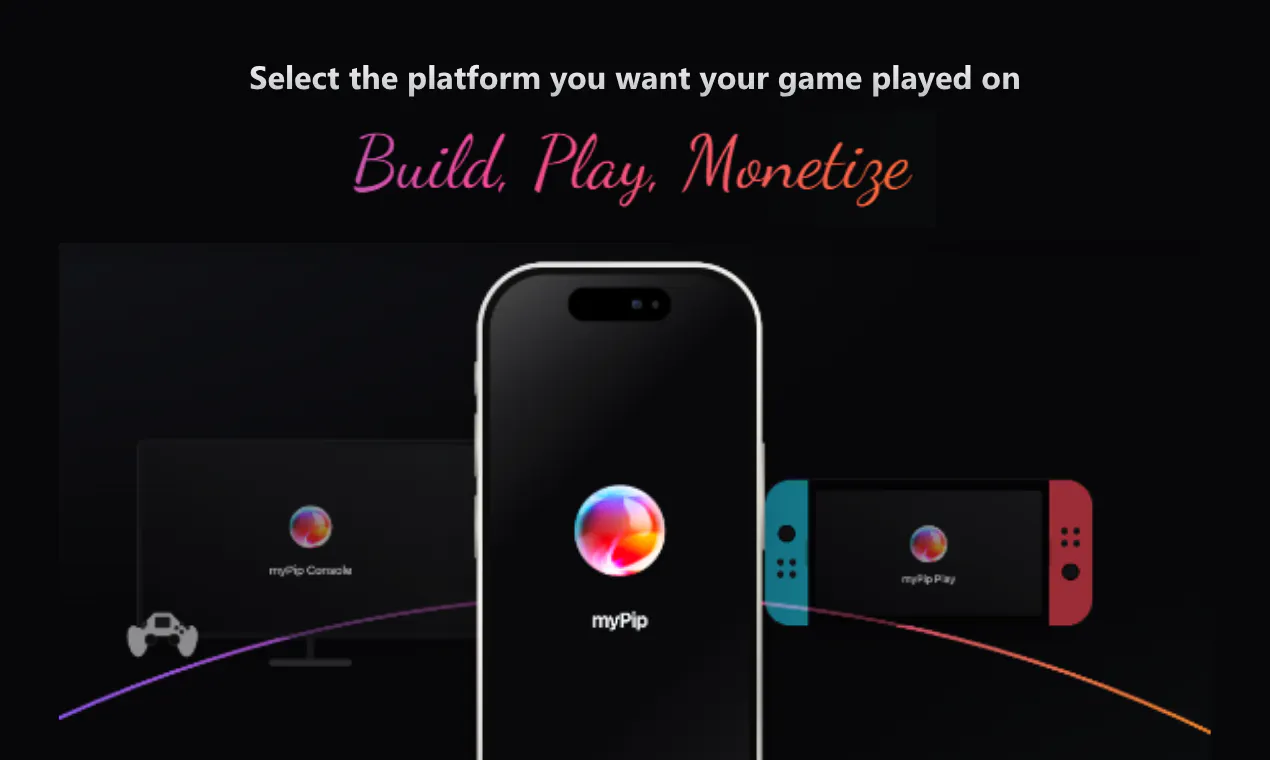
MyPip turns your game ideas into playable games you can publish and monetize. Describe what you want to build, and AI brings it to life directly in your browser, no coding required. Create multiplayer experiences, add in-app purchases and ads, and take your games beyond the browser to reach more players. From your first idea to publishing and monetization, MyPip gives anyone the tools to become a game creator.
Key features
- Turn written game ideas into playable games that run in the browser
- Create multiplayer experiences for your games
- Add in-app purchases and ads to games
- Take games beyond the browser to reach more players
Use cases
- Aspiring game creators who want to turn a written description into a playable game in minutes.
- Non-coders who want to build a game directly in the browser without writing code.
- Creators who want to publish a game and monetize it with in-app purchases or ads.
Pricing details: myPip is described as a free AI game maker.
3. Fabraix — best for AI developers who want to identify vulnerabilities in their systems before deployment
Pricing: Free · Free plan: Yes · Upvotes: 254
In Fabraix's words
Every challenge is a live and open-source AI agent guarding a secret - with its system prompt published for you to read. Talk it past its own defenses. Land the most approved breaks in a week and win $100K+ in rewards. Free to play, no account needed. New challenge every Monday.
Key features
- Find security vulnerabilities in customer-facing AI
- Run adversarial verification tests against AI agents
- Test AI agent defenses with live challenges
Use cases
- AI developers who want to identify vulnerabilities in their systems before deployment
- Security researchers who want to test AI agent robustness through adversarial testing
Pricing details: Free to play with no account required. Rewards up to $100K+ available for successful security challenges.
4. Termi Protocol — best for developers running AI coding agents who need full visibility into agent actions
Pricing: From $7.99 · Free plan: No · Upvotes: 177
In Termi Protocol's words
The Termi Protocol is a 3D simulation of AI agent workflows. Give your coding agents a face, a desk and a living room. Watch them read, write and run commands live in 3D, like a game. You run the agents; we visualize the process.
Key features
- Visualize AI coding agent actions in 3D workspace
- Save task boards, checkpoints and project memory between sessions
- Pause, approve or rewind any agent step in real time
- Prevent multiple agents from editing the same file
Use cases
- Developers running AI coding agents who need full visibility into agent actions
- Teams managing multiple AI agents on the same project simultaneously
- Users who need to resume interrupted coding sessions without losing context
Pricing details: One-time lifetime pass for $7.99. No subscription, no usage caps.
5. Unreal Engine — best for use MCP-native AI agent automation to automate repetitive game development tasks and accelerate production workflows within the engine
Pricing: Free plan + paid tiers · Free plan: Yes · Upvotes: 155
In Unreal Engine's words
Unreal Engine 5.8 is a game development platform representing the final major milestone of the UE5 lifecycle. It provides developers with tools for creating 3D experiences, including terrain systems, lighting solutions, and AI automation capabilities.
Key features
- Create terrain using experimental 3D Mesh Terrain technology
- Apply production-ready MegaLights for current-generation console games
- Automate AI agents with native MCP plugin integration
Use cases
- Use MCP-native AI agent automation to automate repetitive game development tasks and accelerate production workflows within the engine.
- Deploy MegaLights to optimize lighting in large-scale 3D environments, reducing rendering complexity while maintaining visual quality.
- Build expansive game worlds using 3D Mesh Terrain systems to create detailed landscapes faster than traditional terrain tools.
6. lofi.town — best for students who need to stay focused during online school or exam preparation

Pricing: Free plan + paid tiers · Free plan: Yes · Upvotes: 127
In lofi.town's words
Find your focus in a cozy multiplayer world. lofi.town combines real-time coworking with the warmth of a cozy game - pick a spot, listen to our live lofi radio, and get things done with real people around you. Between sessions, explore the world and everything it has to offer, from fishing by the pier to go-karts in our race track. It's the productivity space that actually makes you want to come back. Come visit lofi.town!
Key features
- Listen to curated lo-fi radio tracks designed for focus
- Work in timed intervals with a Pomodoro timer
- Organize tasks with a simple to-do list
- Study alongside others in a shared virtual space
- Customize your bunny avatar with colors and outfits
Use cases
- Students who need to stay focused during online school or exam preparation
- People with ADHD managing task completion with built-in productivity tools
- Individuals seeking accountability through studying with others virtually
Pricing details: Free to start with core features. Optional supporter tiers available for cosmetics and bonuses.
7. Diiverge — best for players who want to explore interactive stories created from single images

Pricing: Free plan; paid from $25 · Free plan: Yes · Upvotes: 113
In Diiverge's words
Turn a photo, painting or screenshot into a point-and-click adventure. Click something in the scene, choose what happens, and AI creates the next scene and a short film of the moment. Every path is saved, so others can explore the branches you create. Play the public worlds for free, or buy scene packs in the studio to make your own adventure and share it with a link.
Key features
- Convert photos, paintings or screenshots into interactive point-and-click adventures
- Save all player paths so others can explore created branches
- Render transitions between scenes as short films
- Share adventures privately until ready to publish
Use cases
- Players who want to explore interactive stories created from single images
- Creators making custom adventures from personal photos or artwork
Pricing details: Playing public worlds is free. Creating new scenes in your own studio requires purchasing scene packs. Sponsoring a volume costs from $25 and adds approximately 2 scenes per dollar.
8. Gesture Synth School — best for follow the chord charts to learn hand gestures for popular songs step by step
Pricing: Free · Free plan: Yes · Upvotes: 74
In Gesture Synth School's words
Free guided practice for Gesture Synth. Chord charts, gesture tutorials, and a play-along player for popular songs — learn the hand gestures step by step.
Key features
- Follow guided practice lessons to learn gesture synth hand movements
- View chord charts mapped to hand gesture positions
- Watch gesture tutorials demonstrating proper playing technique
- Play along with songs using the built-in play-along player
- Progress through structured lessons from beginner to advanced levels
Use cases
- Follow the chord charts to learn hand gestures for popular songs step by step
- Use gesture tutorials to master playing techniques before attempting full songs
- Practice with the play-along player to build muscle memory and timing in real time
See Gesture Synth School pricing, reviews and alternatives →
9. Little Jigsaws — best for picking up a five-minute puzzle break or settling into a longer session over an evening

Pricing: Free plan + paid tiers · Free plan: Yes · Upvotes: 25 · Rating: 4/5 from 3 reviews
In Little Jigsaws's words
Players choose from ten hand-curated picture categories and pick a piece count, and the same image plays as a new puzzle at each difficulty. A picture overlay can be dialed from faint to fully visible, and the Magic Wand places a stuck piece with one tap. Each puzzle auto-saves as you play, and categories remain browsable offline once a puzzle has been opened once.
Key features
- Browse ten hand-curated picture categories, all free to play
- Pick from 9 to 196 pieces and replay any image at a new difficulty
- Dial the finished-picture overlay up or down while you work
- Use the Magic Wand to place a stuck piece with one tap
- Replay missed daily challenges from the browsable history
Use cases
- Picking up a five-minute puzzle break or settling into a longer session over an evening.
- Keeping a daily habit going by solving the new challenge each day and replaying any missed ones.
- Playing on a phone or tablet away from Wi-Fi using puzzles already downloaded to the device.
Pricing details: Free Plan
10. Dola AI — best for adding a new gameplay mechanic to an existing Blueprint, with nodes wired and the Blueprint compiled and saved from chat
Pricing: Free plan + paid tiers · Free plan: Yes · Upvotes: 11 · Rating: 2/5 from 1 review
In Dola AI's words
A Blueprint specialist agent connects to your open Unreal project through a live bridge, adds and wires nodes, then compiles and saves, and reports whether the task finished as DONE or INCOMPLETE. Project indexes and chat history are designed to stay on your computer, and with your own model API key, requests go from the app directly to your model provider. Modeling mode is a separate Babylon studio for chatting to a live mesh, not an Unreal viewport feature.
Key features
- Add, wire, compile, and save Blueprint nodes from a chat description
- Write UCLASS, UPROPERTY, and UFUNCTION C++ grounded in real engine symbols
- Look up Unreal Engine classes and symbols without switching to docs
- Search across project assets and memory with semantic queries
- Spawn actors, apply materials, and start Play In Editor by description
Use cases
- Adding a new gameplay mechanic to an existing Blueprint, with nodes wired and the Blueprint compiled and saved from chat.
- Writing C++ classes with UCLASS, UPROPERTY, and UFUNCTION code that uses real Unreal Engine API symbols.
- Spawning actors and applying materials in the open level, then starting Play In Editor to test the result.
Pricing details: from 10 dollars per month
11. RePoker - GTO Preflop Trainer — best for drilling GTO preflop ranges with timed 5-hand table quizzes to test recall under pressure
Pricing: Free · Free plan: Yes · Upvotes: 8 · Rating: 5/5 from 1 review
In RePoker - GTO Preflop Trainer's words
RePoker is an iOS app built for poker players who want to learn and memorize GTO preflop ranges. Instead of staring at static charts, you practice the ranges directly on your phone through repeated drills. The app uses spaced repetition, so hands you struggle with come back more often while the ones you already know appear less frequently. It works for players at any level who want a structured way to study preflop strategy, and you can fit a short session in anywhere using your iPhone. RePoker is free to use.
Key features
- Learn GTO preflop poker ranges
- Drill ranges with spaced-repetition practice
- Study anywhere with an iOS app
Use cases
- Drilling GTO preflop ranges with timed 5-hand table quizzes to test recall under pressure.
- Reviewing missed or uncertain preflop decisions on a spaced-repetition schedule until the correct action becomes automatic.
- Practicing preflop positions and actions in a table-like simulation to prepare for real-game decisions.
See RePoker - GTO Preflop Trainer pricing, reviews and alternatives →
12. GGDB - Good Gamer's Database — best for gamers who want to decide what to play next based on their gaming history and preferences
Pricing: Free · Free plan: Yes · Upvotes: 5
In GGDB - Good Gamer's Database's words
GGDB is an independent game database that helps gamers discover games and track their gaming history. It lets you import your game library from Steam, PlayStation, or Xbox and rate games across multiple dimensions. The platform builds a personalized profile called your Gamer DNA based on the games you've played and rated.
Key features
- Import game libraries from Steam, PlayStation, or Xbox
- Rate games across six separate dimensions instead of one overall score
- View cast and crew credits sorted by department for each game
- See budget and revenue information for games with sources linked
- Access detailed awards listings from major gaming award ceremonies
Use cases
- Gamers who want to decide what to play next based on their gaming history and preferences.
- Players seeking detailed information about a game's development team, budget, and awards.
See GGDB - Good Gamer's Database pricing, reviews and alternatives →
13. Scritchy Scratchy — best for playing a quick browser-based scratch-card session to learn the core loop before buying the full game
Pricing: From $4.99 · Upvotes: 5
In Scritchy Scratchy's words
Scritchy Scratchy is an idle/casual game you play right in your browser. Buy scratch cards, scratch them open, and reinvest winnings into stronger runs. Early play focuses on keeping your bankroll stable, midgame adds efficiency upgrades, and later runs unlock auto-scratching. Free to play with no signup required.
Use cases
- Playing a quick browser-based scratch-card session to learn the core loop before buying the full game.
- Working through a manual-to-automation progression, deciding which efficiency upgrades to buy first, and timing a prestige run.
- Comparing the free browser demo with the paid itch.io and mobile versions before choosing where to play.
Pricing details: The browser version is a free demo. On itch.io the full game was listed at $5.59 USD, and the US App Store showed $4.99 on March 24, 2026.
14. Spin the Wheel — best for picking a student, presenter, or next activity in a classroom by spinning a roster of names on a shared screen
Pricing: See website · Upvotes: 4
In Spin the Wheel's words
Spin the Wheel (spinwheelbox.com) is a free browser-based random name picker and decision wheel. Create custom spinning wheels with your own options, customize colors and segments, and spin for a random selection. Ideal for classroom raffles, giveaways, and decision making.
Use cases
- Picking a student, presenter, or next activity in a classroom by spinning a roster of names on a shared screen.
- Running a giveaway or raffle draw where the full entry list stays visible and everyone can watch the spin.
- Settling a group decision such as dinner, a movie, or who does the chores by spinning a wheel of options.
15. tescast — best for passengers keep live news, sport or YouTube playing on long road trips
Pricing: From $7.99/month · Free plan: No · Upvotes: 3
In tescast's words
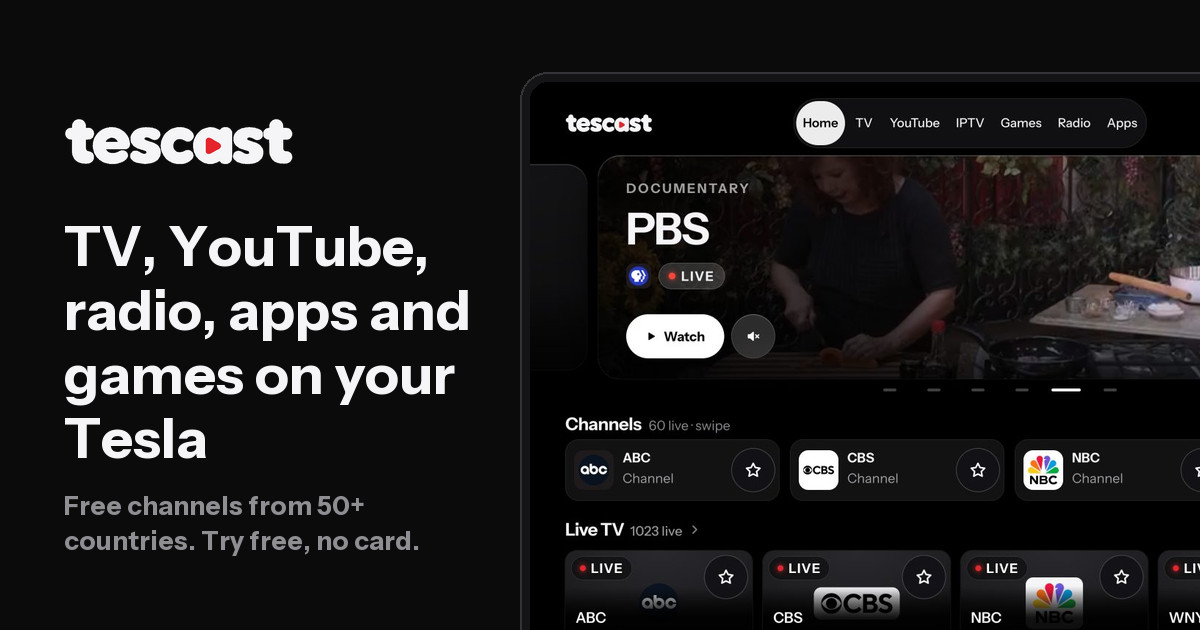
Setup is a QR code scan from your phone, and the car remembers you afterward so you don't sign in on every drive. Video keeps playing for passengers when the car moves from Park to Drive, and choosing "I'm driving" blurs the picture so only sound plays. Radio, a 153-channel Turkish TV tab with a program guide, 12 ad-free games and an Apps tab for Netflix and Spotify share the same car screen.
Key features
- Plays free live TV from 50+ countries, refreshed daily from open sources
- Streams YouTube with your subscriptions and liked videos after linking your account
- Loads your own M3U or Xtream IPTV list in the car at no extra cost
- Keeps video playing for passengers when the car shifts from Park to Drive
- Blurs the picture for the driver, leaving only sound, when "I'm driving" is chosen
Use cases
- Passengers keep live news, sport or YouTube playing on long road trips.
- Watching free public channels or Turkish TV while the car is parked or charging.
- Listening to radio from 50+ countries while browsing other tabs on the car screen.
Pricing details: $7.99/mo or $59.99/yr
Comparison table
| # | Tool | Rating | Upvotes | Price |
|---|---|---|---|---|
| 1 | Show Me a Leaderboard Sales teams tracking monthly revenue, new customers, or deals closed to keep the team motivated |
No reviews yet | ▲ 379 | Free planthen from $5/yr |
| 2 | myPip Aspiring game creators who want to turn a written description into a playable game in minutes |
No reviews yet | ▲ 273 | Free plan |
| 3 | Fabraix AI developers who want to identify vulnerabilities in their systems before deployment |
No reviews yet | ▲ 254 | Free plan |
| 4 | Termi Protocol Developers running AI coding agents who need full visibility into agent actions |
No reviews yet | ▲ 177 | from $7.99 |
| 5 | Unreal Engine Use MCP-native AI agent automation to automate repetitive game development tasks and accelerate production workflows within the engine |
No reviews yet | ▲ 155 | Free plan+ paid plans |
| 6 | lofi.town Students who need to stay focused during online school or exam preparation |
No reviews yet | ▲ 127 | Free plan+ paid plans |
| 7 | Diiverge Players who want to explore interactive stories created from single images |
No reviews yet | ▲ 113 | Free planthen from $25 |
| 8 | Gesture Synth School Follow the chord charts to learn hand gestures for popular songs step by step |
No reviews yet | ▲ 74 | Free plan |
| 9 | Little Jigsaws Picking up a five-minute puzzle break or settling into a longer session over an evening |
Rated 4 out of 5 from 3 reviews4(3) | ▲ 25 | Free plan+ paid plans |
| 10 | Dola AI Adding a new gameplay mechanic to an existing Blueprint, with nodes wired and the Blueprint compiled and saved from chat |
Rated 2 out of 5 from 1 review2(1) | ▲ 11 | Free plan+ paid plans |
| 11 | RePoker - GTO Preflop Trainer Drilling GTO preflop ranges with timed 5-hand table quizzes to test recall under pressure |
Rated 5 out of 5 from 1 review5(1) | ▲ 8 | Free plan |
| 12 | GGDB - Good Gamer's Database Gamers who want to decide what to play next based on their gaming history and preferences |
No reviews yet | ▲ 5 | Free plan |
| 13 | Scritchy Scratchy Playing a quick browser-based scratch-card session to learn the core loop before buying the full game |
No reviews yet | ▲ 5 | from $4.99 |
| 14 | Spin the Wheel Picking a student, presenter, or next activity in a classroom by spinning a roster of names on a shared screen |
No reviews yet | ▲ 4 | See site |
| 15 | tescast Passengers keep live news, sport or YouTube playing on long road trips |
No reviews yet | ▲ 3 | from $7.99/mo |
How we compared them
This is a comparison built from listing data, not a hands-on review: we have not tested these tools ourselves. Every product here is listed on Launch Llama, and the ranking uses what founders and their users have put on the record.
Tools are ordered by community upvotes. Duplicate listings are merged, and listings without a real description are left out. Pricing, features and use cases come from each product's listing and can change, so check the product's own site before you buy.
How to choose
- Choose Show Me a Leaderboard for sales teams tracking monthly revenue, new customers, or deals closed to keep the team motivated.
- Choose myPip for aspiring game creators who want to turn a written description into a playable game in minutes.
- Choose Fabraix for AI developers who want to identify vulnerabilities in their systems before deployment.
- Choose Termi Protocol for developers running AI coding agents who need full visibility into agent actions.
- Choose Unreal Engine for use MCP-native AI agent automation to automate repetitive game development tasks and accelerate production workflows within the engine.
- Choose lofi.town for students who need to stay focused during online school or exam preparation.
Still comparing? Browse every tool in Games or see the best tools in other categories.
Frequently asked questions
What is the best Games tool in 2026?
Show Me a Leaderboard is the most upvoted Games tool on Launch Llama. For communities: Show Me a Leaderboard launches custom competitions with leaderboards, badges, and forums to strengthen engagement. myPip and Fabraix round out the top three.
Is there a free Games tool?
Yes. 11 of the 15 tools in this comparison list a free plan, including Show Me a Leaderboard, myPip, Fabraix.
How were these Games tools ranked?
By community upvotes on Launch Llama, after merging duplicate listings and dropping listings without a real description. We have not tested these tools hands-on; pricing and features come from each product's listing.
How many Games tools are listed on Launch Llama?
24 Games tools with full listings at the time of writing. This page compares the top 15; the rest are on the Games category page.